Properties referring a single dimension (either row or column). If both BandedRange.row_properties and BandedRange.column_properties are set, the fill colors are applied to cells according to the following rules:
More...
|
| virtual Color | FirstBandColor [get, set] |
| | The first color that is alternating. (Required) More...
|
| |
| virtual ColorStyle | FirstBandColorStyle [get, set] |
| | The first color that is alternating. (Required) If first_band_color is also set, this field takes precedence. More...
|
| |
| virtual Color | FooterColor [get, set] |
| | The color of the last row or column. If this field is not set, the last row or column is filled with either first_band_color or second_band_color, depending on the color of the previous row or column. More...
|
| |
| virtual ColorStyle | FooterColorStyle [get, set] |
| | The color of the last row or column. If this field is not set, the last row or column is filled with either first_band_color or second_band_color, depending on the color of the previous row or column. If footer_color is also set, this field takes precedence. More...
|
| |
| virtual Color | HeaderColor [get, set] |
| | The color of the first row or column. If this field is set, the first row or column is filled with this color and the colors alternate between first_band_color and second_band_color starting from the second row or column. Otherwise, the first row or column is filled with first_band_color and the colors proceed to alternate as they normally would. More...
|
| |
| virtual ColorStyle | HeaderColorStyle [get, set] |
| | The color of the first row or column. If this field is set, the first row or column is filled with this color and the colors alternate between first_band_color and second_band_color starting from the second row or column. Otherwise, the first row or column is filled with first_band_color and the colors proceed to alternate as they normally would. If header_color is also set, this field takes precedence. More...
|
| |
| virtual Color | SecondBandColor [get, set] |
| | The second color that is alternating. (Required) More...
|
| |
| virtual ColorStyle | SecondBandColorStyle [get, set] |
| | The second color that is alternating. (Required) If second_band_color is also set, this field takes precedence. More...
|
| |
| virtual string | ETag [get, set] |
| | The ETag of the item. More...
|
| |
|
string | ETag |
| |
Properties referring a single dimension (either row or column). If both BandedRange.row_properties and BandedRange.column_properties are set, the fill colors are applied to cells according to the following rules:
- header_color and footer_color take priority over band colors. * first_band_color takes priority over second_band_color. * row_properties takes priority over column_properties.
For example, the first row color takes priority over the first column color, but the first column color takes priority over the second row color. Similarly, the row header takes priority over the column header in the top left cell, but the column header takes priority over the first row color if the row header is not set.
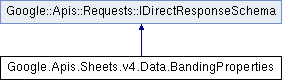
 Properties inherited from Google::Apis::Requests::IDirectResponseSchema