# Design patterns for accessible, crawlable and indexable content
Friday, May 09, 2008
As a follow-up to my
[previous posts](https://developers.google.com/search/blog/2008/04/webmaster-tips-for-creating-accessible)
on accessibility, here are some design recommendations for creating web content that remains
usable by the widest possible audience while helping ensure that the content gets indexed and
crawled.
## Avoid spurious `XMLHttpRequest` calls
Pages that enable users to look up information often use `XMLHttpRequest` calls to
populate the page with additional information after the page has loaded. When using this pattern,
ensure that your initial page has useful information on it---otherwise Googlebot as well as
those users who have disabled scripting in their browser may believe that your site contains only
the message "loading..."
## CSS sprites and navigation links
Having meaningful text to go with navigational links is equally important for Googlebot as well as
users who cannot perceive the meaning of an image. While designing the look and feel of
navigational links on your site, you may have chosen to go with images that function as links,
for example, by placing `![]() ` tags within `` elements.
That design enables you to place the descriptive text as an
[alt attribute](https://developers.google.com/search/blog/2007/12/using-alt-attributes-smartly)
on the`
![]() `tag.
But what if you've switched to using
[CSS sprites](https://www.google.com/search?q=css+sprites)
to optimize page loading? It's still possible to include that all-important descriptive text when
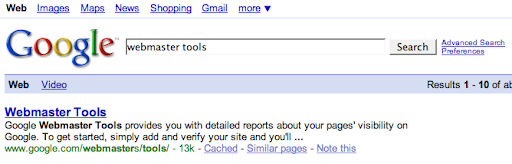
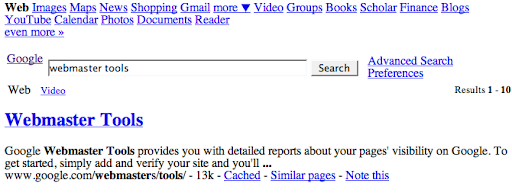
applying CSS sprites; for a possible solution, see how the Google logo and the various nav-links
at the bottom of the Google Results page are coded. In brief, we placed the descriptive text right
under the CSS-sprited image.
## Use unobtrusive JavaScript
We've talked about the concept of
[progressive enhancement](https://developers.google.com/search/blog/2007/11/spiders-view-of-web-20)
when creating a rich, interactive site. As you add features, also use
[unobtrusive JavaScript](https://www.google.com/search?q=unobtrusive+javascript)
techniques for creating JavaScript-powered web pages that degrade gracefully. These techniques
ensure that your content remains accessible by the widest possible user base without the need to
sacrifice the more interactive features of Web 2.0 applications.
## Make printer-friendly versions easily available
Web sites with highly interactive visual designs often provide all of the content for a given
story as a *printer-friendly* version. Generated from the same content as the interactive
version, these are an excellent source of high-quality content for both the Googlebot as well as
visually impaired users unable to experience all of the interactive features of a web site. But
all too often, these printer-friendly versions remain hidden behind scripted links of the form:
```
">Print
```
Creating actual URLs for these printer-friendly versions and linking to them via plain HTML
anchors will vastly improve the quality of content that gets crawled.
```
Print
```
If you're especially worried about
[duplicate content](https://developers.google.com/search/blog/2006/12/deftly-dealing-with-duplicate-content)
from the interactive and printer-friendly version, then you may want to pick a preferred version
of the content and submit a Sitemap containing the preferred URL as well as try to internally
link to this version. This can help Google disambiguate if we see pieces of the article show up
on different URLs.
## Create URLs for your useful content
As a webmaster, you have the power to *mint* URLs for all of the useful content that you are
publishing. Exercising this power is what makes the web spin. Creating URLs for every valuable
nugget you publish, and linking to them via plain old HTML hyperlinks will ensure that:
- Googlebot learns about that content,
- users can find that content,
- and users can bookmark it for returning later.
Failure to do this often forces your users to have to remember complex click trails to reach that
nugget of information they know they previously viewed on your site.
Written by
[T.V. Raman](https://emacspeak.sf.net/raman), Research Scientist