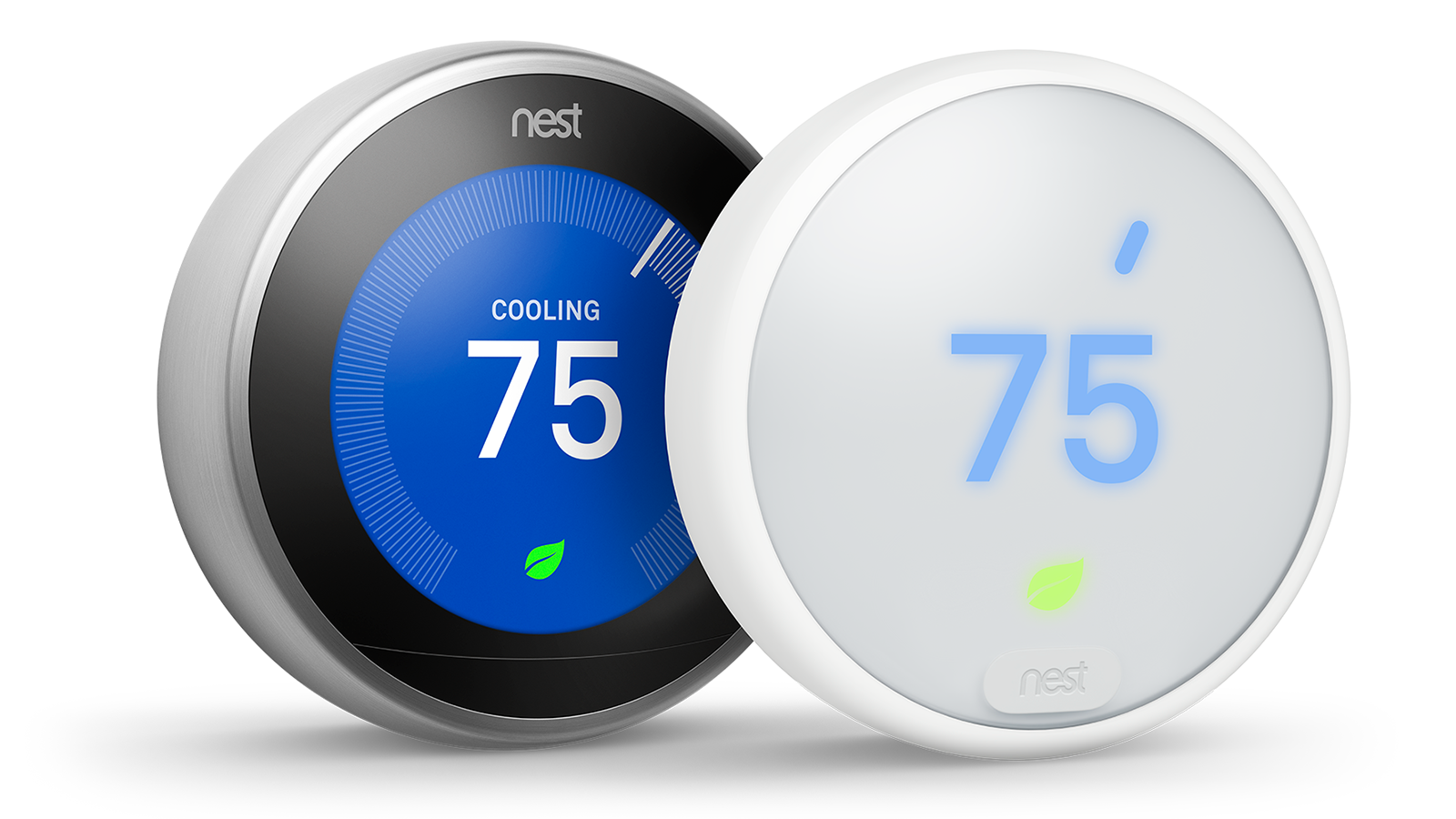
All [Google Nest Thermostat
models](https://store.google.com/magazine/compare_thermostats) are supported in
the Smart Device Management (SDM) API. These devices return the THERMOSTAT
device type:
`sdm.devices.types.THERMOSTAT`
## Traits
### Reference
The following traits, commands, or events are related to this group:
| Trait | Description | Commands |
|---|---|---|
| [Connectivity](https://developers.google.com/nest/device-access/traits/device/connectivity) | This trait belongs to any device that has connectivity information. | |
| [Fan](https://developers.google.com/nest/device-access/traits/device/fan) | This trait belongs to any device that has the system ability to control the fan. | [SetTimer](https://developers.google.com/nest/device-access/traits/device/fan#settimer) |
| [Humidity](https://developers.google.com/nest/device-access/traits/device/humidity) | This trait belongs to any device that has a sensor to measure humidity. | |
| [Info](https://developers.google.com/nest/device-access/traits/device/info) | This trait belongs to any device for device-related information. | |
| [Settings](https://developers.google.com/nest/device-access/traits/device/settings) | This trait belongs to any device for device-related settings information. | |
| [Temperature](https://developers.google.com/nest/device-access/traits/device/temperature) | This trait belongs to any device that has a sensor to measure temperature. | |
| [ThermostatEco](https://developers.google.com/nest/device-access/traits/device/thermostat-eco) | This trait belongs to device types of THERMOSTAT that support ECO modes. | [SetMode](https://developers.google.com/nest/device-access/traits/device/thermostat-eco#setmode) |
| [ThermostatHvac](https://developers.google.com/nest/device-access/traits/device/thermostat-hvac) | This trait belongs to device types of THERMOSTAT that can report HVAC details. | |
| [ThermostatMode](https://developers.google.com/nest/device-access/traits/device/thermostat-mode) | This trait belongs to device types of THERMOSTAT that support different thermostat modes. | [SetMode](https://developers.google.com/nest/device-access/traits/device/thermostat-mode#setmode) |
| [ThermostatTemperatureSetpoint](https://developers.google.com/nest/device-access/traits/device/thermostat-temperature-setpoint) | This trait belongs to device types of THERMOSTAT that support setting target temperature and temperature range. | [SetHeat](https://developers.google.com/nest/device-access/traits/device/thermostat-temperature-setpoint#setheat) [SetCool](https://developers.google.com/nest/device-access/traits/device/thermostat-temperature-setpoint#setcool) [SetRange](https://developers.google.com/nest/device-access/traits/device/thermostat-temperature-setpoint#setrange) |
### JSON
The absence of a trait in a GET response indicates that the trait or
feature is not currently available for the device. See
[Device types](https://developers.google.com/nest/device-access/traits#device-types) for more
information.
```
{
"type" : "sdm.devices.types.THERMOSTAT",
"traits" : {
"sdm.devices.traits.Connectivity" : {
"status" : "ONLINE"
},
"sdm.devices.traits.Fan" : {
"timerMode" : "ON",
"timerTimeout" : "2019-05-10T03:22:54Z"
},
"sdm.devices.traits.Humidity" : {
"ambientHumidityPercent" : 35.0
},
"sdm.devices.traits.Info" : {
"customName" : "My device"
},
"sdm.devices.traits.Settings" : {
"temperatureScale" : "CELSIUS"
},
"sdm.devices.traits.Temperature" : {
"ambientTemperatureCelsius" : 23.0
},
"sdm.devices.traits.ThermostatEco" : {
"availableModes" : ["MANUAL_ECO", "OFF"],
"mode" : "MANUAL_ECO",
"heatCelsius" : 20.0,
"coolCelsius" : 22.0
},
"sdm.devices.traits.ThermostatHvac" : {
"status" : "HEATING"
},
"sdm.devices.traits.ThermostatMode" : {
"availableModes" : ["HEAT", "COOL", "HEATCOOL", "OFF"],
"mode" : "COOL"
},
"sdm.devices.traits.ThermostatTemperatureSetpoint" : {
"heatCelsius" : 20.0,
"coolCelsius" : 22.0
}
}
}
```
## Temperature and humidity
To read the thermostat's ambient temperature, use the
[Temperature](https://developers.google.com/nest/device-access/traits/device/temperature) trait. The ambient
temperature is measured at the device.
To read the thermostat's ambient humidity, use the
[Humidity](https://developers.google.com/nest/device-access/traits/device/humidity) trait. The ambient
humidity is measured at the device.
## Temperature scale
The Google Nest Thermostat can display temperature in either degrees Celsius or
Fahrenheit, but the scale cannot be set by the SDM API. To determine
the temperature scale currently set by the user, use the
[Settings](https://developers.google.com/nest/device-access/traits/device/settings) trait.
## Change the mode
The thermostat's mode is managed by two different traits:
[ThermostatMode](https://developers.google.com/nest/device-access/traits/device/thermostat-mode) and
[ThermostatEco](https://developers.google.com/nest/device-access/traits/device/thermostat-eco).
### Standard modes
To change the thermostat mode to HEAT, COOL, or HEATCOOL, use the [SetMode](https://developers.google.com/nest/device-access/traits/device/thermostat-mode#setmode) command of the ThermostatMode trait.
This command can also be used to turn the thermostat's mode to OFF. It cannot be used to turn on Eco mode.
For example, to change one of the standard thermostat modes:
### Request
POST /enterprises/project-id/devices/device-id:executeCommand
{
"command" : "sdm.devices.commands.ThermostatMode.SetMode",
"params" : {
"mode" : "HEAT"
}
}
### Response
```
{}
```
### Eco mode
To turn Eco mode on, use MANUAL_ECO as the mode with the
[SetMode](https://developers.google.com/nest/device-access/traits/device/thermostat-eco#setmode) command of the ThermostatEco trait:
### Request
POST /enterprises/project-id/devices/device-id:executeCommand
{
"command" : "sdm.devices.commands.ThermostatEco.SetMode",
"params" : {
"mode" : "MANUAL_ECO"
}
}
### Response
```
{}
```
This command impacts other traits, based on the current status of, or changes to, the Eco mode:
- If Eco mode is OFF, the thermostat mode will default to the last standard mode (HEAT, COOL, HEATCOOL, or OFF) that was active.
- If Eco mode is MANUAL_ECO:
- Commands for the [ThermostatTemperatureSetpoint](https://developers.google.com/nest/device-access/traits/device/thermostat-temperature-setpoint) trait are rejected.
- Temperature setpoints are not returned by the [ThermostatTemperatureSetpoint](https://developers.google.com/nest/device-access/traits/device/thermostat-temperature-setpoint) trait.
> [!NOTE]
> Some thermostat models do not support changing the Eco mode when the thermostat mode is OFF, according to the [ThermostatMode](https://developers.google.com/nest/device-access/traits/device/thermostat-mode) trait. The thermostat mode must be changed to HEAT, COOL, or HEATCOOL prior to changing the Eco mode.
## Change the temperature setpoints
Temperature setpoints can only be changed when the thermostat is in
HEAT, COOL, or HEATCOOL modes, and
the setpoints allowed correspond to the thermostat's current mode. Temperature
setpoints cannot be changed when the mode is OFF or when the
Eco mode is set to MANUAL_ECO.
The thermostat must be in the mode that corresponds to the command being called prior to changing
the temperature setpoints. The command and field(s) to change the setpoint(s) varies by thermostat
mode.
For example, to issue the
SetHeat
command, the thermostat must be in HEAT mode first:
| Mode | Command | Field(s) |
|---|---|---|
| HEAT | [SetHeat](https://developers.google.com/nest/device-access/traits/device/thermostat-temperature-setpoint#setheat) | `heatCelsius` |
| COOL | [SetCool](https://developers.google.com/nest/device-access/traits/device/thermostat-temperature-setpoint#setcool) | `coolCelsius` |
| HEATCOOL | [SetRange](https://developers.google.com/nest/device-access/traits/device/thermostat-temperature-setpoint#setrange) | `heatCelsius`, `coolCelsius` |
Note that the setpoint commands only take degrees in Celsius as a parameter, though the
Google Nest Thermostat can display temperature in either degrees Celsius or Fahrenheit.
> [!CAUTION]
> All Set\* commands will be rejected if the thermostat is in Eco mode. See the [ThermostatEco](https://developers.google.com/nest/device-access/traits/device/thermostat-eco) trait for more information.
For example, to change the temperature setpoint when the thermostat is in
HEAT mode, use the
[SetHeat](https://developers.google.com/nest/device-access/traits/device/thermostat-temperature-setpoint#setheat) command of the ThermostatTemperatureSetpoint trait:
### Request
POST /enterprises/project-id/devices/device-id:executeCommand
{
"command" : "sdm.devices.commands.ThermostatTemperatureSetpoint.SetHeat",
"params" : {
"heatCelsius" : 22.0
}
}
### Response
```
{}
```
### Eco mode setpoints
The `heatCelsius` and `coolCelsius` setpoints returned by the
ThermostatEco trait are set by the user, and
cannot be changed through the SDM API.
## Turn the fan on or off
If the thermostat supports a fan, use the [SetTimer](https://developers.google.com/nest/device-access/traits/device/fan#settimer) command of the Fan trait to turn it on or off.
When turning on, you can specify the length of time you want the fan to run, in
seconds.
For example, to run the fan for an hour:
### Request
POST /enterprises/project-id/devices/device-id:executeCommand
{
"command" : "sdm.devices.commands.Fan.SetTimer",
"params" : {
"timerMode" : "ON",
"duration" : "3600s"
}
}
### Response
```
{}
```
If the `duration` field is omitted, the fan will run for a default time of 15
minutes.
> [!CAUTION]
> If the command to turn the fan on doesn't produce the expected result, it may be because the fan is already engaged (either manually by the user, or on a schedule, or because of an HVAC cycle). Some fan behaviors for the Google Nest Thermostat cannot be overridden by the SDM API.
## Check device connectivity
If the device is not responding to commands or sending events, or you receive
errors from the API related to the device, use the
[Connectivity](https://developers.google.com/nest/device-access/traits/device/connectivity) trait to check the
device's connectivity for an OFFLINE status. Check the device's
connection to the internet and make sure the [Nest
Service](https://status.nest.com/) is up.
If you have events enabled, you should also have received a resource event
indicating that the device has gone offline:
### Payload
{
"eventId" : "5cb42282-6f21-4103-9389-c2f65d400fdf",
"timestamp" : "2019-01-01T00:00:01Z",
"resourceUpdate" : {
"name" : "enterprises/project-id/devices/device-id",
"traits" : {
"sdm.devices.traits.Connectivity" : {
"status" : "OFFLINE"
}
}
},
"userId": "AVPHwEuBfnPOnTqzVFT4IONX2Qqhu9EJ4ubO-bNnQ-yi",
"resourceGroup" : [
"enterprises/project-id/devices/device-id"
]
}
## React to device events
Any change to a trait field generates an event.
For example, you would receive
the following `resourceUpdate` event if the thermostat's HVAC
status changed to HEATING:
### Payload
{
"eventId" : "882f2325-43b5-4777-a636-73aef9ea1d6b",
"timestamp" : "2019-01-01T00:00:01Z",
"resourceUpdate" : {
"name" : "enterprises/project-id/devices/device-id",
"traits" : {
"sdm.devices.traits.ThermostatHvac" : {
"status" : "HEATING"
}
}
},
"userId": "AVPHwEuBfnPOnTqzVFT4IONX2Qqhu9EJ4ubO-bNnQ-yi",
"resourceGroup" : [
"enterprises/project-id/devices/device-id"
]
}
Events are triggered for all traits associated with this device type. [Enable
events](https://developers.google.com/nest/device-access/subscribe-to-events#enable_events) if you need to react
to them in some way as part of an integration.
### Timing of events
Note that an event for a change in HVAC status may not be delivered at the same time as events
for a thermostat mode change.
For example, sometimes there is
[a
delay in starting a thermostat's heating or cooling mode](https://support.google.com/googlenest/answer/9233450) in order to protect the HVAC
system. In this scenario, changing the thermostat mode may only initially send events for
[ThermostatMode](https://developers.google.com/nest/device-access/traits/device/thermostat-mode) and
[ThermostatTemperatureSetpoint](https://developers.google.com/nest/device-access/traits/device/thermostat-temperature-setpoint) trait changes, with the
[ThermostatHvac](https://developers.google.com/nest/device-access/traits/device/thermostat-hvac) trait change sent later as a separate
event once the system actually turns on. If there was no delay in turning on the HVAC system, all
three events would be sent at the same time.
## Errors
The following error code(s) may be returned in relation to this device:
| Error Message | RPC | Troubleshooting |
|---|---|---|
| Cool value must be greater than heat value. | `INVALID_ARGUMENT` | Make sure that the `heatCelsius` field is less than the `coolCelsius` field in your command. |
| Command not allowed in current thermostat mode. | `FAILED_PRECONDITION` | Some thermostat models do not support changing the Eco mode when the thermostat mode is OFF, according to the [ThermostatMode](https://developers.google.com/nest/device-access/traits/device/thermostat-mode) trait. The thermostat mode must be changed to HEAT, COOL, or HEATCOOL prior to changing the Eco mode. |
| Thermostat fan unavailable. | `FAILED_PRECONDITION` | The thermostat does not have a fan capability. Fan-related traits and commands cannot be used for this device. |
| Command not allowed when thermostat in MANUAL_ECO mode. | `FAILED_PRECONDITION` | The temperature setpoint cannot be set when the thermostat is in manual Eco mode. |
See the [API Error Code Reference](https://developers.google.com/nest/device-access/reference/errors/api) for
the full list of API error codes.