[](https://developers.google.com/static/maps/third-party-platforms/images/quickstart-widget.png)
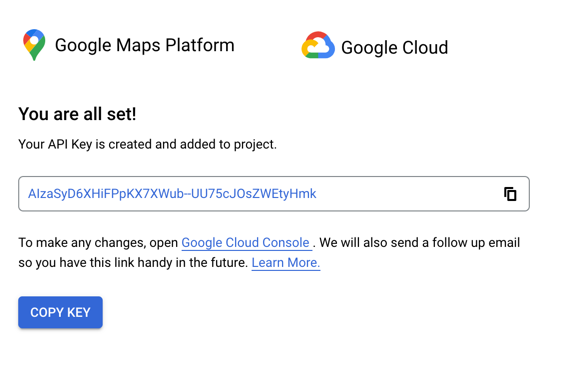
The Google Maps Platform Quick Start Widget is a safe, secure way
to set up your account with Google (if you haven't already) and get an API key
for use with Google Maps Platform plugins on third-party platforms such
as Wordpress, Shopify, Magento, and more.
The billing information you provide to Google is secure and cannot be
viewed by plugin developers or the platform you're using.
When using a Google Maps Platform plugin, you may see
an onboarding button like the following that launches the
Quick Start Widget and lets you quickly generate an
API key for use with the plugin. If you haven't already created a Google
or set up account billing, the Quick Start Widget also guides you
through that process. In fact, you can get an API key now for use with any
Google Maps Platform plugin by clicking the
following button, which launches the Quick Start Widget right here.
[](https://developers.google.com/static/maps/third-party-platforms/images/quickstart-widget-existing-account.png)
If you have an existing Google Maps Platform account and project, the
Quick Start Widget lets you know and sends you to the
Google Cloud console where you can either use an existing API key or generate
a new one.
After you've generated an API key, you should secure it by following the
[API security best practices](https://developers.google.com/maps/api-security-best-practices.md.txt).
## Pricing

Each Google Maps Platform SKU provides a specific amount of free
monthly usage, shown in the
[pricing list](https://developers.google.com/maps/billing-and-pricing/pricing.md.txt) and described in
[Google Maps Platform Billing](https://developers.google.com/maps/billing-and-pricing/billing).
Usage is charged per billable event made to Google Maps Platform APIs,
such as requesting map
loads, directions, and place information. The cost per billable event varies by SKU.
For more information, check out our pricing calculator.
[Go to pricing calculator](https://mapsplatform.google.com/pricing/)
## Support
To search for help or create a support case, go to the Google Maps Platform Support
section of the [Google Cloud console](https://console.cloud.google.com/google/maps-apis/support).