**European Economic Area (EEA) developers**
> [!NOTE]
> If your billing address is in the European Economic Area, effective on 8 July 2025, the [Google Maps Platform EEA Terms of Service](https://cloud.google.com/terms/maps-platform/eea) will apply to your use of the Services. Functionality varies by region. [Learn more](https://developers.google.com/maps/comms/eea/faq.md.txt).
[Video](https://www.youtube.com/watch?v=6TgijPGUzOI)
## Introduction
The Address Validation API is a service that accepts an address. It identifies address components and validates them. It also standardizes the address for mailing and finds the best known latitude/longitude coordinates for it. Optionally, for addresses in the United States and Puerto Rico, you can enable the [Coding Accuracy Support System (CASS™)](https://developers.google.com/maps/documentation/address-validation/overview.md.txt#about-cass).
## Why use the Address Validation API
With the Address Validation API, you can improve delivery predictability and reduce
delivery failures, thereby providing improved customer experience. You do this
by catching bad addresses and obtaining better awareness of address
characteristics.
## Other considerations
The Address Validation API validates addresses for **correctness** . The Geocoding API
**converts** addresses into latitude and longitude coordinates. See [Building
location validation capability using Google Maps
Platform](https://developers.google.com/maps/architecture/geocoding-address-validation)
in the Architecture Center for a detailed comparison.
The Geocoding API might be a better match for your needs if you
don't need to validate the individual address components, or if you need
hyper-local destination details like building entrances, building outlines, and
navigation points.
The Geocoding API v4 introduces the `SearchDestinations` method, which returns
coordinates for building entrances, navigation points, and building outlines.
See the [Search for
destinations](https://developers.google.com/maps/documentation/geocoding/search-for-destinations)
section of the Geocoding API v4 for more details.
## What you can do with the Address Validation API
[Try the demo](https://developers.google.com/maps/documentation/address-validation/demo.md.txt) [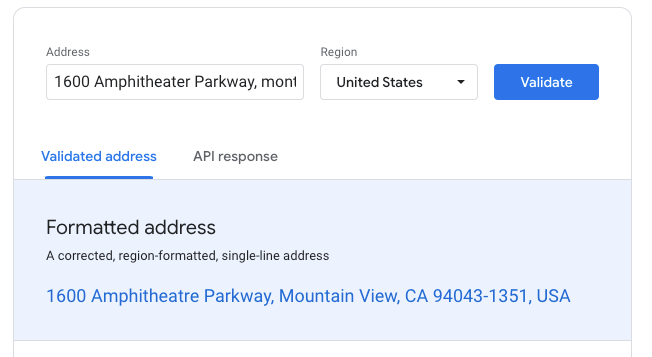](https://developers.google.com/maps/documentation/address-validation/demo.md.txt)
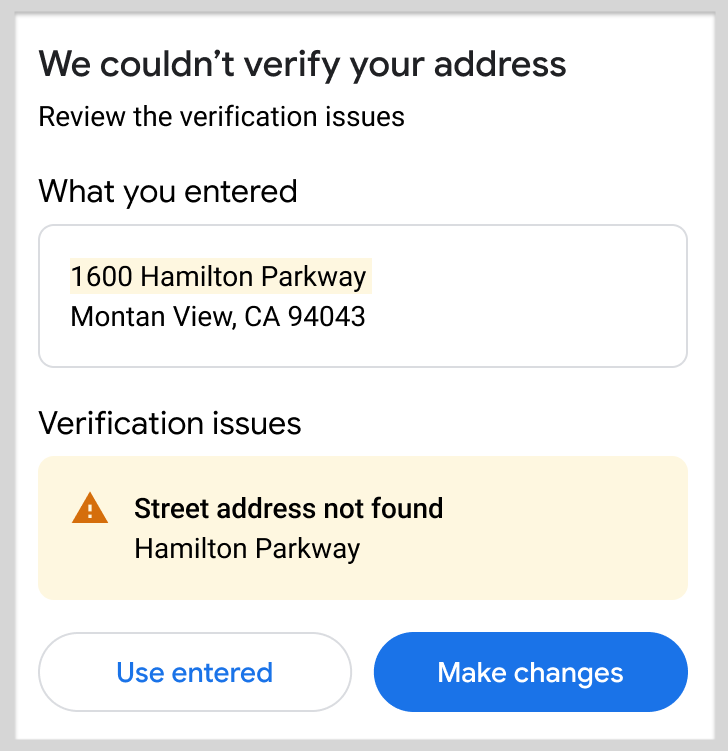
With the Address Validation API, you can determine if an address
refers to a real place. If the address does not refer to a real
place, the API can identify possibly wrong components that you can present to
your customers to correct. Here is a sample workflow using the API:
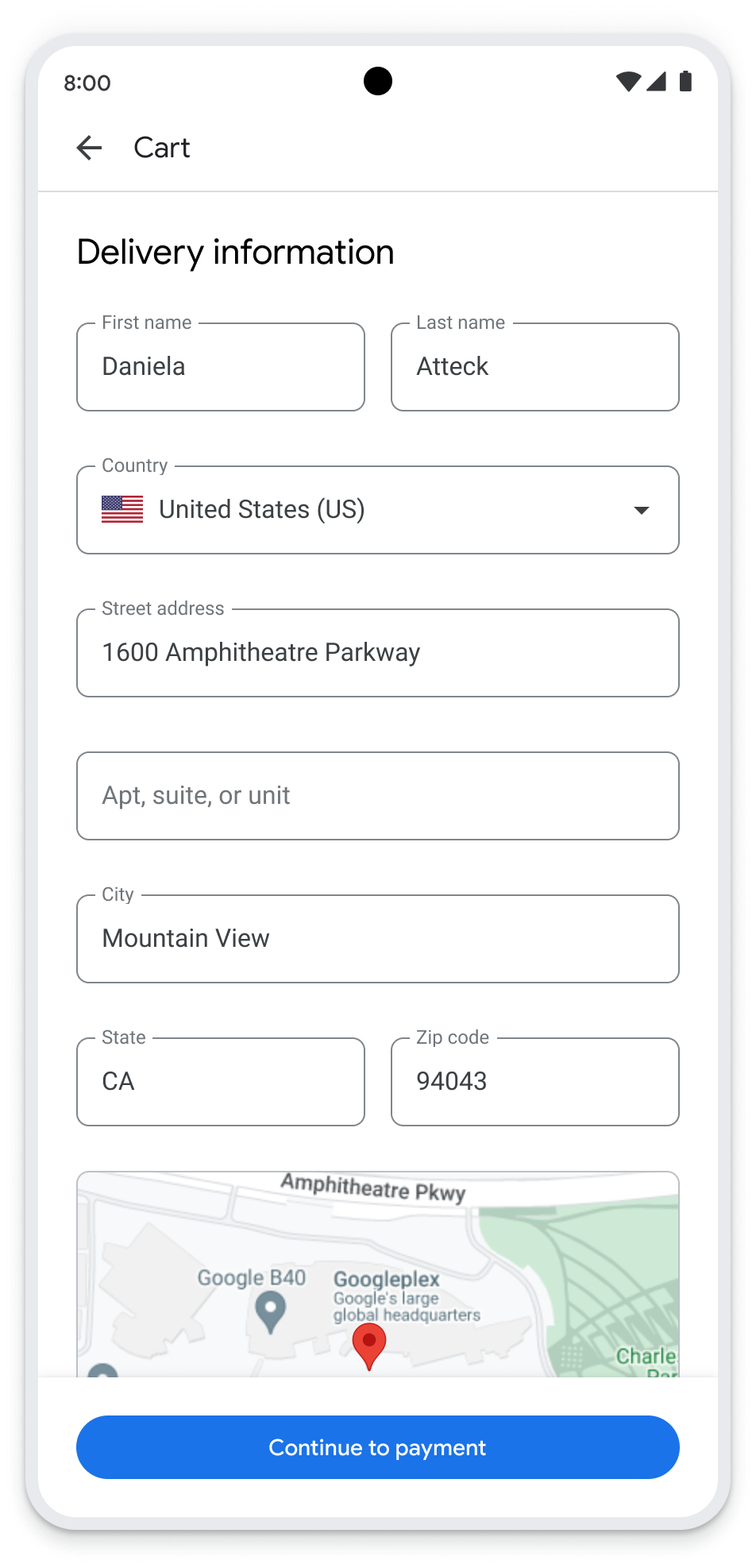
1. **Customer enters an address** -- The following image shows a basic form
that allows a customer to enter an address, possibly as part of a checkout
flow.
2. **App sends the address to the API** -- The application passes this address
as the input to the Address Validation API.
3. **API validates and standardizes the address** -- In its response, the
Address Validation API returns the complete address as determined by the API, or
indicates where information is missing.
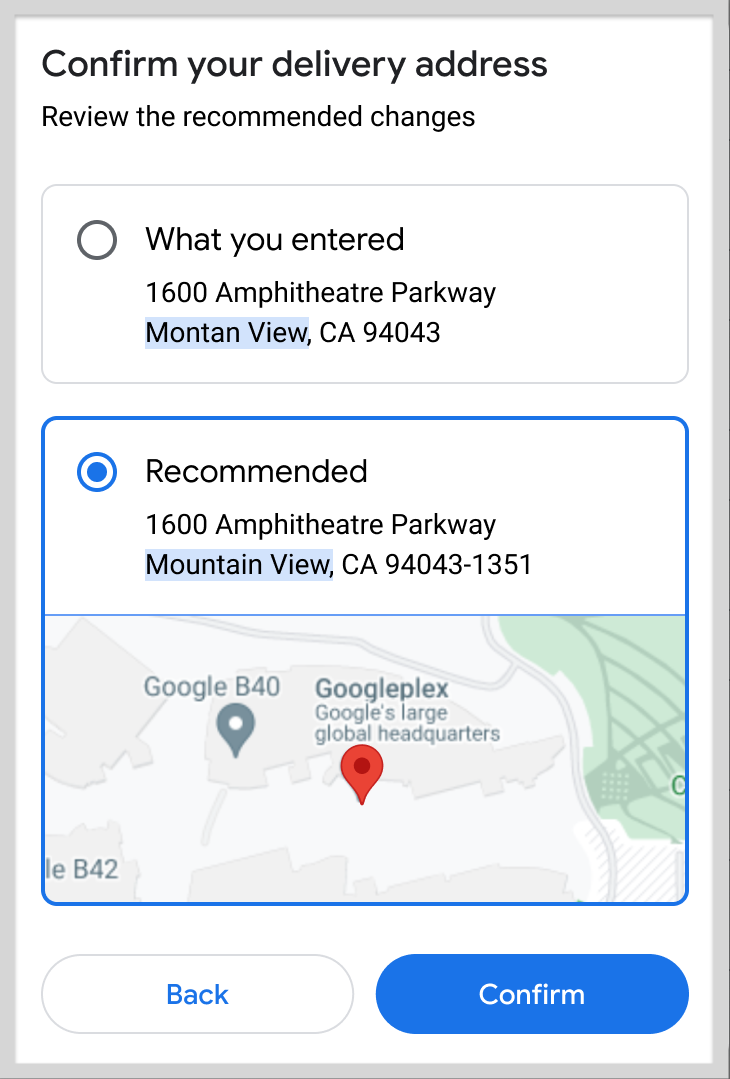
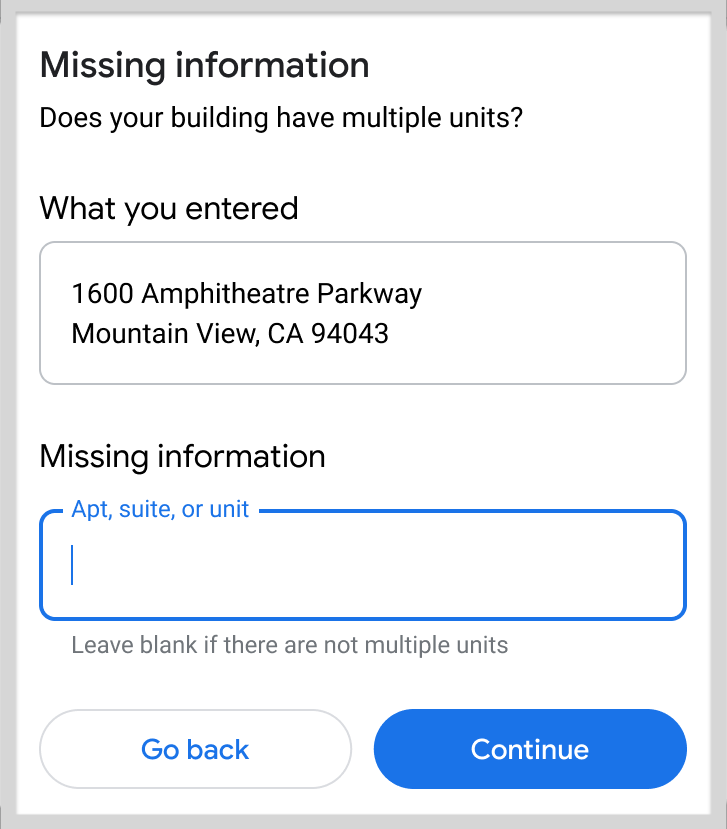
4. **Customer confirms or corrects the address** -- Depending on
what the API returns, you can provide the following prompts to the customer:
**A.** Confirm the recommended address. **B.** Provide missing information.
**C.** Fix the address.
## How the Address Validation API works
The address validation accepts a POST request with the address in the form
of a JSON body. It separates the address into its individual components, and
then attempts the following:
- **Corrects**---Provides component-level validation checks, including sub-premises where available.
- **Completes**---Attempts to infer missing or incorrect address components.
- **Formats**---Cleans up and standardizes the format for address components.
### Resources
The following table summarizes the resources available through the
Address Validation API along with the data it returns. For specific details, see the
[Address Validation API reference](https://developers.google.com/maps/documentation/address-validation/reference/rest.md.txt).
| Data resources | Data returned |
|---|---|
| **Address components in JSON format.** See [Validate an address](https://developers.google.com/maps/documentation/address-validation/requests-validate-address.md.txt). | Complete, validated address (if possible). Validation status of each address component. Where available for an address: - Geocode - Address precision - Postal services data, where available. See [Understand the validation response](https://developers.google.com/maps/documentation/address-validation/understand-response.md.txt). |
## How to use the Address Validation API
|---|---|---|
| 1 | **Try the demo** | [Explore the demo](https://developers.google.com/maps/documentation/address-validation/demo.md.txt) with a variety of address forms, both correct and incorrect. The demo provides a useful way to explore both the return values from the service, as well as the JSON formatted API response. |
| 2 | **Check coverage** | Review [coverage details](https://developers.google.com/maps/documentation/address-validation/coverage.md.txt) to see which countries and regions the Address Validation API supports. |
| 3 | **Get set up** | Start with [Set up your Google Cloud project](https://developers.google.com/maps/documentation/address-validation/cloud-setup) and complete the instructions that follow. |
| 4 | **Request an address validation** | Start with a basic address and then, for additional accuracy, you can enable CASS (for US and PR addresses only). See [Request an address validation.](https://developers.google.com/maps/documentation/address-validation/requests-validate-address.md.txt) |
| 5 | **Process a response** | The Address Validation API response provides two properties, each of which you use in different ways. See [Understand a basic response.](https://developers.google.com/maps/documentation/address-validation/understand-response.md.txt) |
| 6 | **Improve validation accuracy** | You can help improve address accuracy by providing feedback on Address Validation API responses. See [Handle updated addresses](https://developers.google.com/maps/documentation/address-validation/handle-updated-address.md.txt). |
### Available client libraries
For a list of the available client libraries for Address Validation API,
see
[Client libraries](https://developers.google.com/maps/documentation/address-validation/client_libraries.md.txt).
## About CASS™
The United States Postal Service® (USPS®)^[1](https://developers.google.com/maps/documentation/address-validation/overview.md.txt#fn1)^ maintains the
[Coding Accuracy Support System (CASS™)](https://postalpro.usps.com/certifications/cass)
to support and certify address validation providers. A CASS Certified™ service,
such as the Address Validation API, has been confirmed for its
ability to fill in information missing from an address, standardize it, and
update it to give you the most current and most accurate address.
CASS is not enabled by default and is only supported for the "US" and "PR"
regions. To enable CASS, set `enableUspsCass` to `true` as part of a validation
request. For more information, see
[Validate an address](https://developers.google.com/maps/documentation/address-validation/requests-validate-address.md.txt#enable-cass).
As part of our use of USPS services, USPS evaluates requests for artificially
created addresses. If USPS identifies an input address as being artificially
created, Google is required to stop validating addresses for the customer and
must report the customer's contact information (name and address), the relevant
input address, and aggregated usage data to USPS. By using the API you consent
to these
[Service Specific Terms](https://cloud.google.com/maps-platform/terms/maps-service-terms).
## What's next
- **Try the demo** : Go to [Demo](https://developers.google.com/maps/documentation/address-validation/demo.md.txt)
- **Review coverage areas** : Go to [Country and region coverage details](https://developers.google.com/maps/documentation/address-validation/coverage.md.txt)
- **Try your first validation request** : Go to [Send an address validation request](https://developers.google.com/maps/documentation/address-validation/requests-validate-address.md.txt)
- **Process addresses at high volume** : Go to [Use Address Validation API to process addresses at high volume](https://developers.google.com/maps/architecture/high-volume-address-validation.md.txt)
*** ** * ** ***
1. Google Maps Platform is a non-exclusive Licensee of the United States
Postal Service®. The following trademark(s) are owned by the United States
Postal Service® and used with permission: United States Postal Service®,
CASS™, CASS Certified™. [↩](https://developers.google.com/maps/documentation/address-validation/overview.md.txt#fnref1)