# Handle Errors
Errors may happen in different layers. You may get notified in different ways
dependent on where the error happens.
## Required OAuth Parameters
If you forget to set the required OAuth parameters, such as the client_id or
scope, you'll see an error message in your browser's JavaScript Console.

> [!NOTE]
> **Note:** Missing required OAuth parameter issues should be fixed in the development phase.
#### Fix OAuth Configuration Errors
Changes in the [Google APIs console](https://console.developers.google.com/apis) may be required to resolve some errors.
- [Creates a client ID](https://developers.google.com/identity/oauth2/web/guides/get-google-api-clientid) if not yet.
- For popup UX, add all domains that may trigger the current flow to `Authorized JavaScript origins`.
- For redirect UX, add all URLs that may receive authorization responses to `Authorized redirect URIs`.
- Properly [configure your OAuth Consent screen](https://developers.google.com/identity/protocols/oauth2/production-readiness/brand-verification#oauth-consent-screen).
- [Submit your app for verification](https://developers.google.com/identity/protocols/oauth2/production-readiness/brand-verification#submit-app-for-verification) if needed.
- You might need to take additional steps to [comply with Google's OAuth 2.0 Policies](https://developers.google.com/identity/protocols/oauth2/production-readiness/policy-compliance).
## Invalid OAuth Parameter Values
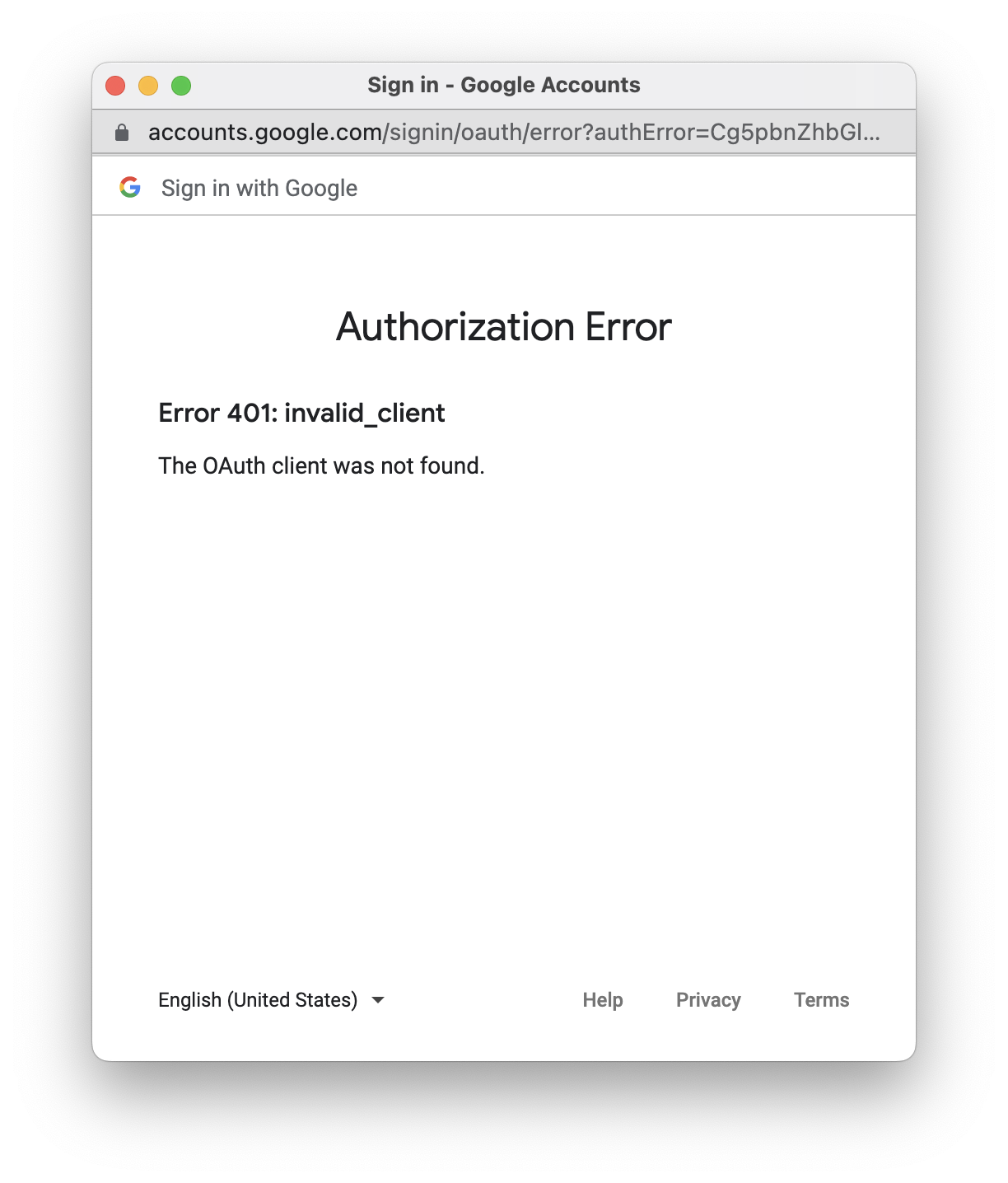
If you set the invalid values to OAuth parameters, such as the invalid
client ID, scope identifiers, or response type values, you'll see the OAuth
error page.
> [!NOTE]
> **Note:** Invalid OAuth value issues should be fixed in the development phase.
> [!NOTE]
> **Note:** Changes in the Developer Console may be required to resolve some errors. Check the [`Fix OAuth Configuration Errors`](https://developers.google.com/identity/oauth2/web/guides/error#fix_oauth_configuration_errors) section for more details.
## OAuth Error Responses
OAuth may return an error response, in which case your [`callback`](https://developers.google.com/identity/oauth2/web/reference/js-reference#google.accounts.oauth2.initCodeClient) function
will be triggered with the error response as the parameter. The following is an
example OAuth error response.
```
{
"error":"access_denied"
}
```
Some examples are:
1. The user denies the OAuth request.
2. For an OAuth request with [`prompt=none`](https://developers.google.com/identity/protocols/oauth2/openid-connect#authenticationuriparameters) parameter, the user is not already authenticated and has not pre-configured consent for the requested scopes.
This example shows how to handle the success and error OAuth responses:
function myCallback(response) {
if (response.error) {
// Handle error response
... ...
} else if (response.code) {
// Handle success code response
... ...
}
}
> [!NOTE]
> **Note:** OAuth error responses should be handled by your `callback` function.
## Non-OAuth Errors
OAuth doesn't define the behaviors when:
1. the popup window fails to open.
2. the popup window is closed before an OAuth response is returned.
This library captures these errors, and triggers the [`error_callback`](https://developers.google.com/identity/oauth2/web/reference/js-reference#google.accounts.oauth2.initCodeClient) if
set. Be sure to check the error type. Otherwise, your code logic may
be affected when this library support new error types later.
function myErrorCallback(err) {
if (err.type == 'popup_failed_to_open') {
// The popup window is failed to open
... ...
} else if (err.type == 'popup_closed') {
// The popup window is closed before an OAuth response is returned
... ...
}
}
const client = google.accounts.oauth2.initCodeClient({
client_id: 'YOUR_GOOGLE_CLIENT_ID',
scope: 'https://www.googleapis.com/auth/calendar.readonly',
ux_mode: 'popup',
callback: myCallback,
error_callback: myErrorCallback
});
> [!NOTE]
> **Note:** Use `error_callback` to capture errors like popup windows are failed to open or closed directly.