# Glassware Flow Designer
The Glassware flow designer lets you collaboratively design your
Glassware using common [patterns](https://developers.google.com/glass/develop/patterns) and
[layouts](https://developers.google.com/glass/design/style#layout_templates).
If you're ready to jump right in, click the button below. If
it's your first time, continue on and follow the instructions.
[Launch Glassware Flow Designer](https://glassware-flow-designer.appspot.com)
## Getting started
To get started, visit the
[Glassware flow designer](https://glassware-flow-designer.appspot.com),
authorize the application, and create your first flow:
- **Add** a new card by hovering over a card and using its toolbar.
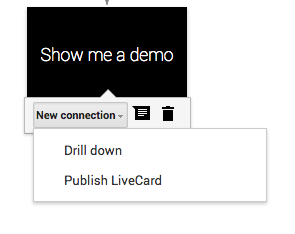
- **Edit** a card by double clicking on it. Use an existing template,
a screenshot, or raw HTML.

- **Share** your flow with your teammates for easy collaboration.

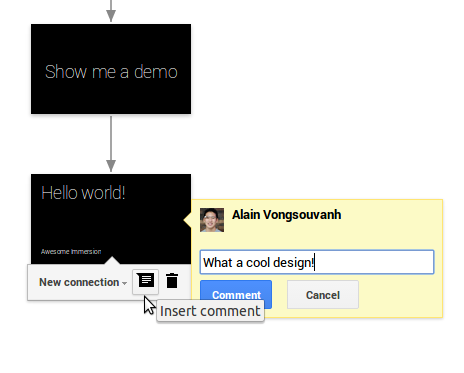
- **Comment** on cards to add context or feedback.
## Example flows
You can find example flows for our samples by visiting these links:
- [Charades](https://glassware-flow-designer.appspot.com/#/flow/0B61ujYAoT5a9VDczWjluTU01MVk)
- [Compass](https://glassware-flow-designer.appspot.com/#/flow/0B61ujYAoT5a9aExjR0t6Z0lObEE)
- [Stopwatch](https://glassware-flow-designer.appspot.com/#/flow/0B61ujYAoT5a9eUw3QVFLME5pZm8)
- [Timer](https://glassware-flow-designer.appspot.com/#/flow/0B61ujYAoT5a9dmp2WkdvOFlXV3M)