# Grant permissions on car screen
In AAOS, the permissions flow is the same as
[granting permissions on Android Auto](https://developers.google.com/cars/design/create-apps/sample-flows/grant-permissions-on-phone),
except the user sees permission details on the car screen instead of the
phone.
> [!NOTE]
> **Note:** This sample flow shows how the templates might look in Android Automotive OS (AAOS).
## Sample flow
| User action | Where action is performed | Step count after action |
|---|---|---|
| The user opens your app, and they must grant permissions. | Landing template (not shown) | 1 |
| The user selects the option to grant app permissions. | Message template 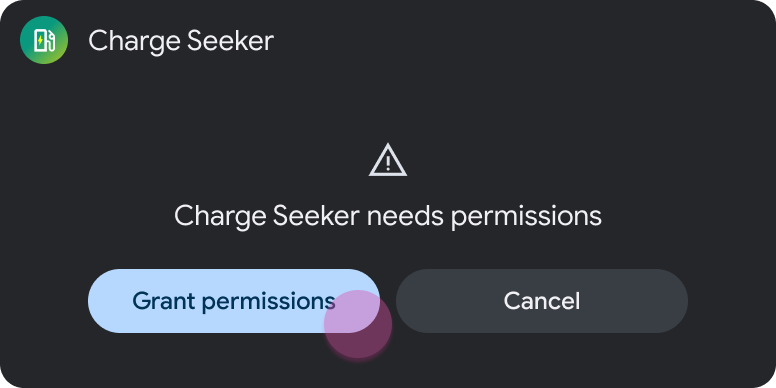 | 2 |
| The user sees a system permissions dialog on the car screen and grants permissions. | Message template with toast (refresh) 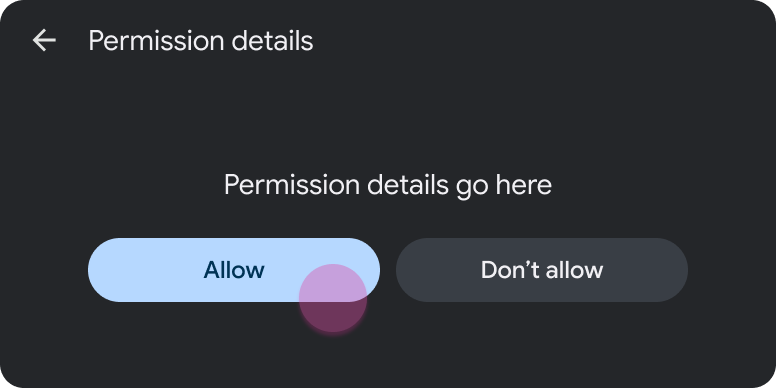 > [!NOTE] > **Note:** When the Message template updates with the toast, it is considered a refresh and doesn't add to the step count. | 2 |
| The app returns to the landing template. | Landing template (in this case, the Place List template) 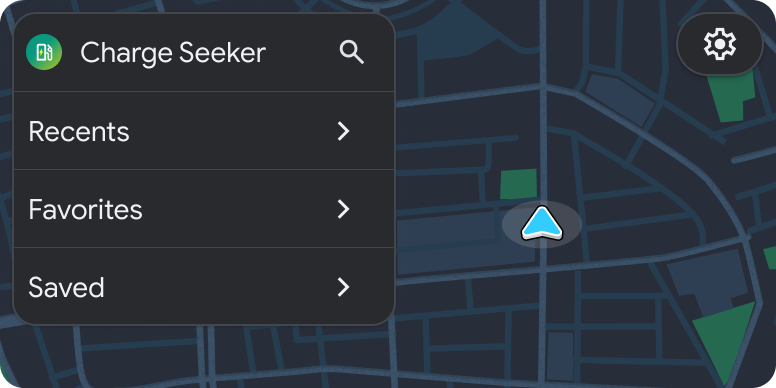 | 1 (new task) |