# Access location details and start navigation
When users need more detailed information about a location, a Navigation or
Map + Content template lets you present that information with buttons for users
to act.
In this example, because the app is not a navigation app, the
**Navigate** button opens a separate navigation app, ending the
task flow.
> [!NOTE]
> **Note:** This sample flow shows how the templates might look in Android Auto.
## Sample flow
| User action | Where action is performed | Step count after action |
|---|---|---|
| The user opens your app, then selects a submenu. | List template included in the Map + Content template 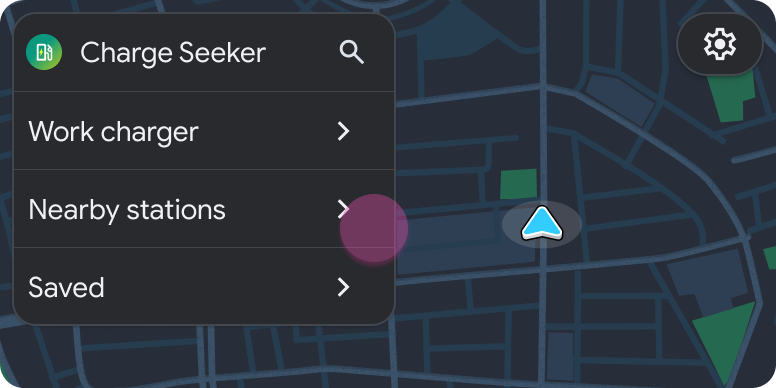 | 1 |
| The user selects a location from the submenu. | List template included in the Map + Content template 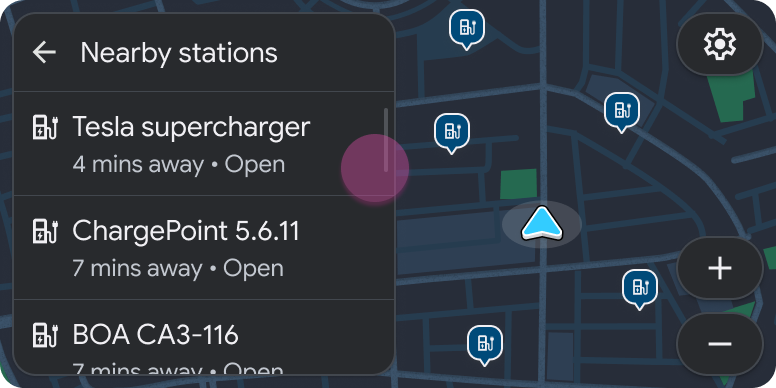 > [!NOTE] > **Note:** Because new content is presented to the user, this step is considered a new step, not a refresh. | 2 |
| The user reviews details about the location and decides to navigate there. | Pane template included in the Map + Content template 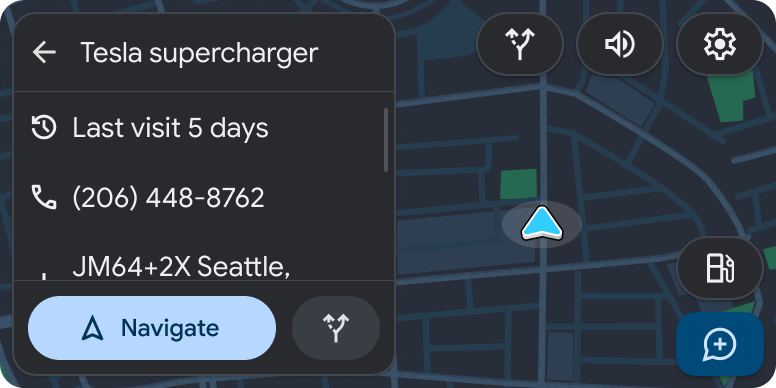 | 3 |
| A separate navigation app opens and routing begins. | Navigation template in new app 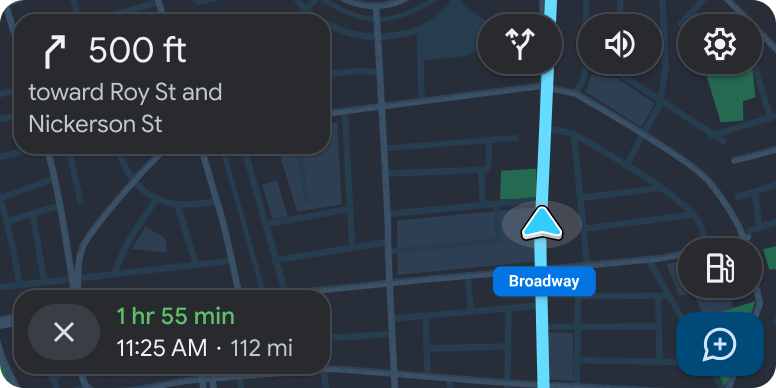 | 1 |