# Create settings (optional)
Settings for the car screen are not essential on Android Auto, as the app is
projected from a phone that already has its own settings experience. However, if
settings are created as described, they can potentially work for both AAOS
and Android.
When designing car screen settings using Android for Cars App
Library templates, follow these steps:
- **Select essential settings:** Include only the settings necessary for using the app while driving.
- **Organize settings for easy navigation:** Use the [List template](https://developers.google.com/cars/design/create-apps/apps-for-drivers/templates/list-template) and aim to display all settings on one screen.
- **Design dialogs and error flows:** Utilize templates like the [Message template](https://developers.google.com/cars/design/create-apps/apps-for-drivers/templates/message-template).
- **Ensure usability:** Check that your settings meet the [UX requirements](https://developers.google.com/cars/design/create-apps/ux-requirements/overview) for the Android for Cars App Library.
To learn more about designing with the templates, see
[Build apps with templates](https://developers.google.com/cars/design/create-apps/apps-for-drivers/build-with-templates).
> [!NOTE]
> **Note:** To implement a settings function in your app, you need to declare a Settings activity in your app's manifest file. For details, see [Add a Settings activity](https://developer.android.com/training/cars/media/automotive-os#settings-activity).
As you design your settings flow, keep in mind these requirements and
recommendations:
## Settings examples
In AAOS, the app bar in the media app template includes an option for a Settings
control, which users can select to bring up an overlay with your app settings
screen.
 Example Settings overlay on AAOS (landscape) 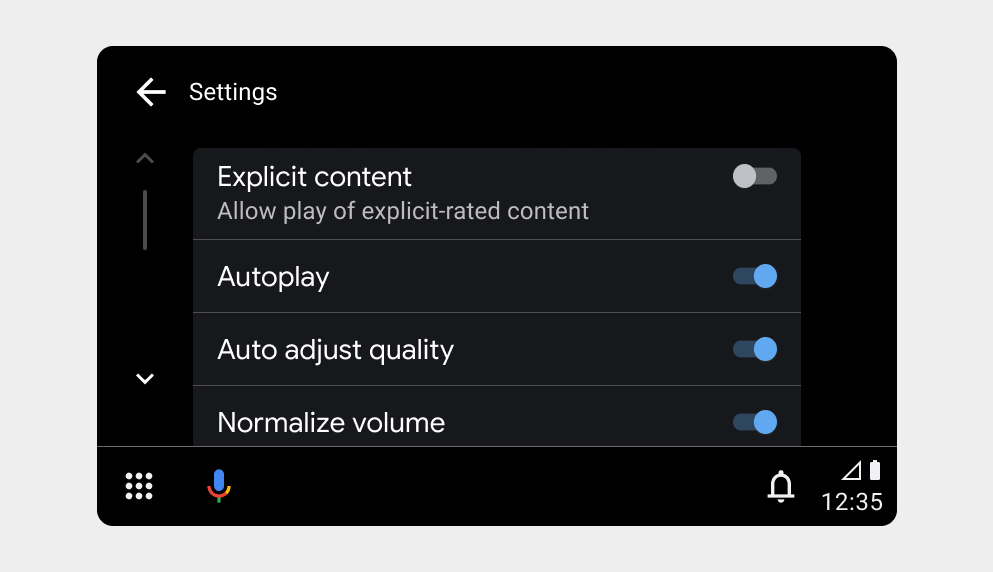 Example Settings overlay on Android Auto  Example Settings overlay on AAOS (portrait)
## Settings requirements
| Requirement level | Requirements |
|---|---|
| **SHOULD** | App developers should: - Keep settings simple and easy to navigate - Include only settings that are necessary for app use (such as account info, app preferences, and sign-in/sign-out) or relevant to listening to media in the car (for example, turning off explicit content) - Make all settings accessible from a single screen, if possible - Avoid use of dialogs beyond simple confirmation |