# Customize playback controls
Car makers and Google provide a basic set of playback controls like
**Play/Pause** , **Next** , **Previous** , and **Overflow**.
If you want additional features, like queue or custom actions,
you need to make design decisions regarding layout,
icons, and which (if any) provided controls to replace.
To go beyond the playback actions provided by car makers and offer users a
queue or additional playback actions, you need to decide whether
to show the following:
- Thumbnails for items in the queue
- An icon or elapsed time for the now playing item
- Previously played items in the queue
- Custom actions on the control bar and whether to replace the car maker's **Next** and **Previous** controls
- Visual representations of each action's relevant states (for example, available or disabled)
App developers must maintain a consistent design for custom actions in media
apps to align with user expectations and maximize text within icons
to ensure readability.
## Playback view
One of the most important features to design for a media app is the playback
view.
### Playback view examples
 This playback view displays the now playing song (Android Auto).  The user has opened the overflow menu on the right side of the screen, which offers more capabilities (Android Auto).  This playback view displays the now playing song (Google built-in). 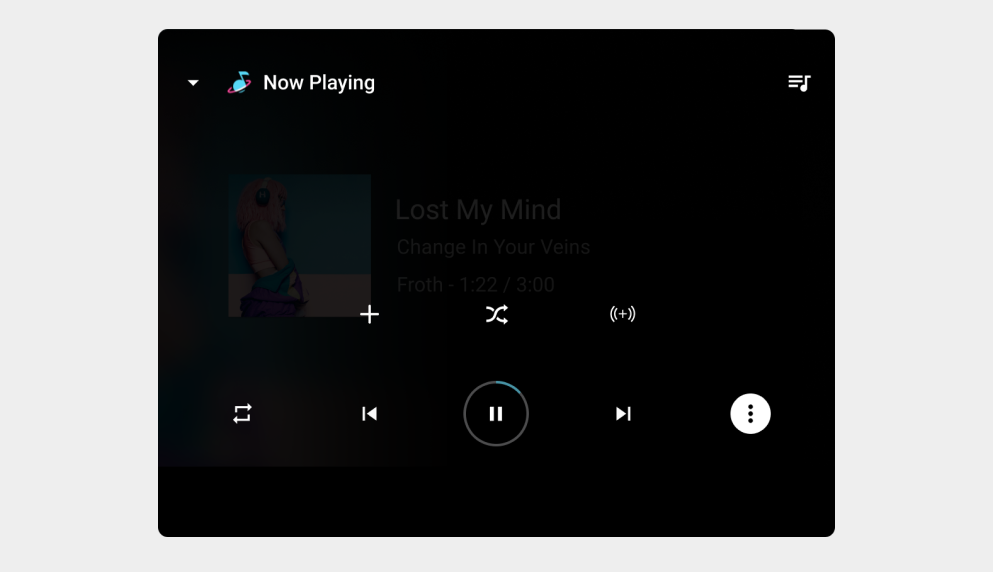 The user has opened the overflow menu on the right side of the screen, which offers more capabilities (Google built-in).  Two examples (list and grid) of media apps on Google built-in (portrait)
## Queue
Provide the users a way to browse the list of audio sources.
### Queue examples
 Here, the user can review the queue of upcoming media (Android Auto). 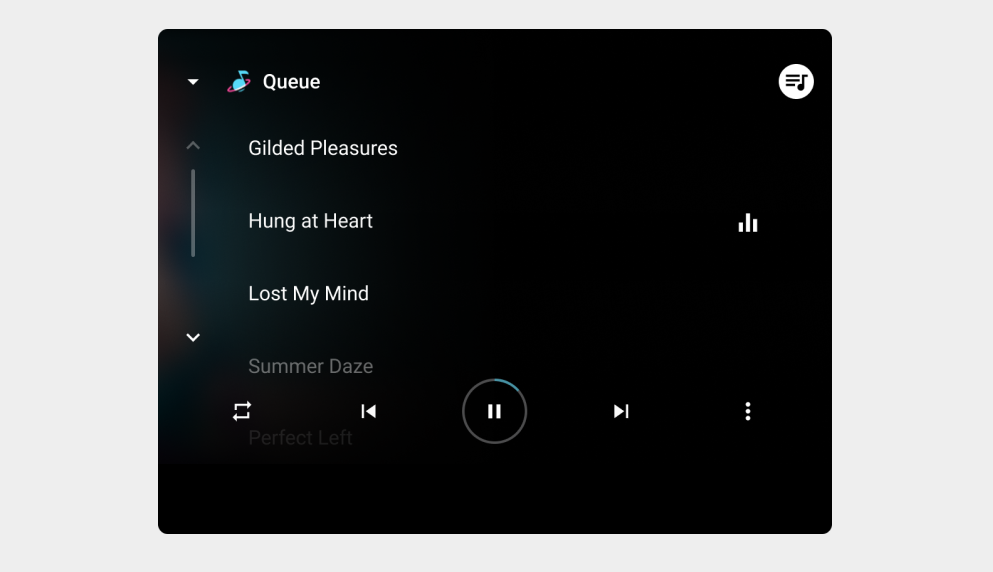 Here the user sees the list of upcoming media (Google built-in).  Here, the user can review the queue of upcoming media (Google built-in, portrait).
### Requirements
Keep in mind the following requirement and recommendations:
| Requirement level | Queue Requirements | Playback control requirements |
|---|---|---|
| **Must** | -- | App developers must: - Provide [monochrome vector icons](https://developer.android.com/training/cars/media#custom-action-icons) for any custom actions they add, and change them dynamically to indicate state |
| **Should** | App developers should: - If using text (including numbers) in an icon, [make maximum use of the space](https://developers.google.com/cars/design/design-foundations/visual-principles#make_content_easy_to_read) in the bounding box to make the text as large and readable as possible | App developers should: - Provide an indicator for the now playing queue item - Include previously played items in the queue To learn more about progress indicators and the queue, review [Enable playback control](https://developer.android.com/training/cars/media#implement_callback). |
| **May** | App developers may: - Provide up to 6 [custom actions](https://developer.android.com/training/cars/media#custom-action-icons) (or up to 8, if not using Next and Previous) | App developers may: - [Provide thumbnails](https://developer.android.com/training/cars/media#display-artwork) for queue items |
### Related links
- [Add custom playback actions](https://developer.android.com/training/cars/media/#custom-icons)