# Tab template
The Tab template acts as a container for other templates listed below, providing
tabs across the top (as shown in
[Anatomy of the Tab template](https://developers.google.com/cars/design/create-apps/apps-for-drivers/templates/tab-template#anatomy)).
The tabs allow switching among views. This capability is particularly useful for
organizing content or views that users will want to browse or search.
**Includes:**
- Tab bar with app icon and up to 4 tabs (no back button)
- Embedded template, which can be any of the following types:
- [List](https://developers.google.com/cars/design/create-apps/apps-for-drivers/templates/list-template)
- [Grid](https://developers.google.com/cars/design/create-apps/apps-for-drivers/templates/grid-template)
- [Search](https://developers.google.com/cars/design/create-apps/apps-for-drivers/templates/search-template)
- [Pane](https://developers.google.com/cars/design/create-apps/apps-for-drivers/templates/pane-template)
- [Message](https://developers.google.com/cars/design/create-apps/apps-for-drivers/templates/message-template)
- [Navigation](https://developers.google.com/cars/design/create-apps/apps-for-drivers/templates/navigation-template)
Each tab view corresponds to one embedded template, and only one tab view
can be active at any given time.
> [!NOTE]
> **Note:** Headers from embedded templates are ignored because the space that would normally be used for the header is used for the tab bar.
## Anatomy of the Tab template
 The Tab template consists of the following elements:
1. **Tab bar**, which can show up to 4 tabs
2. **Embedded template**, using one of the following templates: List, Grid, Search, Pane, Message, or Navigation
## Tab template examples
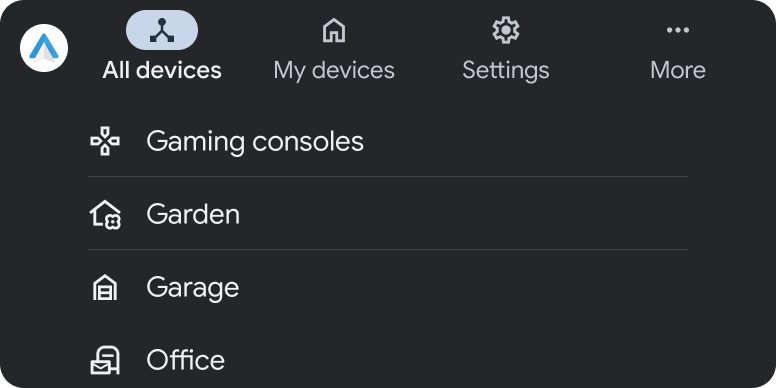 The "All devices" tab view is created using a Tab template that contains a List template (Android Auto example) 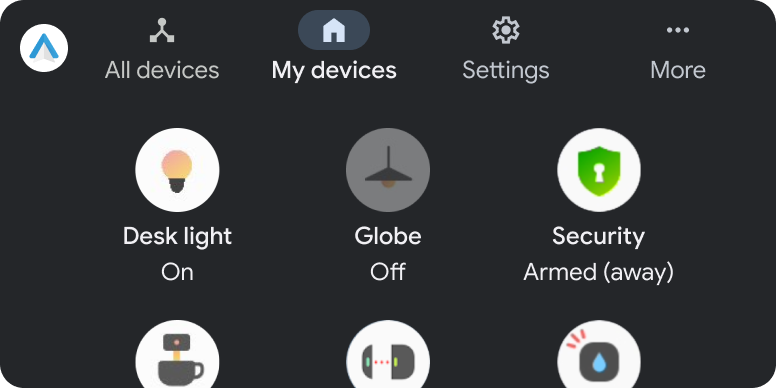 The "Home devices" tab view is created using a Tab template that contains a Grid template (Android Auto example)
## Tab template UX requirements
**App developers**:
|---|---|
| **MUST** | Provide monochromatic vector icons for each tab. |
| **MUST** | Include at least 2 and no more than 4 tabs in the app header. |
| **MUST NOT** | Allow more than 1 tab to be active at a time. |
| **MUST NOT** | Create a secondary navigation by adding a second level of tabs. |
| **SHOULD** | Use short tab labels to avoid truncation. |
| **SHOULD NOT** | Rely on a header or action strip in embedded templates. |