# Sign-in template
The Sign-in template presents options for signing in to the app while
parked.
You can choose from 4 possible [sign-in methods](https://developers.google.com/cars/design/create-apps/apps-for-drivers/templates/sign-in-template#methods).
**Includes:**
- [Header](https://developers.google.com/cars/design/create-apps/apps-for-drivers/components/header) with optional [action strip](https://developers.google.com/cars/design/create-apps/apps-for-drivers/components/action-strip)
- Up to 2 lines of primary text (optional)
- Primary sign-in method
- Additional text, such as disclaimers and links to terms of service (optional)
- Up to 2 [buttons](https://developers.google.com/cars/design/create-apps/apps-for-drivers/components/button) (optional)

> [!NOTE]
> **Note:** This template displays its contents only when parked (see [Sign-in template examples](https://developers.google.com/cars/design/create-apps/apps-for-drivers/templates/sign-in-template#examples)) and does not increase the step count.
## Sign-in methods
The Sign-in template supports 4 sign-in methods: Provider sign-in,
username and password, PIN code, and QR code.
 **Provider sign-in method**: This method lets users sign in using a provider, with no input required. In this example (for Android Auto), Google is the provider for the primary sign-in option, with PIN code and email sign-in offered as secondary options. 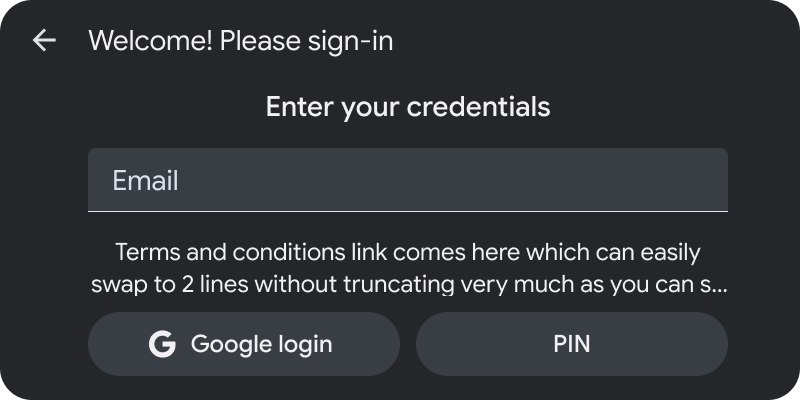 **Username/password method**: This method lets users enter authentication information in a single, mandatory form field. This field can be used to enter a username or password. In this example (for Android Auto), the other methods are offered as secondary options. 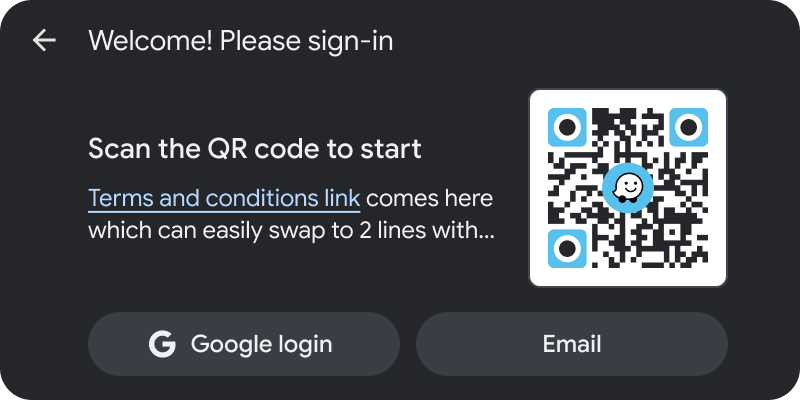 **QR code method**: This method displays a mandatory PIN code (up to 12 characters in length) provided by the app and instructions for where the user should enter it. The code can be refreshed as needed if it times out. (Android Auto example) 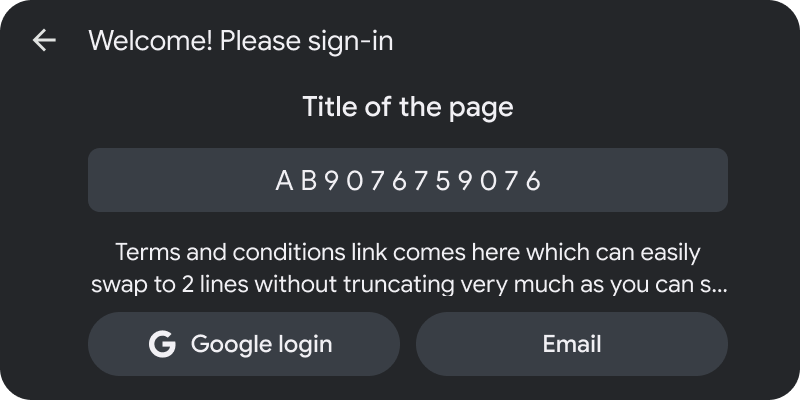 **PIN method**: This method displays a mandatory PIN code (up to 12 characters in length) provided by the app and instructions for where the user should enter it. The code can be refreshed as needed if it times out. (Android Auto example)
## Sign-in example templates
 When the car is parked, the user can access the keyboard to type a username or password. (Android Auto example)  When the user is driving, the sign-in content is not shown, to prevent driver distraction. For these situations, it's helpful to provide a button with an alternative option, such as skipping sign-in and using the app in guest mode. (Android Auto example)
## Sign-in template UX requirements
App developers:
|---|---|
| **MUST** | Include a sign-in method when using this template. |
| **SHOULD** | Use input fields only for user sign-in, not for collecting other types of user input. |
| **SHOULD** | Prioritize the shortest flow (using the fewest clicks). |
| **SHOULD** | Prioritize the most popular method. |