# Search template
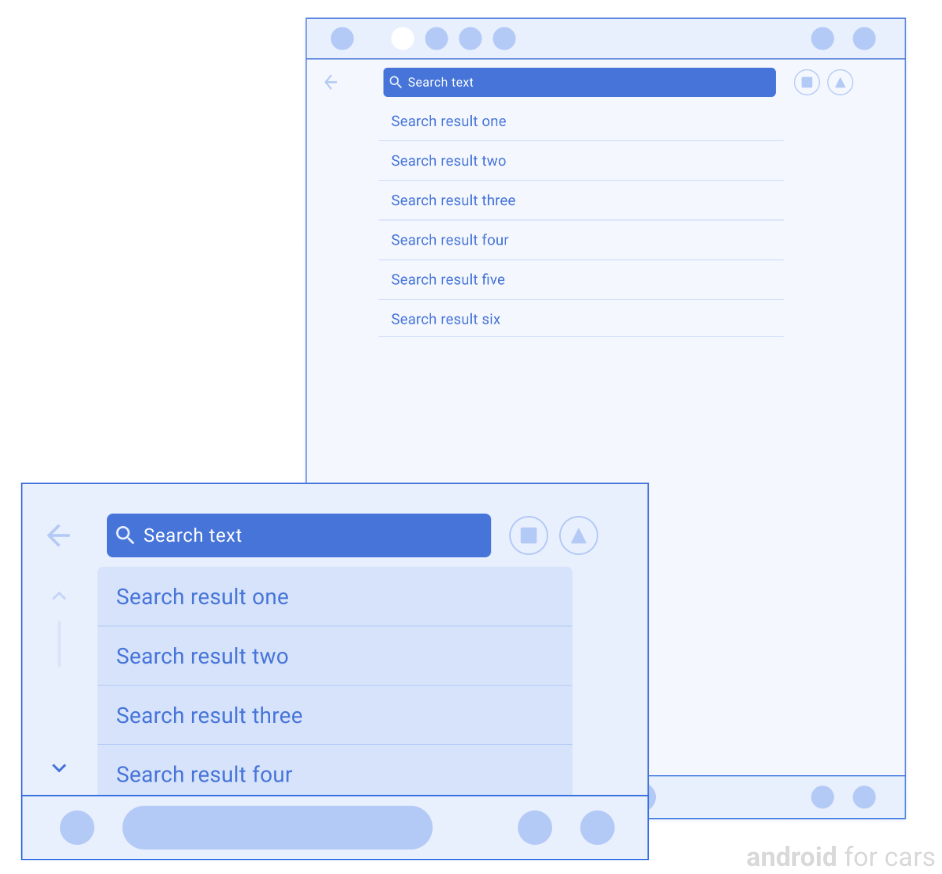
The Search template presents a search bar, keyboard, and results list for users
to perform searches, such as searching for destinations.
During drives, users can't access the keyboard, but they can use the voice
assistant to interact with search and see previous results.
This template can be embedded in the
[Tab template](https://developers.google.com/cars/design/create-apps/apps-for-drivers/templates/tab-template)
to provide tabbed navigation.
**Includes:**
- Tabs, if this template is embedded in the [Tab template](https://developers.google.com/cars/design/create-apps/apps-for-drivers/templates/tab-template)
- Search bar [header](https://developers.google.com/cars/design/create-apps/apps-for-drivers/components/header) with optional [action strip](https://developers.google.com/cars/design/create-apps/apps-for-drivers/components/action-strip)
- List [rows](https://developers.google.com/cars/design/create-apps/apps-for-drivers/components/row) for search results (within limits\*)
- Keyboard (when parked), which apps can collapse or expand
> [!NOTE]
> **\* Note:** The number of list rows allowed to be shown depends on the vehicle. To retrieve the list row limit for a given vehicle, use the [ConstraintManager API](https://developer.android.com/training/cars/apps#constraint-manager).
## Search template examples
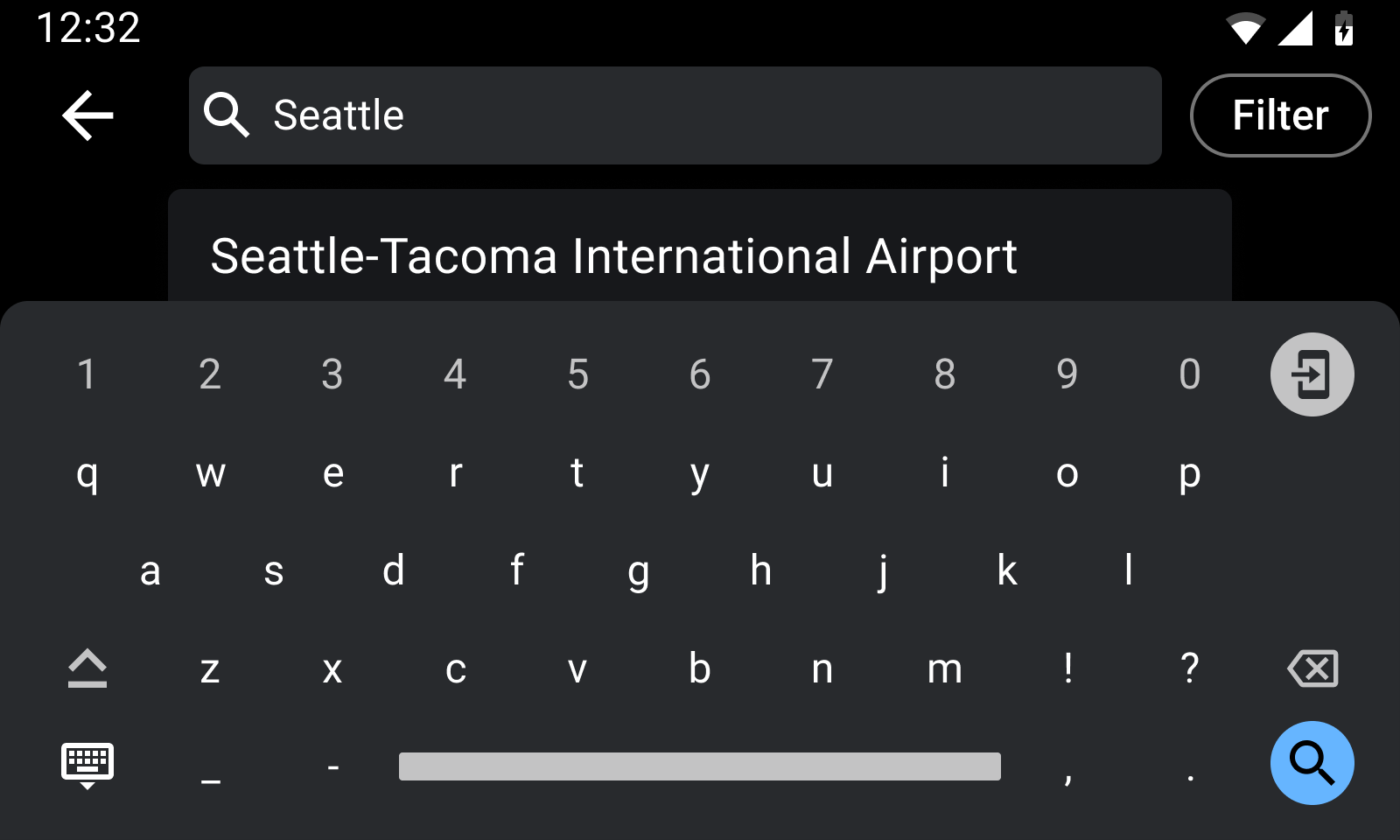 In a parked state, the keyboard is available for typing search terms (Android Auto example) 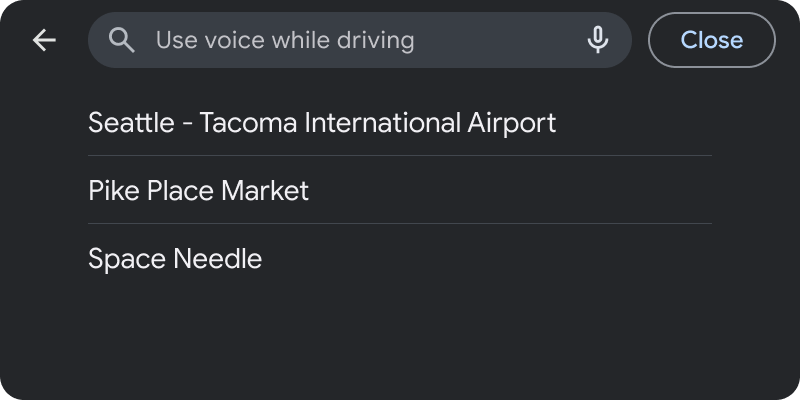 In a driving state, the keyboard is unavailable and the search bar is disabled, but users can choose from past or suggested results shown on the list (Android Auto example)
## Search template UX requirements
App developers:
|---|---|
| **MUST** | Update the list when a user enters keywords. |
| **SHOULD** | Provide dynamic content (screen refresh) only to show search results during user input. |
| **SHOULD** | Either show content or launch a keyboard (if there is no content to show) when opening the template. |
| **MAY** | Display the keyboard as either expanded or collapsed when a user opens the template in a parked state (the keyboard is unavailable during the driving state). |
| **MAY** | Provide hint text on the search bar. |
| **MAY** | Display a default list of past results or other relevant content. |