# Message template
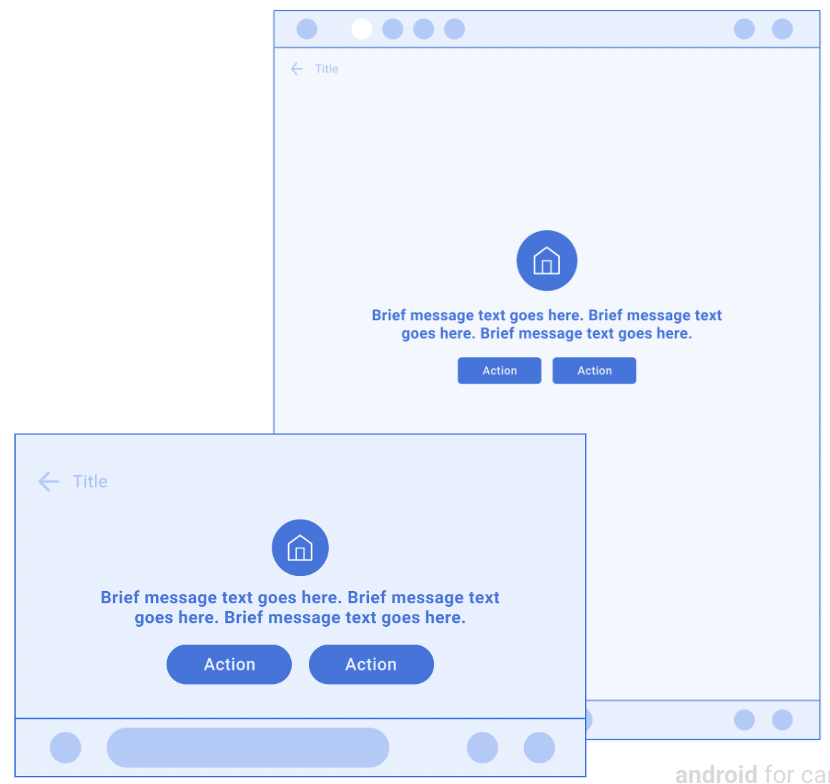
Messages present a brief message and optional relevant actions.
This template is useful for communicating error messages, permission prompts,
and other information about UI states.
This template can be embedded in the
[Tab template](https://developers.google.com/cars/design/create-apps/apps-for-drivers/templates/tab-template)
to provide tabbed navigation.
This template can be included in the
[Map + Content template](https://developers.google.com/cars/design/create-apps/apps-for-drivers/templates/map-content-template)
to display a message on a map.
**Includes:**
- Optional [header](https://developers.google.com/cars/design/create-apps/apps-for-drivers/components/header) (header is replaced with tabs when this template is embedded in the [Tab template](https://developers.google.com/cars/design/create-apps/apps-for-drivers/templates/tab-template))
- Up to 2 lines of wrapping text
- Image, icon, or loading spinner (optional)
- Up to 2 [buttons](https://developers.google.com/cars/design/create-apps/apps-for-drivers/components/button) in template body (optional), where one can be designated as [primary](https://developers.google.com/cars/design/create-apps/apps-for-drivers/components/button#primary)
> [!NOTE]
> **Note:** This template is intended for quick messages, with related actions as secondary. To display a longer message, use the [Long Message template](https://developers.google.com/cars/design/create-apps/apps-for-drivers/templates/long-message-template). To display more detailed information with prominent actions, use the [Pane template](https://developers.google.com/cars/design/create-apps/apps-for-drivers/templates/pane-template).
## Message template examples
 Message template included in the Map + Content template containing primary and secondary action buttons 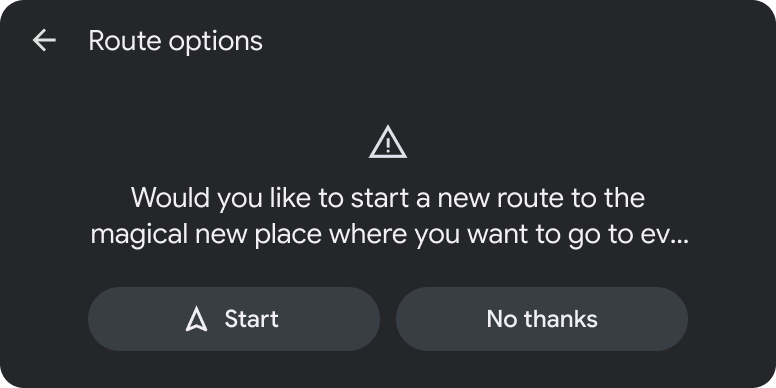 Message with two actions
## Message template UX requirements
App developers:
|---|---|
| **MUST** | Include message text. |
| **SHOULD** | Designate a [primary](https://developers.google.com/cars/design/create-apps/apps-for-drivers/components/button#primary) action when providing 2 actions. |
| **SHOULD** | Place the primary action closest to the driver (on the left for left-hand-drive vehicles) when there are 2 actions. |
| **SHOULD** | Include a header with an optional title and primary and secondary actions. |
| **MAY** | Include an image or icon asset. |
| **MAY** | Include up to 2 actions. |
| **MAY** | Use this template to prompt users about app permissions and open related flows on the phone when parked (as shown in [Grant permissions on phone](https://developers.google.com/cars/design/create-apps/sample-flows/grant-permissions-on-phone)). |