# Map action strip
The map action strip gives users access to map interactivity features. While
users can access these features via gestures on touchscreens, they need buttons
to access interactivity features on screens with rotary and touchpad inputs.
Buttons also add helpful visual clues.
**Includes up to 4 buttons**, such as (in no particular
order):
- [Pan mode](https://developers.google.com/cars/design/create-apps/apps-for-drivers/components/action-strip#pan) (required for apps that support user panning)
- Recenter
- Zoom-in and zoom-out
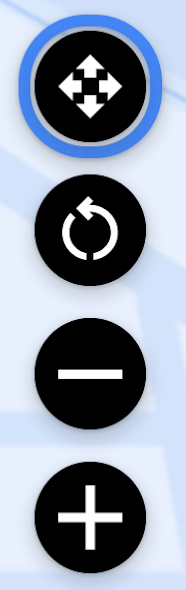 Map action strip example
## Template support
All templates that include a map support the map action strip, except the
[Place List (map) template](https://developers.google.com/cars/design/create-apps/apps-for-drivers/templates/place-list-map-template),
which is not intended for navigation apps.
## Guidance
Like the action strip, the map action strip disappears if 10 seconds go by
without user interaction, as described in
[Visibility of action strips](https://developers.google.com/cars/design/create-apps/apps-for-drivers/components/action-strip#visibility).
> [!NOTE]
> **Note:** When using the map action strip, be sure not to draw other visual elements in the lower-right corner of the map. On short screens, these elements might end up covering the map action strip.