RCS for Business agents communicate with users by sending and receiving
messages. To send messages to users, your agent sends message requests
to the RCS Business Messaging API. A single request can include [text](https://developers.google.com/business-communications/rcs-business-messaging/guides/build/messages/send.md.txt#text),
[rich cards](https://developers.google.com/business-communications/rcs-business-messaging/guides/build/messages/send.md.txt#rich-cards), [media and PDF files](https://developers.google.com/business-communications/rcs-business-messaging/guides/build/messages/send.md.txt#media), [suggested replies](https://developers.google.com/business-communications/rcs-business-messaging/guides/build/messages/send.md.txt#replies),
and [suggested actions](https://developers.google.com/business-communications/rcs-business-messaging/guides/build/messages/send.md.txt#actions).
The RCS for Business platform returns errors in certain situations to help
you manage message delivery:
- If you send a message to a user whose device doesn't support RCS or doesn't have RCS enabled, the RCS for Business platform returns a `404 NOT_FOUND` error. In this case, you can attempt to reach the user through the fallback methods defined in your infrastructure.
- If you send a message to an RCS user on a network where your agent isn't launched yet, or on a network that hasn't enabled RCS traffic, the RCS for Business platform returns a `404 NOT_FOUND` error.
- If you send a message with features that a user's device doesn't support, the RCS for Business platform returns `400 INVALID_ARGUMENT` error and doesn't deliver your message.
As part of your multi-channel messaging strategy, it's best to [revoke messages](https://developers.google.com/business-communications/rcs-business-messaging/guides/build/messages/revoke.md.txt)
that aren't delivered after a reasonable time and send them through a different
channel. To revoke messages automatically at a predefined time, set a
[message expiration](https://developers.google.com/business-communications/rcs-business-messaging/guides/build/messages/send.md.txt#expire).
## Recipient is offline
The RCS for Business platform still accepts a message for delivery if the
recipient is offline. You receive a `200 OK` response, and the RCS for Business
platform holds the message and attempts redelivery for 30 days. There's no need
to ask RCS for Business to send the message again.
RCS for Business deletes any undelivered messages 30 days after they were
submitted.
Depending on your agent's use case, you might want to
[revoke an undelivered message](https://developers.google.com/business-communications/rcs-business-messaging/guides/build/messages/revoke.md.txt) before this 30-day timeout. Revocation can
prevent offline users from receiving an outdated message when they come back
online. There are multiple ways to revoke a message:
- [Send a revocation request](https://developers.google.com/business-communications/rcs-business-messaging/guides/build/messages/revoke.md.txt#example) to trigger the revocation.
- [Set a message expiration](https://developers.google.com/business-communications/rcs-business-messaging/guides/build/messages/send.md.txt#expire) to automatically revoke the message at the appropriate time.
## Set a message expiration
Is your agent's message time sensitive? For example, OTPs are only valid for a
brief period. Limited-time offers expire. And appointment reminders aren't
relevant after the appointment date. To keep messages timely and relevant, set a
message expiration. This can prevent offline users from receiving stale content
when they come back online. Expiration is also a good cue to invoke your
fallback messaging strategy so users get the info they need on time.
To set a message expiration, specify one of the following fields in the agent
message:
- `expireTime`: The exact time in UTC when the message expires.
- `ttl`(time to live): The amount of time before the message expires.
For formatting and value options, see [`AgentMessage`](https://developers.google.com/business-communications/rcs-business-messaging/reference/rest/v1/phones.agentMessages.md.txt#resource:-agentmessage).
The maximum value for `ttl` and `expireTime` is **15 days** after message
submission.
The minimum value for `ttl` and `expireTime` is **six seconds** after message
submission.
#### Recommendations for setting message expiration
- **For authentication (OTP) messages** : Set `ttl` to **15 seconds or more**
after message submission to significantly reduce the chance of delivery and
revocation race conditions.
- **For transactional and promotional messages** : Set longer expirations (at
least **60 seconds**, or minutes to hours depending on the use case) because
devices require additional time for scanning messages and downloading or
processing rich media content, and users may experience brief connectivity
drops (for example, in an elevator or a tunnel).
### Time to live (TTL) for a message
When you set a TTL for an RCS for Business message, you specify how long the
message should be considered valid and deliverable. If the message is not
successfully delivered to the user's device within this TTL period, the RCS for
Business platform automatically attempts to revoke it.
When you initiate a message revocation, you request the RCS for Business
platform to stop attempting delivery of that specific message. However, this
action only affects future delivery attempts. If a user's device has already
successfully retrieved the message, the message is being processed, and the RCS
for Business platform can't revoke the message off the user's device.
Here's what to expect regarding notifications:
- **Message delivered within TTL:** If the user's device comes online and
receives the message before the TTL expires, you receive a `DELIVERED`
notification. No revocation notification will be sent, as the message was
successfully delivered. This is the most common and expected scenario.
- **Message not delivered before TTL expiration:** If the TTL expires before
the message reaches the user's device (for example, the device is offline),
the RCS for Business platform attempts to revoke the message. You receive a
`TTL_EXPIRATION_REVOKED` notification, indicating the message was successfully
removed from the delivery queue. In this case, the user won't receive the
message.
#### Recommendations for handling edge cases
Our system processes RCS for Business message delivery and TTL expirations in
parallel. Because of this, very rarely, you might see edge cases where the
timing of notifications is unexpected. For example, you might get both a
delivery and TTL notification or you might get neither.
Here are our recommendations for handling RCS for Business message
notifications:
- **`DELIVERED` notification:** If you receive a `DELIVERED` notification for
a message, it confirms the message reached the user. You can safely disregard
any subsequent TTL notifications for that specific message.
- **`TTL_EXPIRATION_REVOKED` notification:** If you receive a TTL notification
with the status `TTL_EXPIRATION_REVOKED`, it means the RCS for Business system
stops attempting delivery of that specific message. You should treat this
message as undelivered and proceed with your fallback strategy if needed.
- **TTL notification with any other status:** If you receive a TTL
notification with any other status, this indicates an inconclusive revocation
attempt.
- For critical messages, such as one-time passwords (OTPs), initiate your fallback method.
- For non-critical messages, decide whether or not to initiate the fallback.
> [!IMPORTANT]
> **Important:** If you initiate a fallback due to an uncertain TTL status, and the RCS for Business message is later delivered, you are not charged for that RCS for Business message. Such instances are filtered from billing reports automatically. Furthermore, if a message is not delivered, you are also **not** billed.
- **No notifications:** In rare edge cases, the system may fail to send a TTL notification and the client may also fail to generate a delivery notification. This is an extremely rare case.
## Set the message traffic type
The RBM API includes a `messageTrafficType` field to categorize messages.
While [agent use cases](https://developers.google.com/business-communications/rcs-business-messaging/guides/learn/agent-use-cases.md.txt) still define agent behavior and which business rules
apply, `messageTrafficType` allows for more detailed categorization of message
content. Ultimately, this makes it possible for a single agent to handle
multiple use cases. There's no impact to existing agent use cases or business
rules at this time.
This field is optional, but it's recommended that you set it now so
you don't receive an error when the field becomes required.
To set the message traffic type, assign the appropriate [`messageTrafficType`](https://developers.google.com/business-communications/rcs-business-messaging/reference/rest/v1/phones.agentMessages.md.txt#messagetraffictype)
for each message based on its content. The following table lists the supported
traffic types and their expected agent use cases. This mapping is recommended
guidance on expected usage, not a restriction enforced by the API at this time.
| Traffic type | Message content | Recommended agent use case |
|---|---|---|
| `AUTHENTICATION` | For authentication messages. | OTP |
| `TRANSACTION` | For messages about a user's existing services or products. For example: confirmations, payment receipts, or booking details. | Transactional or Multi-use |
| `PROMOTION` | For promotional messages like offers, discounts, announcements, or other promotional content. | Promotional or Multi-use |
| `SERVICEREQUEST` | For messages about services that the user has explicitly requested. | OTP, Transactional, Promotional, or Multi-use |
| `ACKNOWLEDGEMENT` | For messages used to acknowledge a user's action -- specifically an unsubscribe request. This confirms that the user's request was received and is being processed. | OTP, Transactional, Promotional, or Multi-use |
If no traffic type is set, the system assigns the default type for the
[agent's use case](https://developers.google.com/business-communications/rcs-business-messaging/guides/learn/agent-use-cases.md.txt).
| Agent use case | Default traffic type |
|---|---|
| [OTP](https://developers.google.com/business-communications/rcs-business-messaging/guides/learn/agent-use-cases.md.txt#OTP) | `AUTHENTICATION` |
| [Transactional](https://developers.google.com/business-communications/rcs-business-messaging/guides/learn/agent-use-cases.md.txt#transactional) | `TRANSACTION` |
| [Promotional](https://developers.google.com/business-communications/rcs-business-messaging/guides/learn/agent-use-cases.md.txt#promotional) | `PROMOTION` |
| [Multi-use](https://developers.google.com/business-communications/rcs-business-messaging/guides/learn/agent-use-cases.md.txt#multiuse) | `MESSAGE_TRAFFIC_TYPE_UNSPECIFIED` |
**Multi-use agents** have no default traffic type. You should set the traffic
type explicitly for each message based on its content. If you don't replace the
`MESSAGE_TRAFFIC_TYPE_UNSPECIFIED` value, the message is still accepted and
delivered without a specific traffic type classification.
## Message size limits
The maximum size of the entire stringified [AgentMessage](https://developers.google.com/business-communications/rcs-business-messaging/reference/rest/v1/phones.agentMessages.md.txt#resource:-agentmessage) is 250 KB. The text
portion of the message has its own limit of 3072 characters.
To prevent unexpected data consumption for users, the maximum size of a file
that can be sent through RCS for Business is 100 MiB, and the total combined
size of all media and PDF attachments within a single RCS for Business message
must not exceed 100 MiB.
(1 MiB = 1,048,576 bytes). For more information, refer to [media and PDF files](https://developers.google.com/business-communications/rcs-business-messaging/guides/build/messages/send.md.txt#media).
## Text
The simplest messages are made of text. Text messages are best suited to
communicate information without the need for visuals, complex interaction, or
response.
### Example
The following code sends a plain text message. For formatting and value
options, see [`phones.agentMessages.create`](https://developers.google.com/business-communications/rcs-business-messaging/reference/rest/v1/phones.agentMessages/create.md.txt).
### cURL
```console
curl -X POST "https://REGION-rcsbusinessmessaging.googleapis.com/v1/phones/PHONE_NUMBER/agentMessages?messageId=MESSAGE_ID&agentId=AGENT_ID" \
-H "Content-Type: application/json" \
-H "User-Agent: curl/rcs-business-messaging" \
-H "`oauth2l header --json PATH_TO_SERVICE_ACCOUNT_KEY rcsbusinessmessaging`" \
-d '{
"contentMessage": {
"text": "Hello, world!"
},
"messageTrafficType": "PROMOTION"
}'
```
### Node.js
```javascript
// Reference to RBM API helper
const rbmApiHelper = require('@google/rcsbusinessmessaging');
let params = {
messageText: 'Hello, world!',
msisdn: '+12223334444',
};
// Send a simple message to the device
rbmApiHelper.sendMessage(params, function(response) {
console.log(response);
});
```
This code is an excerpt from an [RBM sample agent](https://developers.google.com/business-communications/rcs-business-messaging/samples.md.txt).
### Java
```java
import com.google.rbm.RbmApiHelper;
...
try {
// Create an instance of the RBM API helper
RbmApiHelper rbmApiHelper = new RbmApiHelper();
// Send simple text message to user
rbmApiHelper.sendTextMessage(
"Hello, world!",
"+12223334444"
);
} catch(Exception e) {
e.printStackTrace();
}
```
This code is an excerpt from an [RBM sample agent](https://developers.google.com/business-communications/rcs-business-messaging/samples.md.txt).
### Python
```python
# Reference to RBM Python client helper and messaging object structure
from rcs_business_messaging import rbm_service
from rcs_business_messaging import messages
# Create a simple RBM text message
message_text = messages.TextMessage('Hello, world!')
# Send text message to the device
messages.MessageCluster().append_message(message_text).send_to_msisdn('+12223334444')
```
This code is an excerpt from an [RBM sample agent](https://developers.google.com/business-communications/rcs-business-messaging/samples.md.txt).
### C#
```c#
using RCSBusinessMessaging;
...
// Create an instance of the RBM API helper
RbmApiHelper rbmApiHelper = new RbmApiHelper(credentialsFileLocation,
projectId);
rbmApiHelper.SendTextMessage(
"Hello, world!",
"+12223334444",
);
```
This code is an excerpt from an [RBM sample agent](https://developers.google.com/business-communications/rcs-business-messaging/samples.md.txt).
### Basic Message content - conversion of SMS
Carriers have introduced [billing models](https://developers.google.com/business-communications/rcs-business-messaging/guides/build/agents.md.txt#billingCategory) to support the move of SMS messages
to RCS for Business. An RCS for Business message containing up to 160 UTF-8
characters is called a Basic Message.
When constructing a request to send a Basic Message, remember that characters
are counted as 1 byte (UTF-8). If you send a message containing special
characters such as emoji or a multi-byte character set, each character counts
as 2-4 UTF-8 characters or more.
Enter some text in the box to check its length:
### Text message content and link previews
RCS clients may implement link previews. If a text-only RCS for Business
message includes a URL for a website with [openGraph tags](https://ogp.me), the client can
generate a preview (image, title, etc.), providing a richer experience. For
example, see a [basic message with a URL preview](https://developers.google.com/business-communications/rcs-business-messaging/carriers/billing/rbm-billing-faq.md.txt#basic-message).
Be aware that the RCS client may allow the user to disable link previews.
> [!NOTE]
> **Note:** To determine user engagement by counting http requests to a given URL, filter-out requests with user agent strings containing either "GoogleMessages" or "Google-PageRenderer".
### One-time passwords for user verification
You can use RCS for Business to send one-time passwords (OTPs) for automatic
user verification with the SMS Retriever API. There isn't a dedicated API for
reading OTPs that arrive through RCS for Business.
#### How it works for Android
For Android apps that have registered with the [SMS Retriever API](https://developers.google.com/identity/sms-retriever/overview.md.txt), the API
listens for a correctly formatted RCS for Business message. This message must
contain both the OTP and a unique hash that identifies your app.
When an RCS for Business message is received with the correct format, the SMS
Retriever API processes it just like it would an SMS OTP. After the hash
is matched to your app, the OTP is extracted and forwarded to your app
for automatic user verification.
- Sample RCS for Business text message for user verification: `Your code is
.`
- Example: `Your code is 123456 M8tue43FGT.`
To learn more about the SMS Retriever and related APIs, see
the [SMS Retriever documentation](https://developers.google.com/identity/sms-retriever/choose-an-api.md.txt).
For details about automatic user verification in apps that are registered with
the SMS Retriever API, see this [flow diagram](https://developers.google.com/identity/sms-retriever/overview.md.txt).
#### How it works for iOS
For iOS, the system's built-in OTP handling automatically detects and suggests
RCS for Business OTPs for auto-fill, just like SMS OTPs. No specific API
integration is required for the iOS app to read the OTP.
## Media and PDF files
When you send a message with an image, video, audio, or PDF file, your agent
must provide a publicly accessible URL for the content or directly upload the
file.
The maximum size of a file that can be sent is 100 MiB, and the total combined
size of all media and PDF attachments within a single message must not exceed
100 MiB.
### Media compression and transcoding
The RCS for Business platform automatically transcodes and compresses media
files (such as images and videos) before sending them out to make sure they
load quickly and work well on different networks and devices.
Compression is based on the input media's quality rather than strictly on file
size limits. This means that a file can be compressed even if its size is well
below the 100 MiB maximum limit. Transcoding standards change constantly, so
there is no fixed file-size limit determining when transcoding is bypassed.
Experiment with different media formats, dimensions, and compression rates to
find the optimal balance for your payloads.
### Thumbnail specifications
For media files, you can also specify a thumbnail image that lets users
preview the content before clicking on it. For audio files, the default audio
widget is used as a placeholder.
- The maximum file size of a thumbnail is 100 kB. For optimal user experience, we recommend it to be 50 kB or less.
- The aspect ratio of the thumbnail should match the ratio of the original file.
### Caching and URL management
> [!IMPORTANT]
> **Important:** For user privacy and security, the RCS for Business platform downloads and processes media and PDF files from the provided URLs before delivering them to the user. This prevents agent tracking by unique URLs. Therefore, don't submit a high volume of unique URLs. The RCS for Business platform does not support this, whether the URLs point to the same or different files. Use the same URL for identical files.
The RCS for Business platform caches files for 60 days, and the API returns
a file ID that your agent can include in messages to users. After 60 days, RCS
for Business removes files from the cache.
When specifying files by URL, it's best practice to set
`contentMessage.forceRefresh` to `false`. Setting `contentMessage.forceRefresh`
to `true` forces RCS for Business to fetch new content from the specified URL,
even if the URL content is cached, which increases message delivery times
for users.
### File URL example
The following code sends an image. For formatting and value options, see
[`AgentContentMessage`](https://developers.google.com/business-communications/rcs-business-messaging/reference/rest/v1/phones.agentMessages.md.txt#agentcontentmessage).
### cURL
```console
curl -X POST "https://REGION-rcsbusinessmessaging.googleapis.com/v1/phones/PHONE_NUMBER/agentMessages?messageId=MESSAGE_ID&agentId=AGENT_ID" \
-H "Content-Type: application/json" \
-H "User-Agent: curl/rcs-business-messaging" \
-H "`oauth2l header --json PATH_TO_SERVICE_ACCOUNT_KEY rcsbusinessmessaging`" \
-d '{
"contentMessage": {
"contentInfo": {
"fileUrl": "http://www.google.com/logos/doodles/2015/googles-new-logo-5078286822539264.3-hp2x.gif",
"forceRefresh": false
}
}
}'
```
### Node.js
```javascript
// Reference to RBM API helper
const rbmApiHelper = require('@google/rcsbusinessmessaging');
let params = {
fileUrl: 'http://www.google.com/logos/doodles/2015/googles-new-logo-5078286822539264.3-hp2x.gif',
msisdn: '+12223334444',
};
// Send an image/video to a device
rbmApiHelper.sendMessage(params, function(response) {
console.log(response);
});
```
This code is an excerpt from an [RBM sample agent](https://developers.google.com/business-communications/rcs-business-messaging/samples.md.txt).
### Java
```java
import com.google.api.services.rcsbusinessmessaging.v1.model.AgentContentMessage;
import com.google.api.services.rcsbusinessmessaging.v1.model.AgentMessage;
import com.google.rbm.RbmApiHelper;
...
try {
// Create an instance of the RBM API helper
RbmApiHelper rbmApiHelper = new RbmApiHelper();
String fileUrl = "http://www.google.com/logos/doodles/2015/googles-new-logo-5078286822539264.3-hp2x.gif";
// create media only message
AgentContentMessage agentContentMessage = new AgentContentMessage();
agentContentMessage.setContentInfo(new ContentInfo().setFileUrl(fileUrl));
// attach content to message
AgentMessage agentMessage = new AgentMessage();
agentMessage.setContentMessage(agentContentMessage);
rbmApiHelper.sendAgentMessage(agentMessage, "+12223334444");
} catch(Exception e) {
e.printStackTrace();
}
```
This code is an excerpt from an [RBM sample agent](https://developers.google.com/business-communications/rcs-business-messaging/samples.md.txt).
### Python
```python
# Reference to RBM Python client helper and messaging object structure
from rcs_business_messaging import rbm_service
from rcs_business_messaging import messages
# Create media file attachment
file_message = messages.FileMessage('http://www.google.com/logos/doodles/2015/googles-new-logo-5078286822539264.3-hp2x.gif')
messages.MessageCluster().append_message(file_message).send_to_msisdn('+12223334444')
```
This code is an excerpt from an [RBM sample agent](https://developers.google.com/business-communications/rcs-business-messaging/samples.md.txt).
### C#
```c#
using Google.Apis.RCSBusinessMessaging.v1.Data;
using RCSBusinessMessaging;
...
// Create an instance of the RBM API helper
RbmApiHelper rbmApiHelper = new RbmApiHelper(credentialsFileLocation,
projectId);
string fileUrl = "http://www.google.com/logos/doodles/2015/googles-new-logo-5078286822539264.3-hp2x.gif";
// Create content info with the file url
ContentInfo contentInfo = new ContentInfo
{
FileUrl = fileUrl
};
// Attach content info to a message
AgentContentMessage agentContentMessage = new AgentContentMessage
{
ContentInfo = contentInfo,
};
// Attach content to message
AgentMessage agentMessage = new AgentMessage
{
ContentMessage = agentContentMessage
};
rbmApiHelper.SendAgentMessage(agentMessage, "+12223334444");
```
This code is an excerpt from an [RBM sample agent](https://developers.google.com/business-communications/rcs-business-messaging/samples.md.txt).
Alternatively, you can upload media prior to sending it in a message with
[`files.create`](https://developers.google.com/business-communications/rcs-business-messaging/reference/rest/v1/files/create.md.txt).
### File upload example
The following code uploads a video file and a thumbnail file, then it sends both
files in a message. For formatting and value options, see [`files.create`](https://developers.google.com/business-communications/rcs-business-messaging/reference/rest/v1/files/create.md.txt)
and [`AgentContentMessage`](https://developers.google.com/business-communications/rcs-business-messaging/reference/rest/v1/phones.agentMessages.md.txt#agentcontentmessage).
### cURL
```console
curl -X POST "https://REGION-rcsbusinessmessaging.googleapis.com/upload/v1/files?agentId=AGENT_ID" \
-H "Content-Type: video/mp4" \
-H "User-Agent: curl/rcs-business-messaging" \
-H "`oauth2l header --json PATH_TO_SERVICE_ACCOUNT_KEY rcsbusinessmessaging`" \
--upload-file "FULL_PATH_TO_VIDEO_MEDIA_FILE"
# Capture server-specified video file name from response body JSON
curl -X POST "https://REGION-rcsbusinessmessaging.googleapis.com/upload/v1/files?agentId=AGENT_ID" \
-H "Content-Type: image/jpeg" \
-H "User-Agent: curl/rcs-business-messaging" \
-H "`oauth2l header --json PATH_TO_SERVICE_ACCOUNT_KEY rcsbusinessmessaging`" \
--upload-file "FULL_PATH_TO_THUMBNAIL_MEDIA_FILE"
# Capture server-specified image file name from response body JSON
curl -X POST "https://REGION-rcsbusinessmessaging.googleapis.com/v1/phones/PHONE_NUMBER/agentMessages?messageId=MESSAGE_ID&agentId=AGENT_ID" \
-H "Content-Type: application/json" \
-H "User-Agent: curl/rcs-business-messaging" \
-H "`oauth2l header --json PATH_TO_SERVICE_ACCOUNT_KEY rcsbusinessmessaging`" \
-d '{
"contentMessage": {
"uploadedRbmFile": {
"fileName": "SERVER-SPECIFIED_VIDEO_FILE_NAME",
"thumbnailName": "SERVER-SPECIFIED_THUMBNAIL_FILE_NAME"
}
}
}'
```
### Supported media types
RCS for Business supports the following media types. For thumbnails, only
image/jpeg, image/jpg, image/gif, and image/png are supported.
| Media type | Document type | Extension | Works with rich cards |
|---|---|---|---|
| application/ogg | OGG audio | .ogx | No |
| application/pdf | PDF | .pdf | Yes (Only for Google Messages in India) |
| audio/aac | AAC audio | .aac | No |
| audio/mp3 | MP3 audio | .mp3 | No |
| audio/mpeg | MPEG audio | .mpeg | No |
| audio/mpg | MPG audio | .mp3 | No |
| audio/mp4 | MP4 audio | .mp4 | No |
| audio/mp4-latm | MP4-latm audio | .mp4 | No |
| audio/3gpp | 3GPP audio | .3gp | No |
| image/jpeg | JPEG | .jpeg, .jpg | Yes |
| image/gif | GIF | .gif | Yes |
| image/png | PNG | .png | Yes |
| video/h263 | H263 video | .h263 | Yes |
| video/m4v | M4V video | .m4v | Yes |
| video/mp4 | MP4 video | .mp4 | Yes |
| video/mpeg4 | MPEG-4 video | .mp4, .m4p | Yes |
| video/mpeg | MPEG video | .mpeg | Yes |
| video/webm | WEBM video | .webm | Yes |
## Suggestions
Your agent sends suggestions (suggested replies and suggested actions) in
[suggestion chip lists](https://developers.google.com/business-communications/rcs-business-messaging/guides/build/messages/send.md.txt#chip-list) or in [rich cards](https://developers.google.com/business-communications/rcs-business-messaging/guides/build/messages/send.md.txt#rich-cards).
### Suggested replies
Suggested replies guide users through conversations by providing responses that
your agent knows how to react to.
When a user taps a suggested reply, your agent receives an
[event that contains the reply's text and postback data](https://developers.google.com/business-communications/rcs-business-messaging/guides/build/events/#reply). The payload has
a maximum of 2048 characters.
#### Example
The following code sends text with two suggested replies. For formatting and
value options, see [`SuggestedReply`](https://developers.google.com/business-communications/rcs-business-messaging/reference/rest/v1/phones.agentMessages.md.txt#suggestedreply).
### cURL
```console
curl -X POST "https://REGION-rcsbusinessmessaging.googleapis.com/v1/phones/PHONE_NUMBER/agentMessages?messageId=MESSAGE_ID&agentId=AGENT_ID" \
-H "Content-Type: application/json" \
-H "User-Agent: curl/rcs-business-messaging" \
-H "`oauth2l header --json PATH_TO_SERVICE_ACCOUNT_KEY rcsbusinessmessaging`" \
-d '{
"contentMessage": {
"text": "Hello, world!",
"suggestions": [
{
"reply": {
"text": "Suggestion #1",
"postbackData": "suggestion_1"
}
},
{
"reply": {
"text": "Suggestion #2",
"postbackData": "suggestion_2"
}
}
]
}
}'
```
### Node.js
```javascript
// Reference to RBM API helper
const rbmApiHelper = require('@google/rcsbusinessmessaging');
let suggestions = [
{
reply: {
'text': 'Suggestion #1',
'postbackData': 'suggestion_1',
},
},
{
reply: {
'text': 'Suggestion #2',
'postbackData': 'suggestion_2',
},
},
];
let params = {
messageText: 'Hello, world!',
msisdn: '+12223334444',
suggestions: suggestions,
};
// Send a simple message with suggestion chips to the device
rbmApiHelper.sendMessage(params, function(response) {
console.log(response);
});
```
This code is an excerpt from an [RBM sample agent](https://developers.google.com/business-communications/rcs-business-messaging/samples.md.txt).
### Java
```java
import com.google.api.services.rcsbusinessmessaging.v1.model.Suggestion;
import com.google.rbm.RbmApiHelper;
import com.google.rbm.SuggestionHelper;
...
try {
// Create an instance of the RBM API helper
RbmApiHelper rbmApiHelper = new RbmApiHelper();
// Create suggestions for chip list
List suggestions = new ArrayList();
suggestions.add(
new SuggestionHelper("Suggestion #1", "suggestion_1").getSuggestedReply());
suggestions.add(
new SuggestionHelper("Suggestion #2", "suggestion_2").getSuggestedReply());
// Send simple text message to user
rbmApiHelper.sendTextMessage(
"Hello, world!",
"+12223334444",
suggestions
);
} catch(Exception e) {
e.printStackTrace();
}
```
This code is an excerpt from an [RBM sample agent](https://developers.google.com/business-communications/rcs-business-messaging/samples.md.txt).
### Python
```python
# Reference to RBM Python client helper and messaging object structure
from rcs_business_messaging import rbm_service
from rcs_business_messaging import messages
# Create text message to send to user
text_msg = messages.TextMessage('Hello, world!')
cluster = messages.MessageCluster().append_message(text_msg)
# Append suggested replies for the message to send to the user
cluster.append_suggestion_chip(messages.SuggestedReply('Suggestion #1', 'reply:suggestion_1'))
cluster.append_suggestion_chip(messages.SuggestedReply('Suggestion #2', 'reply:suggestion_2'))
# Send a simple message with suggestion chips to the device
cluster.send_to_msisdn('+12223334444')
```
This code is an excerpt from an [RBM sample agent](https://developers.google.com/business-communications/rcs-business-messaging/samples.md.txt).
### C#
```c#
using Google.Apis.RCSBusinessMessaging.v1.Data;
using RCSBusinessMessaging;
...
// Create an instance of the RBM API helper
RbmApiHelper rbmApiHelper = new RbmApiHelper(credentialsFileLocation,
projectId);
List suggestions = new List
{
// Create suggestion chips
new SuggestionHelper("Suggestion #1", "suggestion_1").SuggestedReply(),
new SuggestionHelper("Suggestion #2", "suggestion_2").SuggestedReply()
};
// Send simple text message with suggestions to user
rbmApiHelper.SendTextMessage(
"Hello, world!",
"+12223334444",
suggestions
);
```
This code is an excerpt from an [RBM sample agent](https://developers.google.com/business-communications/rcs-business-messaging/samples.md.txt).
### Suggested actions
Suggested actions guide users through conversations by leveraging the built-in
functionality of their devices. Your agent can suggest that users dial a
number, open a location on a map, share a location, open a URL, or create a
calendar event.
For each suggested action, you can optionally provide a fallback URL (maximum
2048 characters). This URL opens in a new browser window if the user's device
doesn't support the suggested action.
When a user taps a suggested action, your agent receives an
[event that contains the action's postback data](https://developers.google.com/business-communications/rcs-business-messaging/guides/build/events/#action).
For formatting and value options, see [`SuggestedAction`](https://developers.google.com/business-communications/rcs-business-messaging/reference/rest/v1/phones.agentMessages.md.txt#suggestedaction).
### Suggestion display
There are two ways of displaying suggestions:
- **Persistent**: Suggested actions or replies that are displayed inside the message bubble and remain fixed throughout the conversation.
- **Transient**: Suggestions that are displayed outside the message bubble and disappear when the conversation continues.
#### Supported message formats
- **Persistent suggestions:** Work with standalone text messages and rich cards.
- **Transient suggestions:** Work with standalone text messages, media messages, and rich cards.
#### Combine suggestions
You can mix persistent and transient suggestions in the same message or rich
card.
- **Text messages:** Suggestions are temporary by default. To make them stay inside the bubble, you must configure them as persistent.
- **Rich cards:** These support up to four persistent suggestions by default. You can then add transient suggestions as a "chip list" below the card.
#### Suggestion limits
A single text message supports a maximum of 11 suggestions in total. Any
persistent suggestions you include count toward this total limit. For example,
if you include 4 persistent suggestions, you can add up to 7 transient
suggestions.
| **Suggestion type** | **Limit** | **Where they appear** |
|---|---|---|
| Persistent | Up to 4 | Inside the message bubble |
| Transient | Up to 11 | Outside the bubble (as chips) |
#### Limit of characters
Each suggestion has a maximum of 25 characters.
#### URL transparency in suggested actions
To build user trust, the underlying URL is displayed as a second line of text
inside the suggestion button for "Open a URL" suggested actions. This consistent
behavior applies across standalone text messages, rich cards, and carousels.
> [!WARNING]
> **Warning:** We're currently rolling out the "Open a URL" persistent suggestions feature, so some users may not see the destination URL directly within the button.
#### Supported clients for persistent suggestions
- **Supported:** Google Messages (version `20260225.00` or later).
- **Not supported:** Google Messages versions earlier than `20260225.00`, iOS, and Samsung Messages.
### Suggestions in system notifications
When a user receives a message, Google Messages displays the first eligible
suggestion directly in their Android system notification. Users can tap this
suggestion to send a reply or trigger an action without needing to open the app.
When designing your messages, keep the following behavior in mind:
- **Order matters:** Only one suggestion is shown per notification. To maximize engagement, place your highest-priority suggested reply or action first in your suggestion list.
- **Excluded actions:** The [Share Location](https://developers.google.com/business-communications/rcs-business-messaging/guides/build/messages/send.md.txt#share-location) action is never shown in system notifications - users must open the conversation to share their location.
#### Dial a number
The Dial action guides the user to dial a phone number specified by your agent.
Phone numbers can only include digits (`0-9`), plus sign (`+`), asterisk (`*`),
and number sign (`#`). The E.164 international format (for example,
`+14155555555`) is supported but not required. That is, both `+14155555555` and
`1011` are valid entries.
##### Example
The following code sends a dial action. For formatting and value options, see
[`DialAction`](https://developers.google.com/business-communications/rcs-business-messaging/reference/rest/v1/phones.agentMessages.md.txt#dialaction).
### cURL
```console
curl -X POST "https://REGION-rcsbusinessmessaging.googleapis.com/v1/phones/PHONE_NUMBER/agentMessages?messageId=MESSAGE_ID&agentId=AGENT_ID" \
-H "Content-Type: application/json" \
-H "User-Agent: curl/rcs-business-messaging" \
-H "`oauth2l header --json PATH_TO_SERVICE_ACCOUNT_KEY rcsbusinessmessaging`" \
-d '{
"contentMessage": {
"text": "Hello, world!",
"suggestions": [
{
"action": {
"text": "Call",
"postbackData": "postback_data_1234",
"fallbackUrl": "https://www.google.com/contact/",
"dialAction": {
"phoneNumber": "+15556667777"
}
}
}
]
}
}'
```
### Node.js
```javascript
// Reference to RBM API helper
const rbmApiHelper = require('@google/rcsbusinessmessaging');
// Define a dial suggested action
let suggestions = [
{
action: {
text: 'Call',
postbackData: 'postback_data_1234',
dialAction: {
phoneNumber: '+15556667777'
}
}
},
];
let params = {
messageText: 'Hello, world!',
msisdn: '+12223334444',
suggestions: suggestions,
};
// Send a simple message with a dial suggested action
rbmApiHelper.sendMessage(params, function(response) {
console.log(response);
});
```
This code is an excerpt from an [RBM sample agent](https://developers.google.com/business-communications/rcs-business-messaging/samples.md.txt).
### Java
```java
import com.google.api.services.rcsbusinessmessaging.v1.model.DialAction;
import com.google.api.services.rcsbusinessmessaging.v1.model.SuggestedAction;
import com.google.api.services.rcsbusinessmessaging.v1.model.Suggestion;
import com.google.rbm.RbmApiHelper;
...
try {
// Create an instance of the RBM API helper
RbmApiHelper rbmApiHelper = new RbmApiHelper();
// Create suggestions for chip list
List suggestions = new ArrayList();
// creating a dial suggested action
DialAction dialAction = new DialAction();
dialAction.setPhoneNumber("+15556667777");
// creating a suggested action based on a dial action
SuggestedAction suggestedAction = new SuggestedAction();
suggestedAction.setText("Call");
suggestedAction.setPostbackData("postback_data_1234");
suggestedAction.setDialAction(dialAction);
// attaching action to a suggestion
Suggestion suggestion = new Suggestion();
suggestion.setAction(suggestedAction);
suggestions.add(suggestion);
// Send simple text message with the suggestion action
rbmApiHelper.sendTextMessage(
"Hello, world!",
"+12223334444",
suggestions
);
} catch(Exception e) {
e.printStackTrace();
}
```
This code is an excerpt from an [RBM sample agent](https://developers.google.com/business-communications/rcs-business-messaging/samples.md.txt).
### Python
```python
# Reference to RBM Python client helper and messaging object structure
from rcs_business_messaging import rbm_service
from rcs_business_messaging import messages
# Create a dial suggested action
suggestions = [
messages.DialAction('Call', 'reply:postback_data_1234', '+15556667777')
]
# Create text message to send to user
text_msg = messages.TextMessage('Hello, world!')
cluster = messages.MessageCluster().append_message(text_msg)
# Append suggestions for the message to send to the user
for suggestion in suggestions:
cluster.append_suggestion_chip(suggestion)
# Send a simple message with suggested action to the device
cluster.send_to_msisdn('+12223334444')
```
This code is an excerpt from an [RBM sample agent](https://developers.google.com/business-communications/rcs-business-messaging/samples.md.txt).
### C#
```c#
using Google.Apis.RCSBusinessMessaging.v1.Data;
using RCSBusinessMessaging;
...
// Create an instance of the RBM API helper
RbmApiHelper rbmApiHelper = new RbmApiHelper(credentialsFileLocation,
projectId);
// Create a dial an agent suggested action
DialAction dialAction = new DialAction
{
PhoneNumber = "+15556667777"
};
// Creating a suggested action based on a dial action
SuggestedAction suggestedAction = new SuggestedAction
{
Text = "Call",
PostbackData = "postback_data_1234",
DialAction = dialAction
};
// Attach action to a suggestion
Suggestion suggestion = new Suggestion
{
Action = suggestedAction
};
List suggestions = new List
{
suggestion
};
rbmApiHelper.SendTextMessage(
"Hello, world!",
"+12223334444",
suggestions
);
```
This code is an excerpt from an [RBM sample agent](https://developers.google.com/business-communications/rcs-business-messaging/samples.md.txt).
#### View a location
The View location action displays a location in the user's default map app. You
can specify the location either by latitude and longitude or with a query based
on the user's current location. You can also set a custom label for the pin that
displays in the map app.
##### Example
The following code sends a view location action. For formatting and value
options, see [`ViewLocationAction`](https://developers.google.com/business-communications/rcs-business-messaging/reference/rest/v1/phones.agentMessages.md.txt#viewlocationaction).
### cURL
```console
curl -X POST "https://REGION-rcsbusinessmessaging.googleapis.com/v1/phones/PHONE_NUMBER/agentMessages?messageId=MESSAGE_ID&agentId=AGENT_ID" \
-H "Content-Type: application/json" \
-H "User-Agent: curl/rcs-business-messaging" \
-H "`oauth2l header --json PATH_TO_SERVICE_ACCOUNT_KEY rcsbusinessmessaging`" \
-d '{
"contentMessage": {
"text": "Hello, world!",
"suggestions": [
{
"action": {
"text": "View map",
"postbackData": "postback_data_1234",
"fallbackUrl": "https://www.google.com/maps/@37.4220188,-122.0844786,15z",
"viewLocationAction": {
"latLong": {
"latitude": "37.4220188",
"longitude": "-122.0844786"
},
"label": "Googleplex"
}
}
}
]
}
}'
```
### Node.js
```javascript
// Reference to RBM API helper
const rbmApiHelper = require('@google/rcsbusinessmessaging');
// Define a view location suggested action
let suggestions = [
{
action: {
text: 'View map',
postbackData: 'postback_data_1234',
viewLocationAction: {
latLong: {
latitude: 37.4220188,
longitude: -122.0844786
},
label: 'Googleplex'
}
}
},
];
let params = {
messageText: 'Hello, world!',
msisdn: '+12223334444',
suggestions: suggestions,
};
// Send a simple message with a view location suggested action
rbmApiHelper.sendMessage(params, function(response) {
console.log(response);
});
```
This code is an excerpt from an [RBM sample agent](https://developers.google.com/business-communications/rcs-business-messaging/samples.md.txt).
### Java
```java
import com.google.api.services.rcsbusinessmessaging.v1.model.ViewLocationAction;
import com.google.api.services.rcsbusinessmessaging.v1.model.SuggestedAction;
import com.google.api.services.rcsbusinessmessaging.v1.model.Suggestion;
import com.google.rbm.RbmApiHelper;
...
try {
// Create an instance of the RBM API helper
RbmApiHelper rbmApiHelper = new RbmApiHelper();
// Create suggestions for chip list
List suggestions = new ArrayList();
// creating a view location suggested action
ViewLocationAction viewLocationAction = new ViewLocationAction();
viewLocationAction.setQuery("Googleplex, Mountain View, CA");
// creating a suggested action based on a view location action
SuggestedAction suggestedAction = new SuggestedAction();
suggestedAction.setText("View map");
suggestedAction.setPostbackData("postback_data_1234");
suggestedAction.setViewLocationAction(viewLocationAction);
// attaching action to a suggestion
Suggestion suggestion = new Suggestion();
suggestion.setAction(suggestedAction);
suggestions.add(suggestion);
// Send simple text message with the suggestion action
rbmApiHelper.sendTextMessage(
"Hello, world!",
"+12223334444",
suggestions
);
} catch(Exception e) {
e.printStackTrace();
}
```
This code is an excerpt from an [RBM sample agent](https://developers.google.com/business-communications/rcs-business-messaging/samples.md.txt).
### Python
```python
# Reference to RBM Python client helper and messaging object structure
from rcs_business_messaging import rbm_service
from rcs_business_messaging import messages
# Create a view location suggested action
suggestions = [
messages.ViewLocationAction('View map',
'reply:postback_data_1234',
query='Googleplex, Mountain View, CA')
]
# Create text message to send to user
text_msg = messages.TextMessage('Hello, world!')
cluster = messages.MessageCluster().append_message(text_msg)
# Append suggestions for the message to send to the user
for suggestion in suggestions:
cluster.append_suggestion_chip(suggestion)
# Send a simple message with suggested action to the device
cluster.send_to_msisdn('+12223334444')
```
This code is an excerpt from an [RBM sample agent](https://developers.google.com/business-communications/rcs-business-messaging/samples.md.txt).
### C#
```c#
using Google.Apis.RCSBusinessMessaging.v1.Data;
using RCSBusinessMessaging;
...
// Create an instance of the RBM API helper
RbmApiHelper rbmApiHelper = new RbmApiHelper(credentialsFileLocation,
projectId);
// create an view location action
ViewLocationAction viewLocationAction = new ViewLocationAction
{
Query = "Googleplex Mountain View, CA"
};
// Attach the view location action to a suggested action
SuggestedAction suggestedAction = new SuggestedAction
{
ViewLocationAction = viewLocationAction,
Text = "View map",
PostbackData = "postback_data_1234"
};
// Attach the action to a suggestion object
Suggestion suggestion = new Suggestion
{
Action = suggestedAction
};
List suggestions = new List
{
suggestion
};
rbmApiHelper.SendTextMessage(
"Hello, world!",
"+12223334444",
suggestions
);
```
This code is an excerpt from an [RBM sample agent](https://developers.google.com/business-communications/rcs-business-messaging/samples.md.txt).
#### Share a location
The Share Location action allows the user to share a location with your agent.
The user can share either their current location or a manually selected location
from the Maps app.
##### Example
The following code sends a share location action. For formatting and value
options, see [`ShareLocationAction`](https://developers.google.com/business-communications/rcs-business-messaging/reference/rest/v1/phones.agentMessages.md.txt#sharelocationaction).
### cURL
```console
curl -X POST "https://REGION-rcsbusinessmessaging.googleapis.com/v1/phones/PHONE_NUMBER/agentMessages?messageId=MESSAGE_ID&agentId=AGENT_ID" \
-H "Content-Type: application/json" \
-H "User-Agent: curl/rcs-business-messaging" \
-H "`oauth2l header --json PATH_TO_SERVICE_ACCOUNT_KEY rcsbusinessmessaging`" \
-d '{
"contentMessage": {
"text": "Hello, world!",
"suggestions": [
{
"action": {
"text": "Share your location",
"postbackData": "postback_data_1234",
"shareLocationAction": {}
}
}
]
}
}'
```
### Node.js
```javascript
// Reference to RBM API helper
const rbmApiHelper = require('@google/rcsbusinessmessaging');
// Define a share location suggested action
let suggestions = [
{
action: {
text: 'Share your location',
postbackData: 'postback_data_1234',
shareLocationAction: {
}
}
},
];
let params = {
messageText: 'Hello, world!',
msisdn: '+12223334444',
suggestions: suggestions,
};
// Send a simple message with a share location suggested action
rbmApiHelper.sendMessage(params, function(response) {
console.log(response);
});
```
This code is an excerpt from an [RBM sample agent](https://developers.google.com/business-communications/rcs-business-messaging/samples.md.txt).
### Java
```java
import com.google.api.services.rcsbusinessmessaging.v1.model.ShareLocationAction;
import com.google.api.services.rcsbusinessmessaging.v1.model.SuggestedAction;
import com.google.api.services.rcsbusinessmessaging.v1.model.Suggestion;
import com.google.rbm.RbmApiHelper;
...
try {
// Create an instance of the RBM API helper
RbmApiHelper rbmApiHelper = new RbmApiHelper();
// Create suggestions for chip list
List suggestions = new ArrayList();
// creating a share location suggested action
ShareLocationAction shareLocationAction = new ShareLocationAction();
// creating a suggested action based on a share location action
SuggestedAction suggestedAction = new SuggestedAction();
suggestedAction.setText("Share location");
suggestedAction.setPostbackData("postback_data_1234");
suggestedAction.setShareLocationAction(shareLocationAction);
// attaching action to a suggestion
Suggestion suggestion = new Suggestion();
suggestion.setAction(suggestedAction);
suggestions.add(suggestion);
// Send simple text message with the suggestion action
rbmApiHelper.sendTextMessage(
"Hello, world!",
"+12223334444",
suggestions
);
} catch(Exception e) {
e.printStackTrace();
}
```
This code is an excerpt from an [RBM sample agent](https://developers.google.com/business-communications/rcs-business-messaging/samples.md.txt).
### Python
```python
# Reference to RBM Python client helper and messaging object structure
from rcs_business_messaging import rbm_service
from rcs_business_messaging import messages
# Create a share location suggested action
suggestions = [
messages.ShareLocationAction('Share location',
'reply:postback_data_1234')
]
# Create text message to send to user
text_msg = messages.TextMessage('Hello, world!')
cluster = messages.MessageCluster().append_message(text_msg)
# Append suggestions for the message to send to the user
for suggestion in suggestions:
cluster.append_suggestion_chip(suggestion)
# Send a simple message with suggested action to the device
cluster.send_to_msisdn('+12223334444')
```
This code is an excerpt from an [RBM sample agent](https://developers.google.com/business-communications/rcs-business-messaging/samples.md.txt).
### C#
```c#
using Google.Apis.RCSBusinessMessaging.v1.Data;
using RCSBusinessMessaging;
...
// Create an instance of the RBM API helper
RbmApiHelper rbmApiHelper = new RbmApiHelper(credentialsFileLocation,
projectId);
// Create a share location action
ShareLocationAction shareLocationAction = new ShareLocationAction();
// Attach the share location action to a suggested action
SuggestedAction suggestedAction = new SuggestedAction
{
ShareLocationAction = shareLocationAction,
Text = "Share location",
PostbackData = "postback_data_1234"
};
// Attach the action to a suggestion object
Suggestion suggestion = new Suggestion
{
Action = suggestedAction
};
List suggestions = new List
{
suggestion
};
rbmApiHelper.SendTextMessage(
"Hello, world!",
"+12223334444",
suggestions
);
```
This code is an excerpt from an [RBM sample agent](https://developers.google.com/business-communications/rcs-business-messaging/samples.md.txt).
#### Open a URL
The Open URL action lets you guide users to a web page specified by your agent.
By default, the web page opens in the user's browser. You can also set the
web page to open in a webview. See [Open a URL with webview](https://developers.google.com/business-communications/rcs-business-messaging/guides/build/messages/send.md.txt#webview) for
details.
**Only in Google Messages**
**Displaying the underlying URL** : For improved transparency in A2P messaging,
Google Messages displays the underlying URL address within 'Open a URL'
suggested actions. This change affects suggested actions in standard
[rich cards](https://developers.google.com/business-communications/rcs-business-messaging/guides/learn/rich-cards.md.txt#suggested-actions)
and
[rich card carousels](https://developers.google.com/business-communications/rcs-business-messaging/guides/learn/rich-cards.md.txt#carousels).
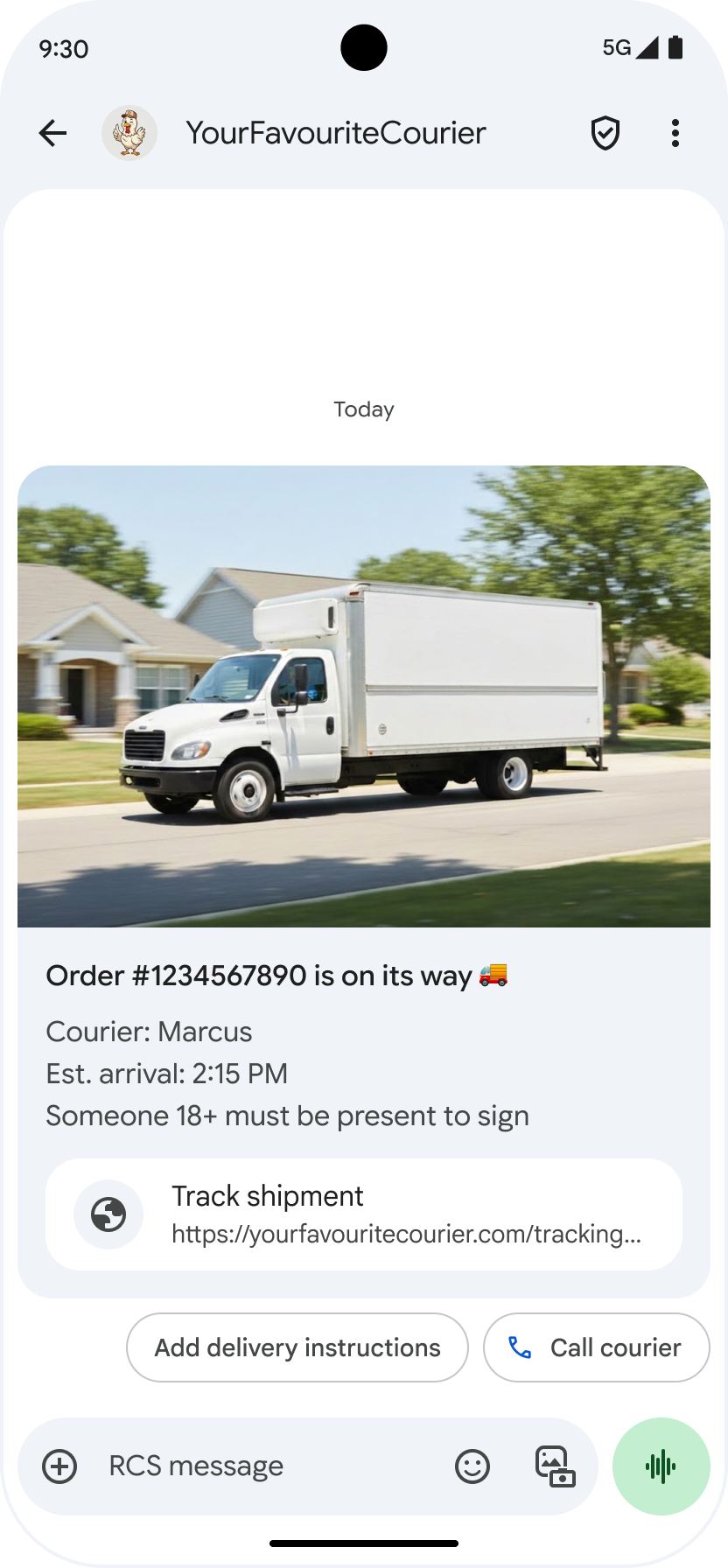 Visible underlying URL
**App icon display for web links**: If a user has a default app configured for
the web page, that app opens instead of the browser or webview, and the
suggestion button displays the app's icon. For the app icon to appear in Google
Messages, you need to provide the full, direct URL. If you use a shortened URL,
the default Open URL icon displays instead.
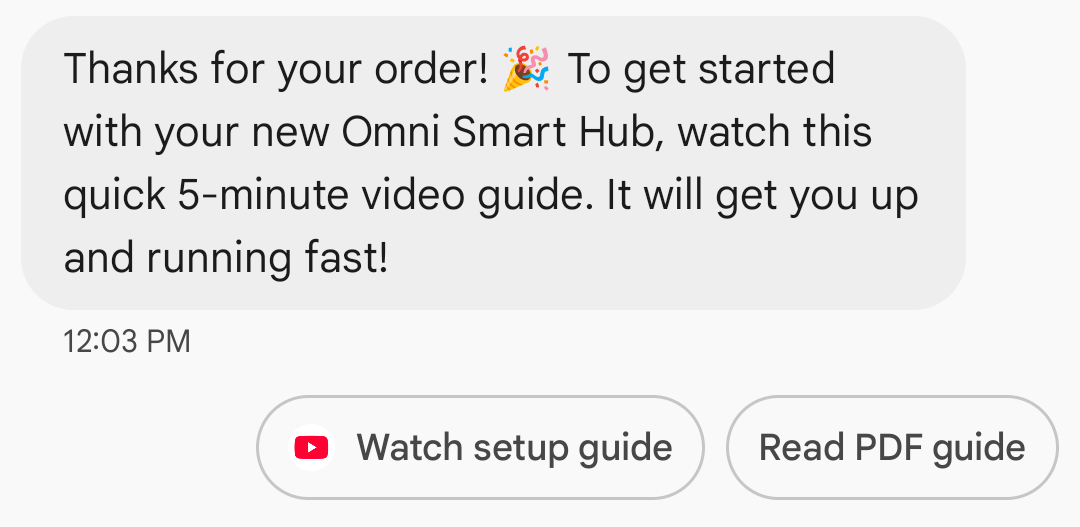 App icon in a suggestion button
##### Example
The following code sends an open URL action. For formatting and value options,
see [`OpenUrlAction`](https://developers.google.com/business-communications/rcs-business-messaging/reference/rest/v1/phones.agentMessages.md.txt#openurlaction).
### cURL
```console
curl -X POST "https://REGION-rcsbusinessmessaging.googleapis.com/v1/phones/PHONE_NUMBER/agentMessages?messageId=MESSAGE_ID&agentId=AGENT_ID" \
-H "Content-Type: application/json" \
-H "User-Agent: curl/rcs-business-messaging" \
-H "`oauth2l header --json PATH_TO_SERVICE_ACCOUNT_KEY rcsbusinessmessaging`" \
-d '{
"contentMessage": {
"text": "Hello, world!",
"suggestions": [
{
"action": {
"text": "Open Google",
"postbackData": "postback_data_1234",
"openUrlAction": {
"url": "https://www.google.com"
}
}
}
]
}
}'
```
### Node.js
```javascript
// Reference to RBM API helper
const rbmApiHelper = require('@google/rcsbusinessmessaging');
// Define an open URL suggested action
let suggestions = [
{
action: {
text: 'Open Google',
postbackData: 'postback_data_1234',
openUrlAction: {
url: 'https://www.google.com'
}
}
},
];
let params = {
messageText: 'Hello, world!',
msisdn: '+12223334444',
suggestions: suggestions,
};
// Send a simple message with an open URL suggested action
rbmApiHelper.sendMessage(params, function(response) {
console.log(response);
});
```
This code is an excerpt from an [RBM sample agent](https://developers.google.com/business-communications/rcs-business-messaging/samples.md.txt).
### Java
```java
import com.google.api.services.rcsbusinessmessaging.v1.model.OpenUrlAction;
import com.google.api.services.rcsbusinessmessaging.v1.model.SuggestedAction;
import com.google.api.services.rcsbusinessmessaging.v1.model.Suggestion;
import com.google.rbm.RbmApiHelper;
...
try {
// Create an instance of the RBM API helper
RbmApiHelper rbmApiHelper = new RbmApiHelper();
// Create suggestions for chip list
List suggestions = new ArrayList();
// creating an open url suggested action
OpenUrlAction openUrlAction = new OpenUrlAction();
openUrlAction.setUrl("https://www.google.com");
// creating a suggested action based on an open url action
SuggestedAction suggestedAction = new SuggestedAction();
suggestedAction.setText("Open Google");
suggestedAction.setPostbackData("postback_data_1234");
suggestedAction.setOpenUrlAction(openUrlAction);
// attaching action to a suggestion
Suggestion suggestion = new Suggestion();
suggestion.setAction(suggestedAction);
suggestions.add(suggestion);
// Send simple text message with the suggestion action
rbmApiHelper.sendTextMessage(
"Hello, world!",
"+12223334444",
suggestions
);
} catch(Exception e) {
e.printStackTrace();
}
```
This code is an excerpt from an [RBM sample agent](https://developers.google.com/business-communications/rcs-business-messaging/samples.md.txt).
### Python
```python
# Reference to RBM Python client helper and messaging object structure
from rcs_business_messaging import rbm_service
from rcs_business_messaging import messages
# Create an open url suggested action
suggestions = [
messages.OpenUrlAction('Open Google',
'reply:postback_data_1234',
'https://www.google.com')
]
# Create text message to send to user
text_msg = messages.TextMessage('Hello, world!')
cluster = messages.MessageCluster().append_message(text_msg)
# Append suggestions for the message to send to the user
for suggestion in suggestions:
cluster.append_suggestion_chip(suggestion)
# Send a simple message with suggested action to the device
cluster.send_to_msisdn('+12223334444')
```
This code is an excerpt from an [RBM sample agent](https://developers.google.com/business-communications/rcs-business-messaging/samples.md.txt).
### C#
```c#
using Google.Apis.RCSBusinessMessaging.v1.Data;
using RCSBusinessMessaging;
...
// Create an instance of the RBM API helper
RbmApiHelper rbmApiHelper = new RbmApiHelper(credentialsFileLocation,
projectId);
// Create an open url action
OpenUrlAction openUrlAction = new OpenUrlAction
{
Url = "https://www.google.com"
};
// Attach the open url action to a suggested action
SuggestedAction suggestedAction = new SuggestedAction
{
OpenUrlAction = openUrlAction,
Text = "Open Google",
PostbackData = "postback_data_1234"
};
// Attach the action to a suggestion object
Suggestion suggestion = new Suggestion
{
Action = suggestedAction
};
List suggestions = new List
{
suggestion
};
rbmApiHelper.SendTextMessage(
"Hello, world!",
"+12223334444",
suggestions
);
```
This code is an excerpt from an [RBM sample agent](https://developers.google.com/business-communications/rcs-business-messaging/samples.md.txt).
#### Open a URL with webview
The Open URL with webview action loads the specified web page
inside the messaging app with the rendering engine of your default browser. This
allows the user to interact with the web page without leaving the RCS
for Business conversation. If the user's device doesn't support webviews,
the web page opens in the user's browser instead. To enable webviews, see
[`OpenURLApplication`](https://developers.google.com/business-communications/rcs-business-messaging/reference/rest/v1/phones.agentMessages.md.txt#openurlapplication).
Webviews have three display modes. For formatting and value options, see
[`WebviewViewMode`](https://developers.google.com/business-communications/rcs-business-messaging/reference/rest/v1/phones.agentMessages.md.txt#webviewviewmode).
- **Full:** The web page takes up the full screen
- **Half:** The web page takes up half of the screen
- **Tall:** The web page takes up three quarters of the screen
##### Example
The following code sends an Open URL with webview action. For formatting and
value options, see [`OpenURLAction`](https://developers.google.com/business-communications/rcs-business-messaging/reference/rest/v1/phones.agentMessages.md.txt#openurlaction).
### cURL
```console
curl -X POST "https://REGION-rcsbusinessmessaging.googleapis.com/v1/phones/PHONE_NUMBER/agentMessages?messageId=MESSAGE_ID&agentId=AGENT_ID" \
-H "Content-Type: application/json" \
-H "User-Agent: curl/rcs-business-messaging" \
-H "`oauth2l header --json PATH_TO_SERVICE_ACCOUNT_KEY rcsbusinessmessaging`" \
-d '{
"contentMessage": {
"text": "Hello, world!",
"suggestions": [
{
"action": {
"text": "Open Google",
"postbackData": "postback_data_1234",
"openUrlAction": {
"url": "https://www.google.com",
"application": "WEBVIEW",
"webviewViewMode": "FULL",
"description": "Accessibility description"
}
}
}
]
}
}'
```
### Java
```java
import com.google.api.services.rcsbusinessmessaging.v1.model.OpenUrlAction;
import com.google.api.services.rcsbusinessmessaging.v1.model.SuggestedAction;
import com.google.api.services.rcsbusinessmessaging.v1.model.Suggestion;
import com.google.rbm.RbmApiHelper;
...
try {
String URL = "https://www.google.com";
// Create an instance of the RBM API helper
RbmApiHelper rbmApiHelper = new RbmApiHelper();
// Create suggestions for chip list
List suggestions = new ArrayList();
// Create suggestion to view webpage in full mode
Suggestion viewInFullMode = getUrlActionInWebview(URL, "FULL")
suggestions.add(viewInFullMode);
// create suggestion to view webpage in half mode
Suggestion viewInHalfMode = getUrlActionInWebview(URL, "HALF")
suggestions.add(viewInHalfMode);
// create suggestion to view webpage in tall mode
Suggestion viewInTallMode = getUrlActionInWebview(URL, "TALL")
suggestions.add(viewInTallMode);
// Send simple text message with the suggested action
rbmApiHelper.sendTextMessage(
"Hello, world!",
"+12223334444",
suggestions
);
} catch(Exception e) {
e.printStackTrace();
}
/**
* Creates a suggested action to open URL in webview.
*
* @return a suggestion object for an open URL in webview action .
*/
private Suggestion getUrlActionInWebview(String url,
String viewMode) {
// create an open url action
OpenUrlAction openUrlAction = new OpenUrlAction();
openUrlAction.setUrl(url);
openUrlAction.setApplication("WEBVIEW");
openUrlAction.setWebviewViewMode(viewMode);
openUrlAction.setDescription("Accessibility description");
// attach the open url action to a suggested action
SuggestedAction suggestedAction = new SuggestedAction();
suggestedAction.setOpenUrlAction(openUrlAction);
suggestedAction.setText('display_text');
suggestedAction.setPostbackData('postback_data_123');
// attach the action to a suggestion object
Suggestion suggestion = new Suggestion();
suggestion.setAction(suggestedAction);
return suggestion;
}
```
#### Create a calendar event
The Create calendar event action opens the user's calendar app and begins to
create a new event with the specified information.
A calendar event title is required. It has a maximum of 100 characters. The
calendar event description is optional and has a maximum of 500 characters.
##### Example
The following code sends a create calendar event action. For formatting and
value options, see [`CreateCalendarEventAction`](https://developers.google.com/business-communications/rcs-business-messaging/reference/rest/v1/phones.agentMessages.md.txt#createcalendareventaction).
### cURL
```console
curl -X POST "https://REGION-rcsbusinessmessaging.googleapis.com/v1/phones/PHONE_NUMBER/agentMessages?messageId=MESSAGE_ID&agentId=AGENT_ID" \
-H "Content-Type: application/json" \
-H "User-Agent: curl/rcs-business-messaging" \
-H "`oauth2l header --json PATH_TO_SERVICE_ACCOUNT_KEY rcsbusinessmessaging`" \
-d '{
"contentMessage": {
"text": "Hello, world!",
"suggestions": [
{
"action": {
"text": "Save to calendar",
"postbackData": "postback_data_1234",
"fallbackUrl": "https://www.google.com/calendar",
"createCalendarEventAction": {
"startTime": "2020-06-30T19:00:00Z",
"endTime": "2020-06-30T20:00:00Z",
"title": "My calendar event",
"description": "Description of the calendar event"
}
}
}
]
}
}'
```
### Node.js
```javascript
// Reference to RBM API helper
const rbmApiHelper = require('@google/rcsbusinessmessaging');
// Define a create calendar event suggested action
let suggestions = [
{
action: {
text: 'Save to calendar',
postbackData: 'postback_data_1234',
createCalendarEventAction: {
startTime: '2020-06-30T19:00:00Z',
endTime: '2020-06-30T20:00:00Z',
title: 'My calendar event',
description: 'Description of the calendar event',
},
}
},
];
let params = {
messageText: 'Hello, world!',
msisdn: '+12223334444',
suggestions: suggestions,
};
// Send a simple message with a create calendar event suggested action
rbmApiHelper.sendMessage(params, function(response) {
console.log(response);
});
```
This code is an excerpt from an [RBM sample agent](https://developers.google.com/business-communications/rcs-business-messaging/samples.md.txt).
### Java
```java
import com.google.api.services.rcsbusinessmessaging.v1.model.CreateCalendarEventAction;
import com.google.api.services.rcsbusinessmessaging.v1.model.SuggestedAction;
import com.google.api.services.rcsbusinessmessaging.v1.model.Suggestion;
import com.google.rbm.RbmApiHelper;
...
try {
// Create an instance of the RBM API helper
RbmApiHelper rbmApiHelper = new RbmApiHelper();
// Create suggestions for chip list
List suggestions = new ArrayList();
// creating a create calendar event suggested action
CreateCalendarEventAction createCalendarEventAction = new CreateCalendarEventAction();
calendarEventAction.setTitle("My calendar event");
calendarEventAction.setDescription("Description of the calendar event");
calendarEventAction.setStartTime("2020-06-30T19:00:00Z");
calendarEventAction.setEndTime("2020-06-30T20:00:00Z");
// creating a suggested action based on a create calendar event action
SuggestedAction suggestedAction = new SuggestedAction();
suggestedAction.setText("Save to calendar");
suggestedAction.setPostbackData("postback_data_1234");
suggestedAction.setCreateCalendarEventAction(createCalendarEventAction);
// attaching action to a suggestion
Suggestion suggestion = new Suggestion();
suggestion.setAction(suggestedAction);
suggestions.add(suggestion);
// Send simple text message with the suggestion action
rbmApiHelper.sendTextMessage(
"Hello, world!",
"+12223334444",
suggestions
);
} catch(Exception e) {
e.printStackTrace();
}
```
This code is an excerpt from an [RBM sample agent](https://developers.google.com/business-communications/rcs-business-messaging/samples.md.txt).
### Python
```python
# Reference to RBM Python client helper and messaging object structure
from rcs_business_messaging import rbm_service
from rcs_business_messaging import messages
# Create a calendar event suggested action
suggestions = [
messages.CreateCalendarEventAction('Save to Calendar',
'reply:postback_data_1234',
'2020-06-30T19:00:00Z',
'2020-06-30T20:00:00Z',
'My calendar event',
'Description of the calendar event')
]
# Create text message to send to user
text_msg = messages.TextMessage('Hello, world!')
cluster = messages.MessageCluster().append_message(text_msg)
# Append suggestions for the message to send to the user
for suggestion in suggestions:
cluster.append_suggestion_chip(suggestion)
# Send a simple message with suggested action to the device
cluster.send_to_msisdn('+12223334444')
```
This code is an excerpt from an [RBM sample agent](https://developers.google.com/business-communications/rcs-business-messaging/samples.md.txt).
### C#
```c#
using Google.Apis.RCSBusinessMessaging.v1.Data;
using RCSBusinessMessaging;
...
// Create an instance of the RBM API helper
RbmApiHelper rbmApiHelper = new RbmApiHelper(credentialsFileLocation,
projectId);
// Create a calendar event action
CreateCalendarEventAction calendarEventAction = new CreateCalendarEventAction
{
Title = "My calendar event",
Description = "Description of the calendar event",
StartTime = "2020-06-30T19:00:00Z",
EndTime = "2020-06-30T20:00:00Z"
};
// Attach the calendar event action to a suggested action
SuggestedAction suggestedAction = new SuggestedAction
{
CreateCalendarEventAction = calendarEventAction,
Text = "Save to calendar",
PostbackData = "postback_data_1234"
};
// Attach the action to a suggestion object
Suggestion suggestion = new Suggestion
{
Action = suggestedAction
};
List suggestions = new List
{
suggestion
};
rbmApiHelper.SendTextMessage(
"Hello, world!",
"+12223334444",
suggestions
);
```
This code is an excerpt from an [RBM sample agent](https://developers.google.com/business-communications/rcs-business-messaging/samples.md.txt).
### Suggestion chip list
Your agent sends suggestion chip lists with messages to guide users' subsequent
actions. The chip list only displays when the associated message is at the
bottom of the conversation. Any subsequent messages in the conversation (from
either a user or your agent) overwrite the chip list.
The chips in the list are [suggested replies](https://developers.google.com/business-communications/rcs-business-messaging/guides/build/messages/send.md.txt#replies) and
[suggested actions](https://developers.google.com/business-communications/rcs-business-messaging/guides/build/messages/send.md.txt#actions).
Chip lists contain a maximum of 11 suggestion chips, and each chip label can
have a maximum of 25 characters.
For formatting and value options, see [`AgentContentMessage`](https://developers.google.com/business-communications/rcs-business-messaging/reference/rest/v1/phones.agentMessages.md.txt#agentcontentmessage).
## Rich cards
Rich cards combine media, text, and interactive suggestions into a single
message. They're ideal for presenting related information (for example, a
product with its image, name, and price) and guiding users with clear next step
like a "View details" suggestion.
A rich card can contain the following:
- Media (image, GIF, or video)
- Title text
- Description text
- [Suggested replies](https://developers.google.com/business-communications/rcs-business-messaging/guides/build/messages/send.md.txt#replies) and [suggested actions](https://developers.google.com/business-communications/rcs-business-messaging/guides/build/messages/send.md.txt#actions) (maximum 4)
Each of these fields is optional, but at least one of the fields 1--3 must be
included in the rich card.
Multiple cards can be sent together in a horizontally scrolling [carousel](https://developers.google.com/business-communications/rcs-business-messaging/guides/build/messages/send.md.txt#carousels).
Note that the total payload for a rich card is 250 KB.
For complete technical details, see the [Rich cards documentation](https://developers.google.com/business-communications/rcs-business-messaging/guides/learn/rich-cards.md.txt).
### Card height
Rich cards expand vertically to fit their contents. They have a minimum height
of 112 DP and a maximum height of 344 DP. If card contents aren't large
enough to fill the minimum card height, the card expands and fills the extra
height with whitespace.
Media in rich cards must fit one of three heights:
- Short: 112 DP
- Medium: 168 DP
- Tall: 264 DP
If the media doesn't fit the dimensions within the card given the selected
height, the media preview is chosen by zooming and cropping the media.
> [!IMPORTANT]
> **Important:** For iOS compatibility, set the media height to `TALL`. Don't leave the height unset or use `HEIGHT_UNSPECIFIED`. This is critical for standalone rich cards with a horizontal layout, which may fail to render or deliver on iOS devices if the height is unspecified.
### Example
The following code sends a rich card with an image and suggested
replies. For formatting and value options, see [`RichCard`](https://developers.google.com/business-communications/rcs-business-messaging/reference/rest/v1/phones.agentMessages.md.txt#richcard).
### cURL
```console
curl -X POST "https://REGION-rcsbusinessmessaging.googleapis.com/v1/phones/PHONE_NUMBER/agentMessages?messageId=MESSAGE_ID&agentId=AGENT_ID" \
-H "Content-Type: application/json" \
-H "User-Agent: curl/rcs-business-messaging" \
-H "`oauth2l header --json PATH_TO_SERVICE_ACCOUNT_KEY rcsbusinessmessaging`" \
-d '{
"contentMessage": {
"richCard": {
"standaloneCard": {
"thumbnailImageAlignment": "RIGHT",
"cardOrientation": "VERTICAL",
"cardContent": {
"title": "Hello, world!",
"description": "RBM is awesome!",
"media": {
"height": "TALL",
"contentInfo":{
"fileUrl": "http://www.google.com/logos/doodles/2015/googles-new-logo-5078286822539264.3-hp2x.gif",
"forceRefresh": false
}
},
"suggestions": [
{
"reply": {
"text": "Suggestion #1",
"postbackData": "suggestion_1"
}
},
{
"reply": {
"text": "Suggestion #2",
"postbackData": "suggestion_2"
}
}
]
}
}
}
}
}'
```
### Node.js
```javascript
// Reference to RBM API helper
const rbmApiHelper = require('@google/rcsbusinessmessaging');
// Suggested replies to be used in the card
let suggestions = [
{
reply: {
'text': 'Suggestion #1',
'postbackData': 'suggestion_1',
},
},
{
reply: {
'text': 'Suggestion #2',
'postbackData': 'suggestion_2',
},
},
];
// Image to be displayed by the card
let imageUrl = 'http://www.google.com/logos/doodles/2015/googles-new-logo-5078286822539264.3-hp2x.gif';
// Definition of the card parameters
let params = {
messageText: 'Hello, world!',
messageDescription: 'RBM is awesome!',
msisdn: '+12223334444',
suggestions: suggestions,
imageUrl: imageUrl,
height: 'TALL',
};
// Send rich card to device
rbmApiHelper.sendRichCard(params, function(response) {
console.log(response);
});
```
This code is an excerpt from an [RBM sample agent](https://developers.google.com/business-communications/rcs-business-messaging/samples.md.txt).
### Java
```java
import com.google.api.services.rcsbusinessmessaging.v1.model.StandaloneCard;
import com.google.api.services.rcsbusinessmessaging.v1.model.Suggestion;
import com.google.rbm.cards.CardOrientation;
import com.google.rbm.cards.MediaHeight;
import com.google.rbm.RbmApiHelper;
import com.google.rbm.SuggestionHelper;
...
try {
// Create an instance of the RBM API helper
RbmApiHelper rbmApiHelper = new RbmApiHelper();
// Create suggestions for chip list
List suggestions = new ArrayList();
suggestions.add(
new SuggestionHelper("Suggestion #1", "suggestion_1").getSuggestedReply());
suggestions.add(
new SuggestionHelper("Suggestion #2", "suggestion_2").getSuggestedReply());
String imageUrl = "http://www.google.com/logos/doodles/2015/googles-new-logo-5078286822539264.3-hp2x.gif";
// Create a standalone rich card to send to the user
StandaloneCard standaloneCard = rbmApiHelper.createStandaloneCard(
"Hello, world!",
"RBM is awesome!",
imageUrl,
MediaHeight.MEDIUM,
CardOrientation.VERTICAL,
suggestions
);
rbmApiHelper.sendStandaloneCard(standaloneCard, "+12223334444");
} catch(Exception e) {
e.printStackTrace();
}
```
This code is an excerpt from an [RBM sample agent](https://developers.google.com/business-communications/rcs-business-messaging/samples.md.txt).
### Python
```python
# Reference to RBM Python client helper and messaging object structure
from rcs_business_messaging import rbm_service
from rcs_business_messaging import messages
# Suggested replies to be used in the card
suggestions = [
messages.SuggestedReply('Suggestion #1', 'reply:suggestion_1'),
messages.SuggestedReply('Suggestion #2', 'reply:suggestion_2')
]
# Image to be displayed by the card
image_url = 'http://www.google.com/logos/doodles/2015/googles-new-logo-5078286822539264.3-hp2x.gif';
# Define rich card structure
rich_card = messages.StandaloneCard('VERTICAL',
'Hello, world!',
'RBM is awesome!',
suggestions,
image_url,
None,
None,
'MEDIUM')
# Append rich card and send to the user
cluster = messages.MessageCluster().append_message(rich_card)
cluster.send_to_msisdn('+12223334444')
```
This code is an excerpt from an [RBM sample agent](https://developers.google.com/business-communications/rcs-business-messaging/samples.md.txt).
### C#
```c#
using Google.Apis.RCSBusinessMessaging.v1.Data;
using RCSBusinessMessaging;
using RCSBusinessMessaging.Cards;
...
// Create an instance of the RBM API helper
RbmApiHelper rbmApiHelper = new RbmApiHelper(credentialsFileLocation,
projectId);
List suggestions = new List
{
// Create suggestion chips
new SuggestionHelper("Suggestion #1", "suggestion_1").SuggestedReply(),
new SuggestionHelper("Suggestion #2", "suggestion_2").SuggestedReply()
};
string imageUrl = "http://www.google.com/logos/doodles/2015/googles-new-logo-5078286822539264.3-hp2x.gif";
// Create rich card with suggestions
StandaloneCard standaloneCard = rbmApiHelper.CreateStandaloneCard(
"Hello, world!",
"RBM is awesome",
imageUrl,
MediaHeight.TALL,
CardOrientation.VERTICAL,
suggestions
);
// Send rich card to user
rbmApiHelper.SendStandaloneCard(standaloneCard, "+12223334444");
```
This code is an excerpt from an [RBM sample agent](https://developers.google.com/business-communications/rcs-business-messaging/samples.md.txt).
## Rich card carousels
Carousels string together multiple [rich cards](https://developers.google.com/business-communications/rcs-business-messaging/guides/build/messages/send.md.txt#rich-cards), allowing users to
compare items and react to each individually.
Carousels can contain a minimum of two and a maximum of ten rich cards. Rich
cards within carousels must conform to general rich card requirements for
content and height, as described in the [Rich cards documentation](https://developers.google.com/business-communications/rcs-business-messaging/guides/learn/rich-cards.md.txt).
For more information about the carousel layout and specifications, see the
[Carousel documentation](https://developers.google.com/business-communications/rcs-business-messaging/guides/learn/rich-cards.md.txt#carousel-specs).
### Example
The following code sends a rich card carousel. For formatting and value options,
see [`RichCard`](https://developers.google.com/business-communications/rcs-business-messaging/reference/rest/v1/phones.agentMessages.md.txt#richcard).
### cURL
```console
curl -X POST "https://REGION-rcsbusinessmessaging.googleapis.com/v1/phones/PHONE_NUMBER/agentMessages?messageId=MESSAGE_ID&agentId=AGENT_ID" \
-H "Content-Type: application/json" \
-H "User-Agent: curl/rcs-business-messaging" \
-H "`oauth2l header --json PATH_TO_SERVICE_ACCOUNT_KEY rcsbusinessmessaging`" \
-d '{
"contentMessage": {
"richCard": {
"carouselCard": {
"cardWidth": "MEDIUM",
"cardContents": [
{
"title": "Card #1",
"description": "The description for card #1",
"suggestions": [
{
"reply": {
"text": "Card #1",
"postbackData": "card_1"
}
}
],
"media": {
"height": "MEDIUM",
"contentInfo": {
"fileUrl": "https://storage.googleapis.com/welcome-bot-sample-images/200.jpg",
"forceRefresh": false
}
}
},
{
"title": "Card #2",
"description": "The description for card #2",
"suggestions": [
{
"reply": {
"text": "Card #2",
"postbackData": "card_2"
}
}
],
"media": {
"height": "MEDIUM",
"contentInfo": {
"fileUrl": "https://storage.googleapis.com/welcome-bot-sample-images/201.jpg",
"forceRefresh": false
}
}
}
]
}
}
}
}'
```
### Node.js
```javascript
// Reference to RBM API helper
const rbmApiHelper = require('@google/rcsbusinessmessaging');
// Images for the carousel cards
let card1Image = 'https://storage.googleapis.com/welcome-bot-sample-images/200.jpg';
let card2Image = 'https://storage.googleapis.com/welcome-bot-sample-images/201.jpg';
// Define the card contents for a carousel with two cards, each with one suggested reply
let cardContents = [
{
title: 'Card #1',
description: 'The description for card #1',
suggestions: [
{
reply: {
text: 'Card #1',
postbackData: 'card_1',
}
}
],
media: {
height: 'MEDIUM',
contentInfo: {
fileUrl: card1Image,
forceRefresh: false,
},
},
},
{
title: 'Card #2',
description: 'The description for card #2',
suggestions: [
{
reply: {
text: 'Card #2',
postbackData: 'card_2',
}
}
],
media: {
height: 'MEDIUM',
contentInfo: {
fileUrl: card2Image,
forceRefresh: false,
},
},
},
];
// Definition of carousel card
let params = {
msisdn: '+12223334444',
cardContents: cardContents,
};
// Send the device the carousel card defined above
rbmApiHelper.sendCarouselCard(params, function(response) {
console.log(response);
});
```
This code is an excerpt from an [RBM sample agent](https://developers.google.com/business-communications/rcs-business-messaging/samples.md.txt).
### Java
```java
import com.google.api.services.rcsbusinessmessaging.v1.model.CardContent;
import com.google.api.services.rcsbusinessmessaging.v1.model.Suggestion;
import com.google.rbm.cards.CardOrientation;
import com.google.rbm.cards.CardWidth;
import com.google.rbm.cards.MediaHeight;
import com.google.rbm.RbmApiHelper;
import com.google.rbm.SuggestionHelper;
...
try {
// Create an instance of the RBM API helper
RbmApiHelper rbmApiHelper = new RbmApiHelper();
List cardContents = new ArrayList();
// Images for the carousel cards
String card1Image = "https://storage.googleapis.com/welcome-bot-sample-images/200.jpg";
// Create suggestions for first carousel card
List card1Suggestions = new ArrayList();
card1Suggestions.add(
new SuggestionHelper("Card #1", "card_1"));
cardContents.add(
new StandaloneCardHelper(
"Card #1",
"The description for card #1",
card1Image,
card1Suggestions)
.getCardContent(MediaHeight.SHORT)
);
// Images for the carousel cards
String card2Image = "https://storage.googleapis.com/welcome-bot-sample-images/201.jpg";
// Create suggestions for second carousel card
List card2Suggestions = new ArrayList();
card2Suggestions.add(
new SuggestionHelper("Card #2", "card_2"));
cardContents.add(
new StandaloneCardHelper(
"Card #2",
"The description for card #2",
card2Image,
card2Suggestions)
.getCardContent(MediaHeight.SHORT)
);
// Send the carousel to the user
rbmApiHelper.sendCarouselCards(cardContents, CardWidth.MEDIUM, "+12223334444");
} catch(Exception e) {
e.printStackTrace();
}
```
This code is an excerpt from an [RBM sample agent](https://developers.google.com/business-communications/rcs-business-messaging/samples.md.txt).
### Python
```python
# Reference to RBM Python client helper and messaging object structure
from rcs_business_messaging import rbm_service
from rcs_business_messaging import messages
# Images for the carousel cards
card_image_1 = 'https://storage.googleapis.com/welcome-bot-sample-images/200.jpg';
card_image_2 = 'https://storage.googleapis.com/welcome-bot-sample-images/201.jpg';
# Suggested replies to be used in the cards
suggestions1 = [
messages.SuggestedReply('Card #1', 'reply:card_1')
]
suggestions2 = [
messages.SuggestedReply('Card #2', 'reply:card_2')
]
# Define the card contents for a carousel with two cards,
# each with one suggested reply
card_contents = []
card_contents.append(messages.CardContent('Card #1',
'The description for card #1',
card_image_1,
'MEDIUM',
suggestions1))
card_contents.append(messages.CardContent('Card #2',
'The description for card #2',
card_image_2,
'MEDIUM',
suggestions2))
# Send the device the carousel card defined above
carousel_card = messages.CarouselCard('MEDIUM', card_contents)
cluster = messages.MessageCluster().append_message(carousel_card)
cluster.send_to_msisdn('+12223334444')
```
This code is an excerpt from an [RBM sample agent](https://developers.google.com/business-communications/rcs-business-messaging/samples.md.txt).
### C#
```c#
using Google.Apis.RCSBusinessMessaging.v1.Data;
using RCSBusinessMessaging;
using RCSBusinessMessaging.Cards;
...
// Create an instance of the RBM API helper
RbmApiHelper rbmApiHelper = new RbmApiHelper(credentialsFileLocation,
projectId);
// Image references to be used in the carousel cards
string card1Image = "https://storage.googleapis.com/welcome-bot-sample-images/200.jpg";
string card2Image = "https://storage.googleapis.com/welcome-bot-sample-images/201.jpg";
// Suggestion chip lists to be used in carousel cards
List suggestions1 = new List
{
new SuggestionHelper("Card #1", "card_1").SuggestedReply()
};
List suggestions2 = new List
{
new SuggestionHelper("Card #2", "card_2").SuggestedReply()
};
// Create the card content for the carousel
List cardContents = new List
{
// Add items as card content
new StandaloneCardHelper(
"Card #1",
"The description for card #1",
card1Image,
suggestions1).GetCardContent(),
new StandaloneCardHelper(
"Card #2",
"The description for card #2",
card2Image,
suggestions2).GetCardContent()
};
// Send the carousel to the user
rbmApiHelper.SendCarouselCards(cardContents, CardWidth.MEDIUM, msisdn);
```
This code is an excerpt from an [RBM sample agent](https://developers.google.com/business-communications/rcs-business-messaging/samples.md.txt).