This guide shows you how to use Google Mobile Ads SDK for React Native to load and display
ads from LY Ads Network using [mediation](https://developers.google.com/admob/react-native/mediation.md.txt), covering
waterfall integrations. It covers how to add LY Ads Network to an ad unit's
mediation configuration, and how to integrate the LY Ads Network SDK and
adapter into a React Native app.
## Supported integrations and ad formats
The AdMob mediation adapter for LY Ads Network
has the following capabilities:
| Integration ||
|---|---|
| Bidding | Yes |
| Waterfall | Yes |
| App Open | |
| Banner | Yes |
| Interstitial | Yes |
| Rewarded | Yes |
| Rewarded Interstitial | Yes |
| Native | Yes |
## Prerequisites
Before you continue, verify the following:
- Latest Google Mobile Ads SDK for React Native version.
- React Native framework version 0.85.0 or later.
- To deploy on Android
- Android API level 24 or later.
- To deploy on iOS
- iOS deployment target of 13.0 or later.
- A working React Native project configured with Google Mobile Ads SDK for React Native. See [Set up Google Mobile Ads SDK for React Native](https://developers.google.com/admob/react-native/quick-start.md.txt) for details.
- Make sure you have downloaded and extracted the `adapters` folder from the [`gma-sdk-react-native`](https://drive.google.com/corp/drive/folders/1s5j2kx0yyYxLsdLNyBrhNJvkzmaUgOwD) folder. If you don't have the `adapters` folder, follow steps one, two, and three in [Install Google Mobile Ads SDK for React Native](https://developers.google.com/admob/react-native/quick-start.md.txt#install).
- [Set up AdMob Mediation](https://developers.google.com/admob/react-native/mediation.md.txt).
## Step 1: Set up configurations in LY Ads Network UI
[Sign up and log in](https://adsnetwork.line.biz/) to your LY Ads Network account.
### Add a new application
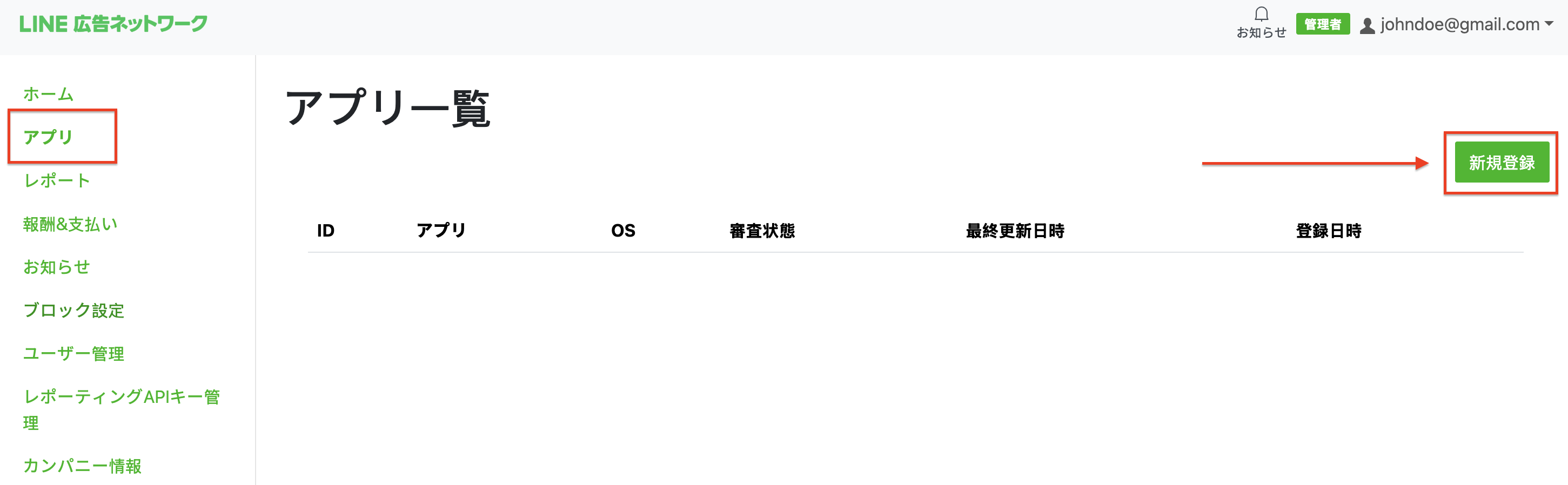
Navigate to the **App** tab and click the **New registration** button.
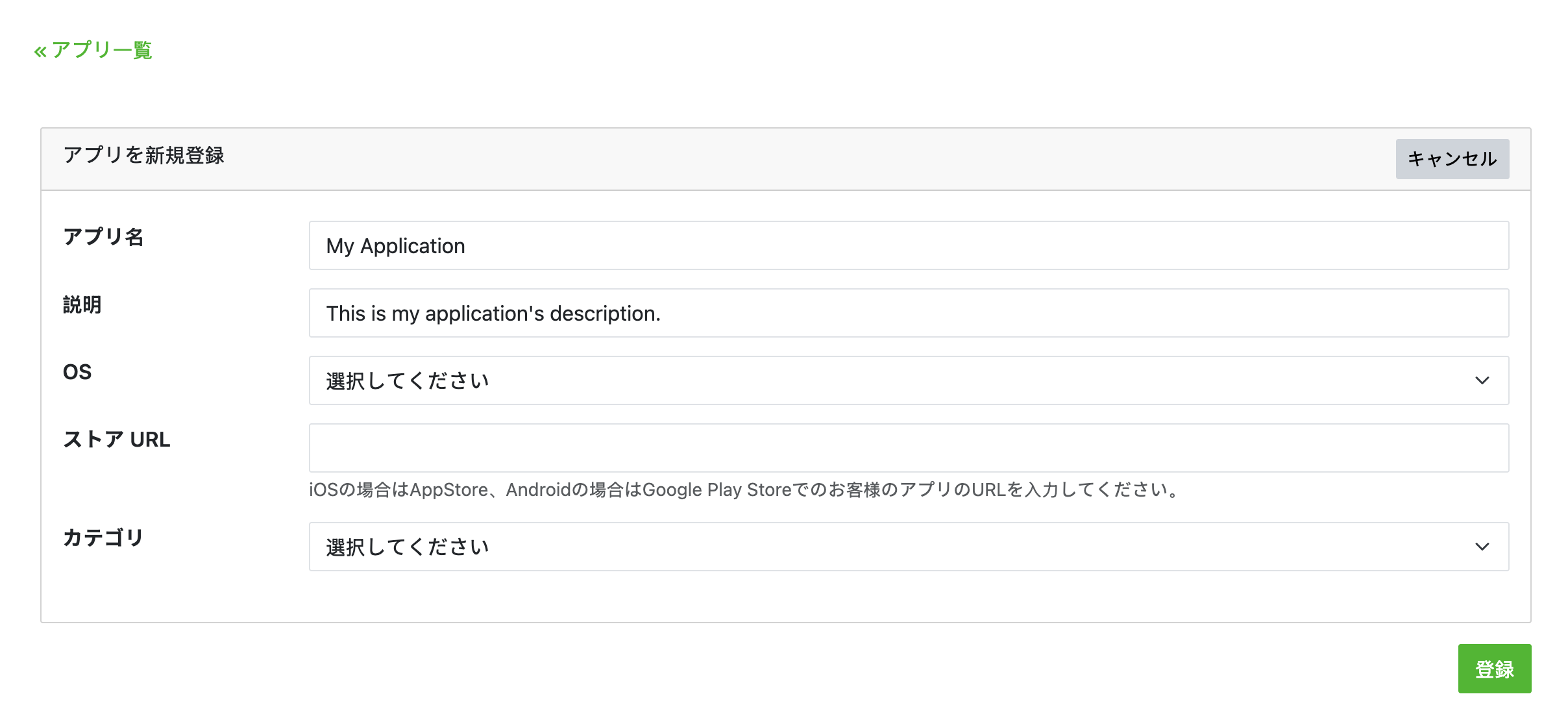
Fill out the form and click **registration**.
> [!NOTE]
> **Note:** You will need to create a separate app for each platform you intend to support.
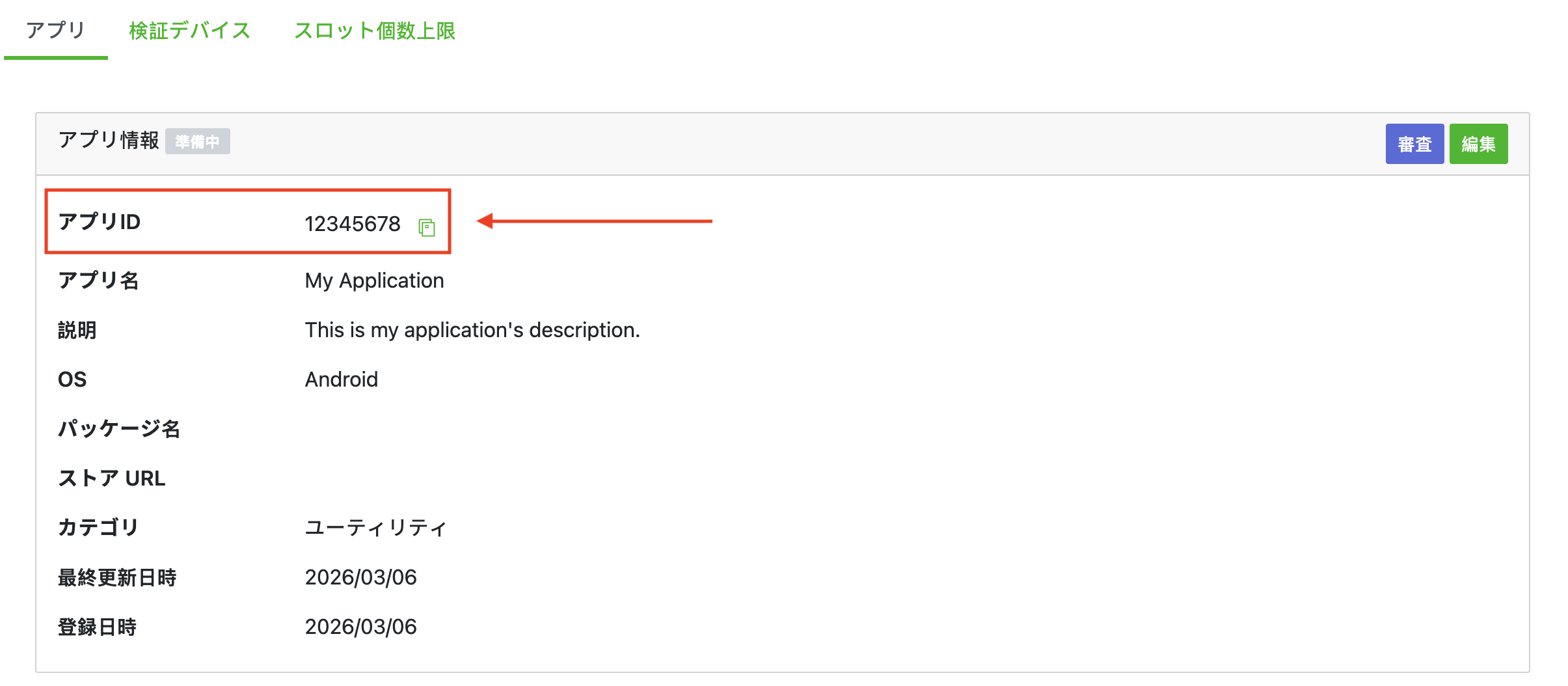
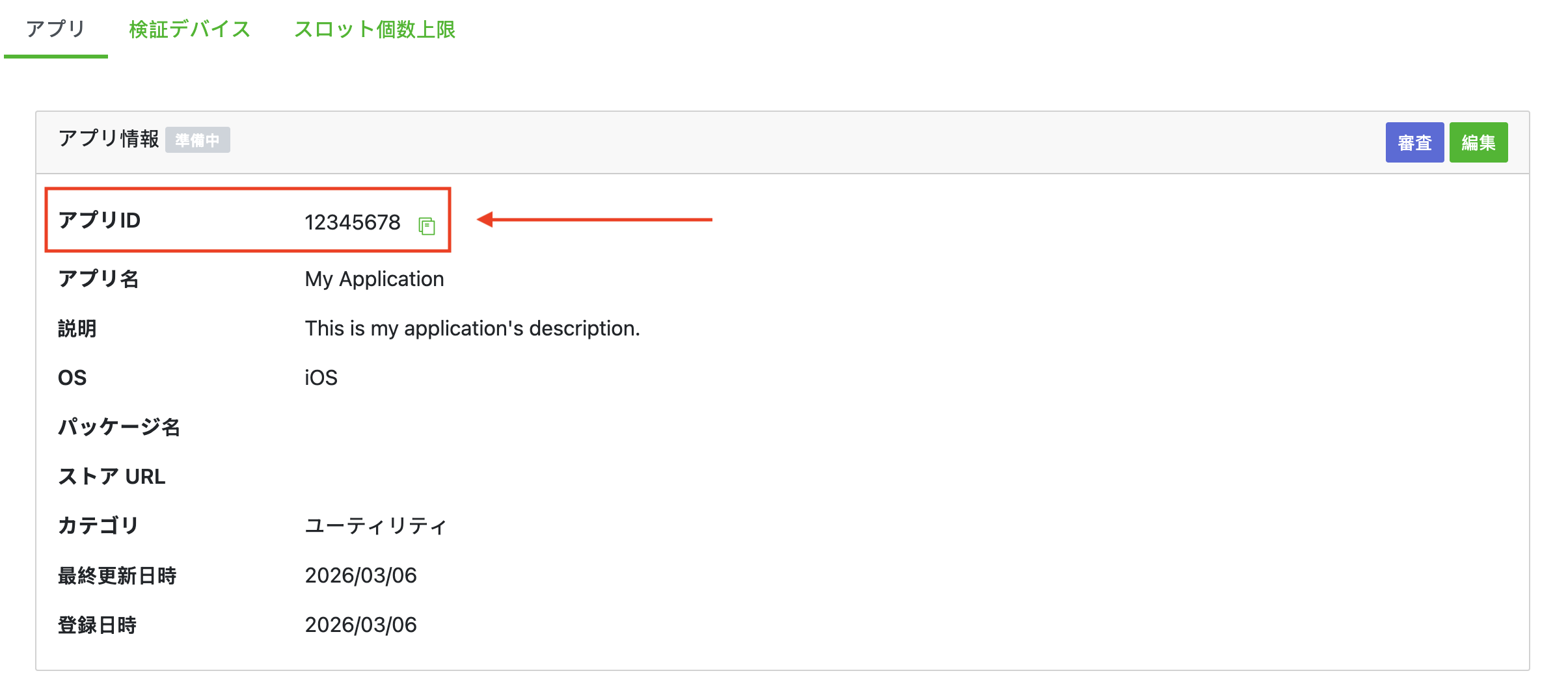
Take note of the **App ID**.
### Android
### iOS
### Create an ad slot
On the **App** tab, select your app to view your app's details. Under the
**Slot** section, click **Add**.

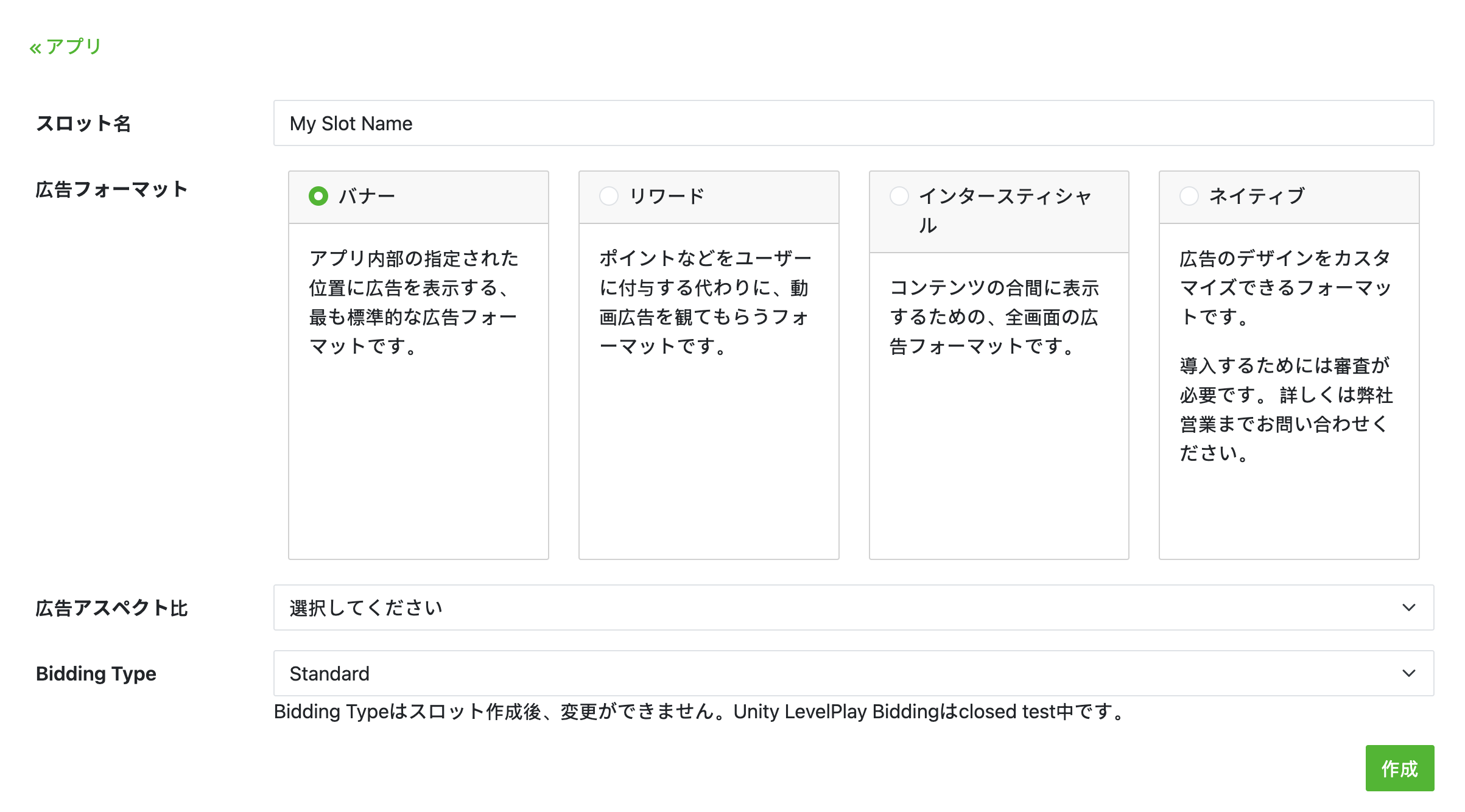
Fill out the form for details about the slot. For **Bidding Type** , select
**Standard** to configure this slot for waterfall mediation, or
**Google SDK Bidding** to configure this slot for Bidding.
Click **Create** once the form is filled.
> [!NOTE]
> **Note:** The **Advertising format** and **Bidding Type** cannot be changed after registering the slot. Reach out to your LY Ads Network account manager to get access to create native ad placements in the LY Ads Network UI.
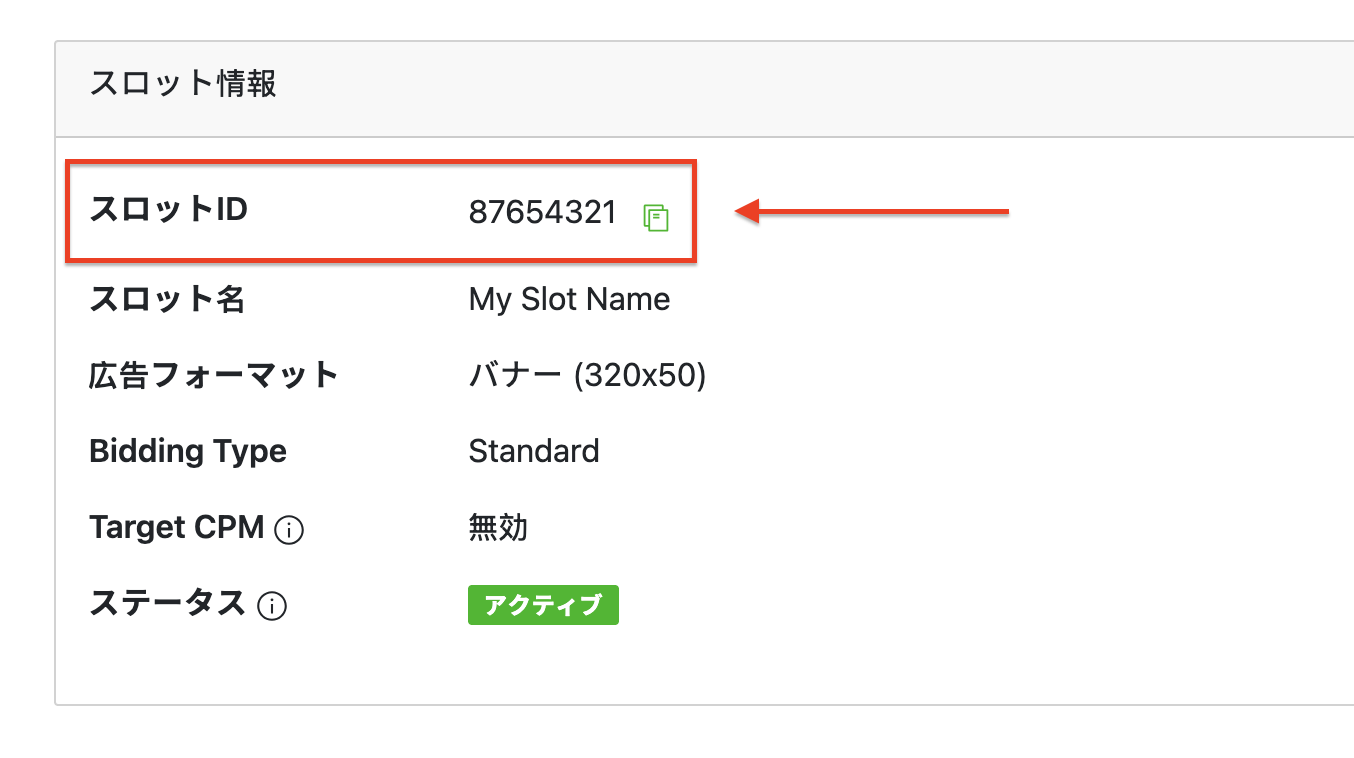
Take note of the **Slot ID**.
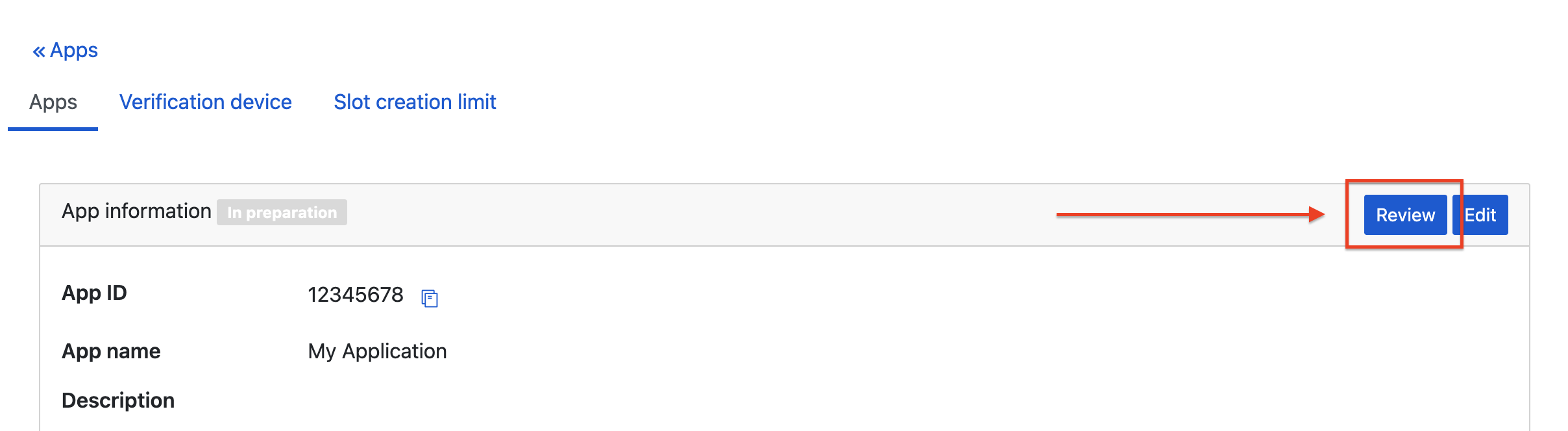
After you create your first slot, click **Review** on your app's detail page to
get approval from LY Ads Network. This may take some time. Contact your
LY Ads Network representative if you have any questions.
### Create a Reporting API Key
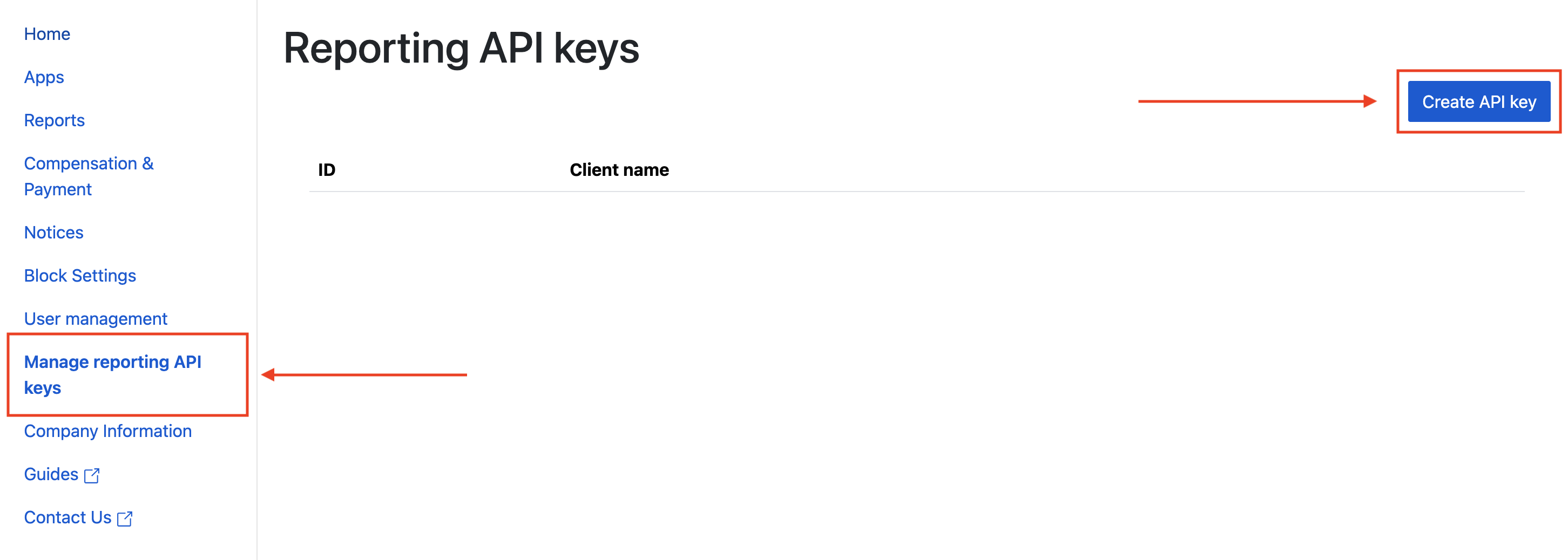
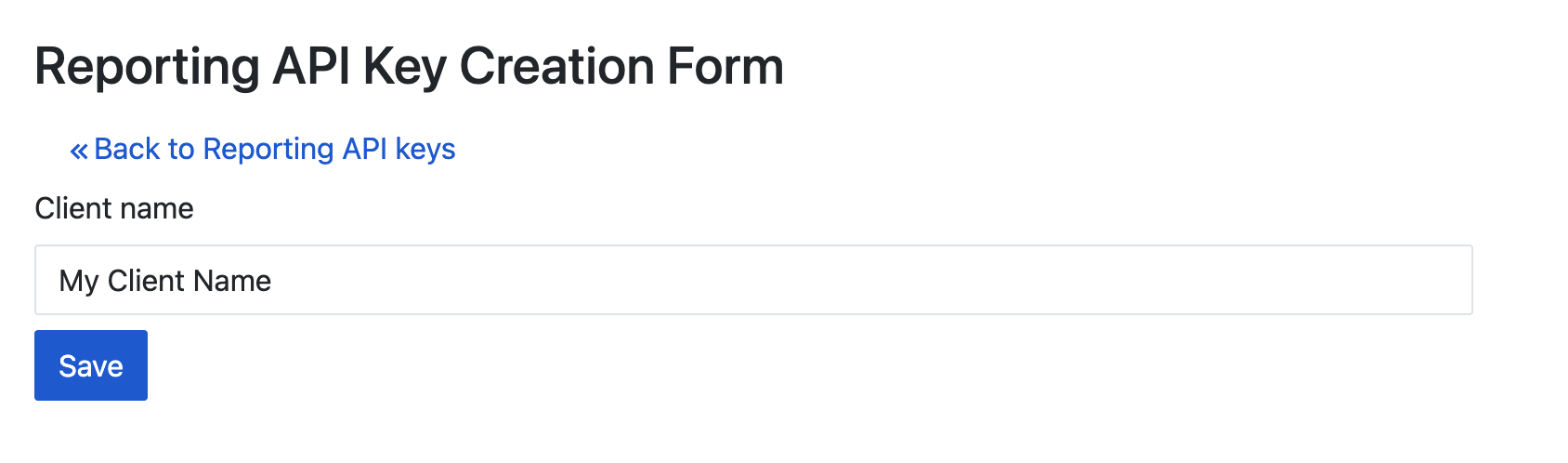
Navigate to the **Managing reporting API keys** tab and click the
**Create API key** button.
Fill out the form and click **Save**.
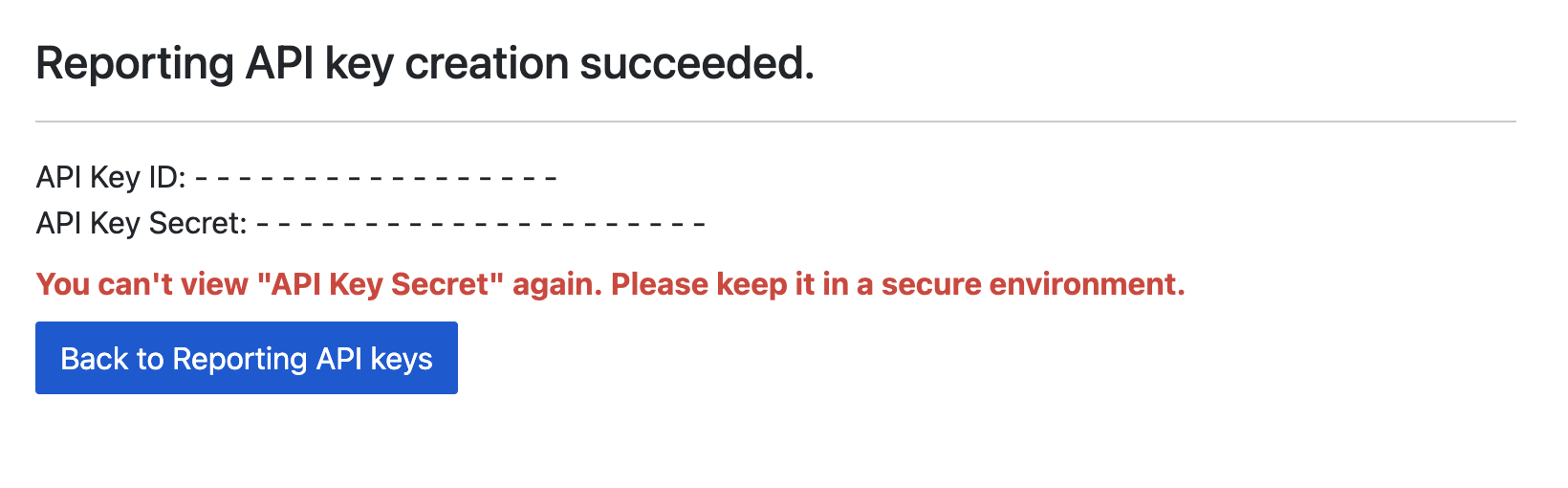
Take note of your **API Key ID** and **API Key Secret**.
### Update your app-ads.txt
[Authorized Sellers for Apps app-ads.txt](https://iabtechlab.com/wp-content/uploads/2019/03/app-ads.txt-v1.0-final-.pdf) is an IAB Tech Lab initiative that helps ensure your
app ad inventory is only sold through channels you've identified as authorized. To prevent a
significant loss in ad revenue, you'll need to implement an `app-ads.txt` file.
If you haven't done so already,
[set up an app-ads.txt file for your app](https://support.google.com/admob/answer/9363762).
To implement `app-ads.txt` for LY Ads Network, see
[About app-ads.txt](https://adsnetwork-docs.linebiz.com/fivesdk-android/store-release/app-ads-txt.html).
## Step 2: Set up LY Ads Network demand in AdMob UI
### Configure mediation settings for your ad unit
### Android
For instructions, see step 2 in the guide for
[Android](https://developers.google.com/admob/android/mediation/line.md.txt#step-2).
### iOS
For instructions, see step 2 in the guide for
[iOS](https://developers.google.com/admob/ios/mediation/line.md.txt#step-2).
## Step 3: Import the LY Ads Network SDK and adapter
> [!NOTE]
> **Note:** Failure to integrate the compatible LY Ads Network and Google Mobile Ads SDK versions might lead to build issues.
In your project's root directory, install the Google Mobile Ads SDK for React Native
mediation adapter for LY Ads Network.
Complete the following:
1. Copy the Google Mobile Ads SDK for React Native adapter tar file from the
`gma-sdk-react-native/adapters/line/`
directory into your project's `local_packages/` directory. If you don't have
the `adapters` folder, see [Prerequisites](https://developers.google.com/admob/react-native/mediation/line.md.txt#prerequisites).
```bash
mkdir -p local_packages
cp EXTRACT_DIR/gma-sdk-react-native/adapters/line/gma-mediation-line-0.1.0.tgz local_packages/
```
Replace EXTRACT_DIR with the path to the
directory where you extracted the archive.
2. Install the adapter package using your preferred package manager:
### npm
```bash
npm install ./local_packages/gma-mediation-line-0.1.0.tgz
```
### yarn
```bash
yarn add ./local_packages/gma-mediation-line-0.1.0.tgz
```
## Step 4: Add required code
### Android
No additional code is required for LY Ads Network integration.
### iOS
### SKAdNetwork integration
Follow [LY Ads Network's documentation](https://adsnetwork-docs.linebiz.com/fivesdk-ios/advanced/sk-ad-network.html)
to add the SKAdNetwork identifiers to your project's `Info.plist` file.
## Step 5: Test your implementation
### Enable test ads
Make sure you
[register your test device](https://developers.google.com/admob/react-native/test-ads.md.txt#enable_test_devices)
for
AdMob.
> [!IMPORTANT]
> **Important:** Disable test mode for AdMob and LY Ads Network before releasing your app.
### Verify test ads
To verify that you are receiving test ads from
LY Ads Network,
enable
[single ad source testing](https://developers.google.com/admob/react-native/ad-inspector#single_ad_source_testing)
in ad inspector using the
**LY Ads Network** ad source(s).
## Optional steps
### Network-specific parameters
The LY Ads Network React Native mediation plugin supports the following
additional request parameter which can be passed to the adapter through the
`LineMediationExtras` class:
- `enableAdSound` : Specifies the default sound start state of banner, interstitial and rewarded ads.
Here's a code example of how to create an ad request that sets these parameters:
```javascript
import { LineMediationExtras } from '@google/gma-mediation-line';
const request = {
// ...
mediationExtras: [
new LineMediationExtras({
enableAdSound: true,
}),
],
};
```
## Error codes
If the adapter fails to receive an ad from LY Ads Network,
publishers can check the underlying error from the ad response using
[`ResponseInfo`](https://developers.google.com/admob/react-native/response-info.md.txt) under the following classes:
### Android
```java
com.line.ads
com.google.ads.mediation.line.LineMediationAdapter
```
### iOS
```objective-c
GADMediationAdapterLine
```
Here are the codes and accompanying messages thrown by the LY Ads Network
adapter when an ad fails to load:
### Android
| Error code | Domain | Reason |
|---|---|---|
| 1-10 | com.five_corp.ad | LY Ads Network SDK returned an SDK-specific error. See LY Ads Network's [documentation](https://adsnetwork-docs.linebiz.com/fivesdk-android/trouble-shooting/quick-diagnosis.html) for more details. |
| 101 | com.google.ads.mediation.line | Missing or invalid Application ID. |
| 102 | com.google.ads.mediation.line | Missing or invalid Slot ID. |
| 103 | com.google.ads.mediation.line | The requested ad size does not match a LY Ads Network supported banner ad size. |
| 104 | com.google.ads.mediation.line | Failed to load an interstitial or rewarded ad due to missing activity context. |
| 105 | com.google.ads.mediation.line | LY Ads Network SDK failed to show an interstitial or rewarded ad. |
| 106 | com.google.ads.mediation.line | Failed to load a native ad due to missing assets. |
| 107 | com.google.ads.mediation.line | FiveAd SDK returned a null ad loader. |
### iOS
| Error code | Domain | Reason |
|---|---|---|
| 1-10 | Sent by LY Ads Network SDK | LY Ads Network SDK returned an SDK-specific error. See LY Ads Network's [documentation](https://adsnetwork-docs.linebiz.com/fivesdk-ios/trouble-shooting/quick-diagnosis.html) for more details. |
| 101 | com.google.ads.mediation.line | Invalid server parameters (e.g. Missing Application ID or Slot ID). |
| 102 | com.google.ads.mediation.line | The requested ad size does not match a LY Ads Network supported banner ad size. |
| 103 | com.google.ads.mediation.line | Failed to load an information icon image asset in native ad. |
| 104 | com.google.ads.mediation.line | Failed to collect signals for bidding. |
| 105 | com.google.ads.mediation.line | Failed to initialize the LINE Ads SDK ad loader. |
#### Version 0.1.0
- Initial release.
- Supports [LINE Android adapter version 3.1.1.2](https://github.com/googleads/googleads-mobile-android-mediation/blob/main/ThirdPartyAdapters/line/CHANGELOG.md#version-3112).
- Supports [LINE iOS adapter version 3.1.1.0](https://github.com/googleads/googleads-mobile-ios-mediation/blob/main/adapters/Line/CHANGELOG.md#version-3110).
- Built and tested with the Google Mobile Ads React Native Plugin version 0.1.0.