Native ads lets you design an ad placement that matches the style of your app. While this provides a lot of flexibility, it's important to ensure your placements remain compliant with AdMob policies.
Native Validator is a new feature to help you catch policy violations before
your app ships. It automatically identifies certain policy violations in your
app and notifies you through the app's UI.
> [!IMPORTANT]
> **Key Point:** Native Validator will appear only on test ads. Live ad requests will never show Native Validator.
Native Validator is enabled by default for test ads, but can be disabled as
shown below. Keep in mind however that once the validator is disabled, test ads
will no longer show information about potential issues with your ad layouts.
## Prerequisites
Before you continue, do the following:
- Ensure your device is configured as a [test
device](https://developers.google.com/admob/ios/test-ads#enable_test_devices).
## Using Native Validator
Native Validator automatically alerts you of certain policy violations in your
UI through an overlay popup next to the ad.

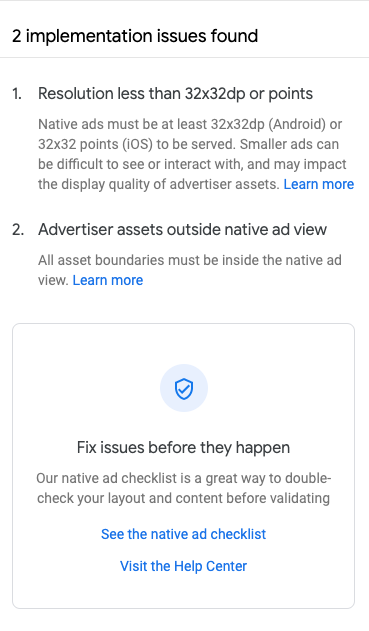
Clicking on **See Issues** takes you to a fullscreen list of the relevant policy
violations.
## Disabling the validator
To disable Native Validator, add `GADNativeAdValidatorEnabled = false` to your
`Info.plist`.
GADNativeAdValidatorEnabled
Or, edit it in the property list editor:
