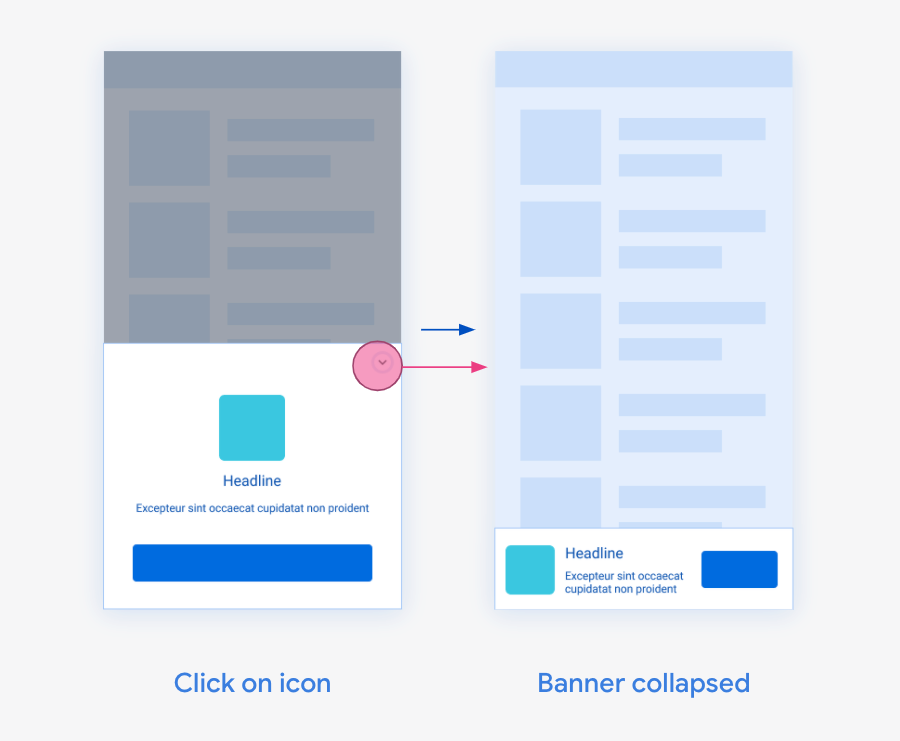
Collapsible banner ads are banner ads that are initially presented as a larger
overlay, with a button to collapse them to the originally requested banner size.
Collapsible banner ads are intended to improve performance of anchored ads that
are otherwise a smaller size. This guide shows how to turn on collapsible banner
ads for existing banner placements.
## Prerequisites
- Complete the [banner ads get started guide](https://developers.google.com/ad-manager/mobile-ads-sdk/unity/banner.md.txt).
## Implementation
Make sure your banner view is defined with the size you would like users to see
in the regular (collapsed) banner state. Include an extras parameter in the ad
request with `collapsible` as the key and the placement of the ad as the value.
The collapsible placement defines how the expanded region anchors to the banner
ad.
| `Placement` value | Behavior | Intended use case |
|---|---|---|
| `top` | The top of the expanded ad aligns to the top of the collapsed ad. | The ad is placed at the top of the screen. |
| `bottom` | The bottom of the expanded ad aligns to the bottom of the collapsed ad. | The ad is placed at the bottom of the screen. |
If the loaded ad is a collapsible banner, the banner shows the collapsible
overlay immediately once it's placed in the view hierarchy:
```c#
private void LoadBannerAd()
{
var bannerView = new BannerView(_adUnitId, AdSize.Banner, AdPosition.Bottom);
var adRequest = new AdRequest();
// Create an extra parameter that aligns the bottom of
// the expanded ad to the bottom of the bannerView.
adRequest.Extras.Add("collapsible", "bottom");
bannerView.LoadAd(adRequest);
}
```
## Ads refreshing behavior
For apps that configure auto-refresh for banner ads in the
Ad Manager web interface, when a collapsible banner ad
is requested for a banner slot, subsequent ad refreshes won't request
collapsible banner ads. This is because showing a collapsible banner on every
refresh could have a negative impact on user experience.
If you want to load another collapsible banner ad later in the session, you can
load an ad manually with a request containing the collapsible parameter.
## Check if a loaded ad is collapsible
Non-collapsible banner ads are eligible to return for collapsible banner
requests to maximize performance. If the request fails to load and the previous
banner is collapsible, the API returns the value `true`. To check if the last
banner loaded is collapsible, call the `isCollapsible` method:
```c#
_bannerView.OnBannerAdLoaded += () =>
{
Debug.Log(_bannerView.IsCollapsible()
? "Banner is collapsible."
: "Banner is not collapsible.");
};
```
## Mediation
Collapsible banner ads are only available for Google demand. Ads served through
mediation show as normal, non-collapsible banner ads.