Select platform: [HTML5](https://developers.google.com/ad-manager/dynamic-ad-insertion/sdk/html5/secure-signals "View this page for the HTML5 platform docs.") [Android](https://developers.google.com/ad-manager/dynamic-ad-insertion/sdk/android/secure-signals "View this page for the Android platform docs.") [iOS](https://developers.google.com/ad-manager/dynamic-ad-insertion/sdk/ios/secure-signals "View this page for the iOS platform docs.") [tvOS](https://developers.google.com/ad-manager/dynamic-ad-insertion/sdk/tvos/secure-signals "View this page for the tvOS platform docs.")
Secure signals are encoded data that is collected on the client device and
shared with select bidders. This guide shows you how to collect and send secure
signals to Google Ad Manager using the IMA SDK.
The secure signals API requires version 3.18.1
or higher of the IMA SDK for iOS.
To select signals and bidders, and enable secure signal sharing, see [Share
secure signals with bidders](https://support.google.com/admanager/answer/10488752).
## Use a third-party signal provider
To use secure signals, you must deploy a signal collector
adapter class in your app
to collect signals, encode them, and pass them to the IMA SDK.
Follow your third-party provider's instructions to set up an account with them,
[include frameworks](https://developer.apple.com/library/archive/documentation/MacOSX/Conceptual/BPFrameworks/Tasks/IncludingFrameworks.html),
and set up their secure signals adapter in your app.
The IMA SDK for iOS automatically
initializes each secure signals adapter, without any additional changes to your
code.
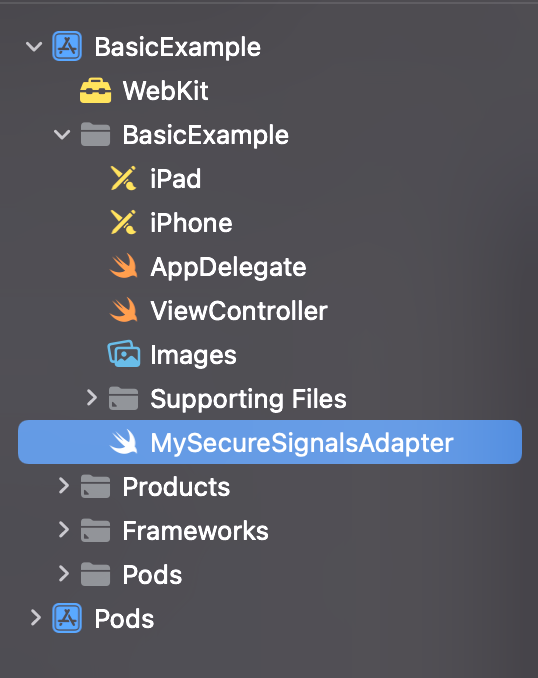
Here's an example of how you might add a secure signals adapter to your project:
## Send custom data
In addition to using a third-party signal provider, you can also collect,
encode, and send signals with custom data. Before you can send secure signals
with custom data, you must turn on custom signals in Ad Manager.
For each stream request, do the following:
1. Create an `IMASecureSignals` object containing your encoded custom data as a string.
2. Add the `IMASecureSignals` object to your stream request by setting the `IMAStreamRequest.secureSignals` attribute:
### Objective-C
IMASecureSignals *signals =
[[IMASecureSignals alloc] initWithCustomData:@"ENCODED_SIGNAL_STRING"];
streamRequest.secureSignals = signals;
### Swift
let signals = IMASecureSignals(customData: "ENCODED_SIGNAL_STRING")
streamRequest.secureSignals = signals