Select platform: [HTML5](https://developers.google.com/ad-manager/dynamic-ad-insertion/sdk/html5/secure-signals "View this page for the HTML5 platform docs.") [Android](https://developers.google.com/ad-manager/dynamic-ad-insertion/sdk/android/secure-signals "View this page for the Android platform docs.") [iOS](https://developers.google.com/ad-manager/dynamic-ad-insertion/sdk/ios/secure-signals "View this page for the iOS platform docs.") [tvOS](https://developers.google.com/ad-manager/dynamic-ad-insertion/sdk/tvos/secure-signals "View this page for the tvOS platform docs.")
Secure signals are encoded data that is collected on the client device and
shared with select bidders. This guide shows you how to collect and send secure
signals to Google Ad Manager using the IMA SDK.
To select signals and bidders, and enable secure signal sharing, see [Share
secure signals with bidders](https://support.google.com/admanager/answer/10488752).
## Use a third-party signal provider
To use secure signals, you must deploy a signal collector
script on your site
to collect signals, encode them, and pass them to the IMA SDK.
You deploy secure signals scripts either automatically or manually.
### Deploy automatically
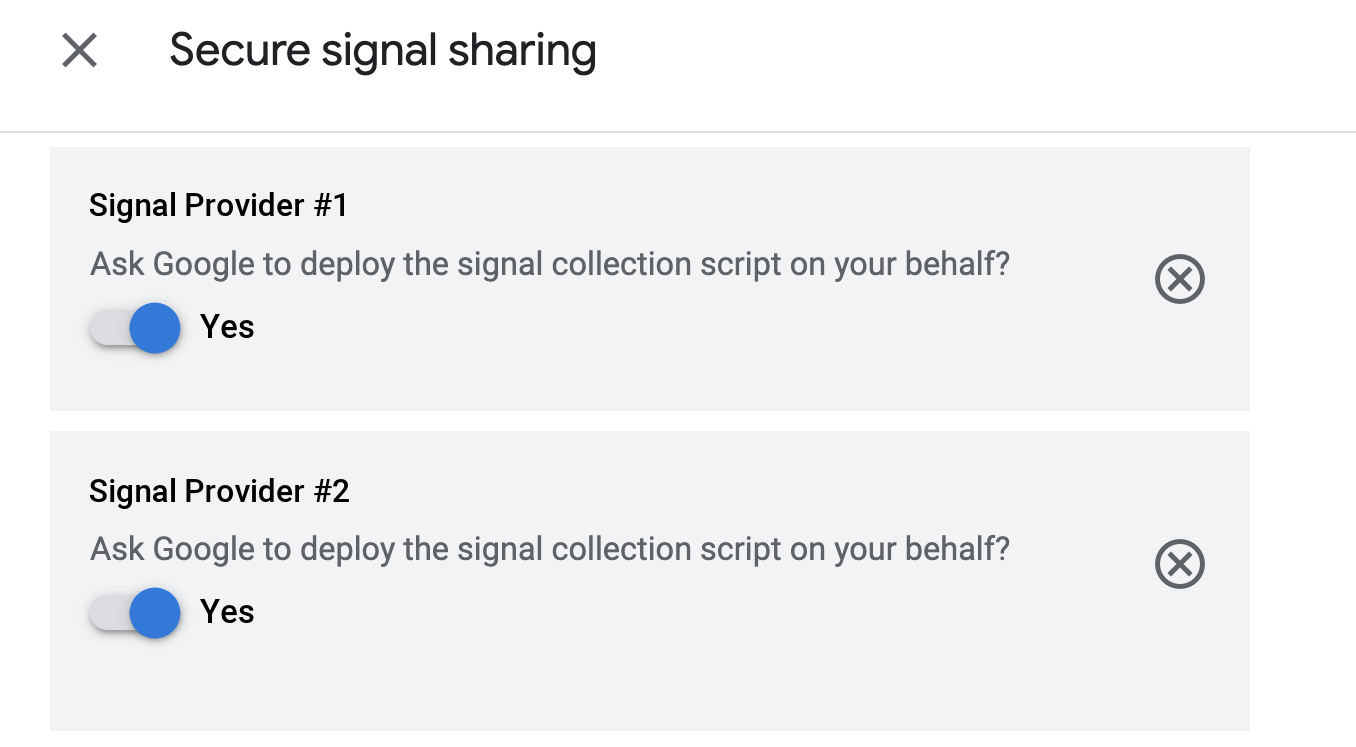
When selecting signal providers in Ad Manager, depending on your selected signal
providers, you might get the option to **Ask Google to deploy the signal
collection script on your behalf** . If you select this option, and your site
includes [Google Publisher Tags](https://developers.google.com/publisher-tag/guides/get-started), the signal
collector scripts you chose are loaded automatically.
Here's an example of what you might see in the [Ad Manager
UI](https://admanager.google.com/):
Here's an example of what you might see in your site's `index.html` file:
### Deploy manually
If you don't see the option **Ask Google to deploy the signal collection script
on your behalf** in Ad Manager or if you don't turn on this option, you need to
get a script link from your secure signals provider and manually include it in
your project.
Here's an example of what you might see in the [Ad Manager
UI](https://admanager.google.com/):

Here's an example of what you might see in your site's `index.html` file:
## Send custom data
In addition to using a third-party signal provider, you can also collect,
encode, and send signals with custom data. Before you can send secure signals
with custom data, you must turn on custom signals in Ad Manager.
Here are the steps for HTML5 projects:
1. Create an object with these properties: `networkCode` and `collectorFunction`.
2. Populate the `networkCode` property with your [network code](https://support.google.com/admanager/answer/7674889).
3. Populate the `collectorFunction` property with a function that returns a promise that resolves to your encoded signals.
Push the object to the `googletag.secureSignalProviders` array before
creating your
\`streamManager\`
instance so that the IMA SDK can access it to retrieve and transmit your
encoded signals:
Here's a javascript example:
console.log("initializing IMA");
videoElement = document.getElementById('video');
adUiElement = document.getElementById('adUi');
const NETWORK_CODE = '21775744923';
/**
* Sample signal collector function.
* @return {!Promise} A promise that resolves to the encoded signals.
*/
const signalCollector = () => {
return new Promise((resolve, reject) => {
resolve("My encoded signal string");
});
};
if (!googletag) googletag = {};
if (!googletag.secureSignalProviders) googletag.secureSignalProviders = [];
googletag.secureSignalProviders.push({
networkCode: NETWORK_CODE,
collectorFunction: signalCollector
});
streamManager = new google.ima.dai.api.StreamManager(videoElement, adUiElement);